Inspiring
November 3, 2020
Answered

How to export images without changing resolution ?

  • November 3, 2020
  • 2 replies
  • 1175 views

Hello,

I'm trying to achieve something, but I fail 🙂


So, in Indesign I have a document with 400 pages.
On every of theses pages, there is an image with text.
Each of these image have different résolution. (300, 600, or 1200pp).


I woud like to export these pages in PNG or Jpeg, as the same resolution as they are.
And I don't know how to do that.
If I choose 300pp in export settings, iimages in 600 or 1200pp will be downscaled, and the results is not good. Same if I choose a bigger value like 600, image in 300pp will be upscaled, with bad results.

The only solution I found so far, is to export a PDF files, since it doesn't change the resolution of the source files. But the problem is now : how to convert this PDF to image, keeping the original resolution ?

I tried to open this PDF in Acrobat Pro, and export images .

But first you have to choose a export résolution, so back to the beginning.
And then, the text is not smooth at all, so no succes here.


So, I hope you could help me with this.
Id really apreciate that.


Thank you.
This topic has been closed for replies.
Correct answer rob day

I woud like to export these pages in PNG or Jpeg, as the same resolution as they are.


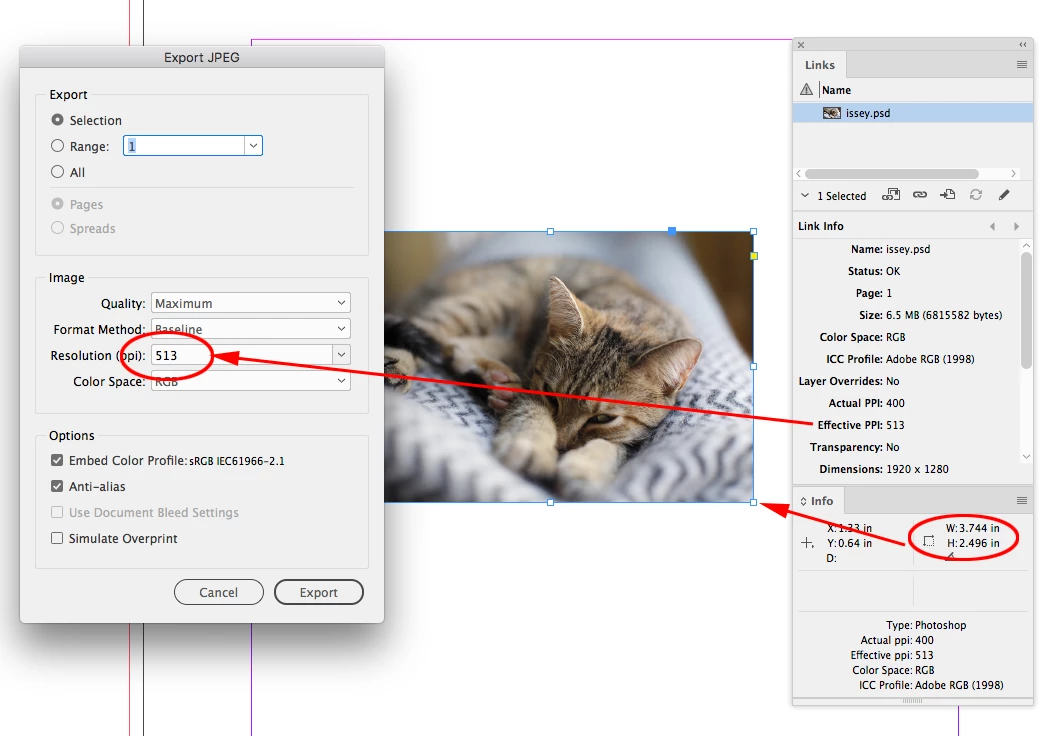
If you are exporting a selection and not the entire page, you can set the Export Resolution to the image’s Effective Resolution, which is listed in the Links Info panel:


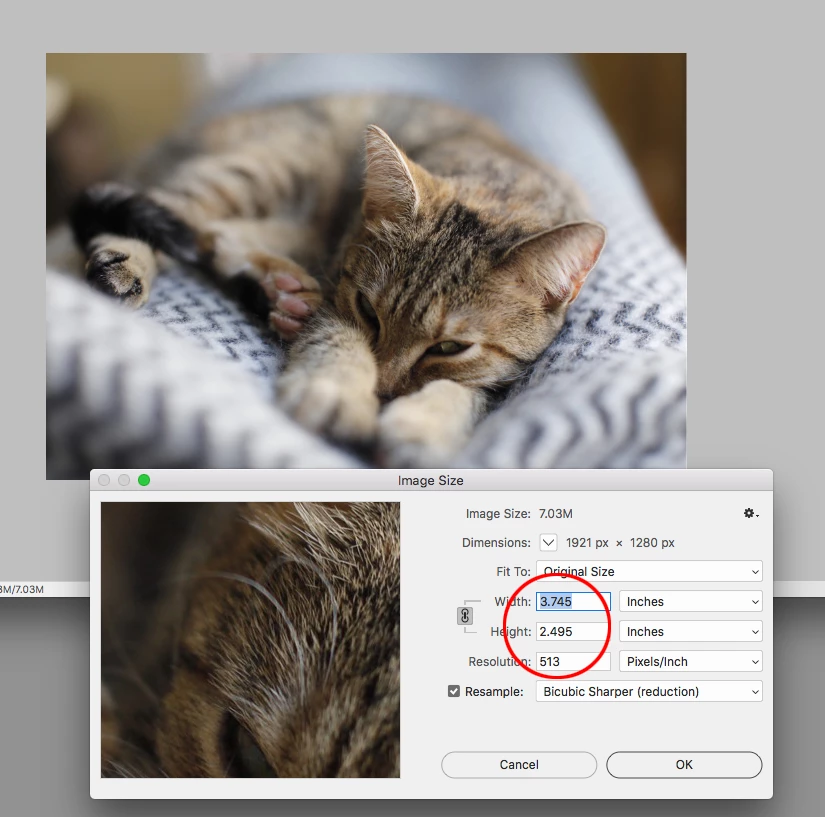
The exported JPEG opened in Photoshop with matching dimensions and resolution:


If you are exporting the entire page, you could choose the image with the lowest Effective Resolution, use that number as the export Resolution, and everything will downsample to that res.


So the solution for page exports would be to make sure all of the placed images have an Effective Resolution that is equal to or higher than the desired page output resolution.


2 replies

rob day
Community Expert
rob dayCommunity ExpertCorrect answer
Community Expert
November 3, 2020

I woud like to export these pages in PNG or Jpeg, as the same resolution as they are.


If you are exporting a selection and not the entire page, you can set the Export Resolution to the image’s Effective Resolution, which is listed in the Links Info panel:


The exported JPEG opened in Photoshop with matching dimensions and resolution:


If you are exporting the entire page, you could choose the image with the lowest Effective Resolution, use that number as the export Resolution, and everything will downsample to that res.


So the solution for page exports would be to make sure all of the placed images have an Effective Resolution that is equal to or higher than the desired page output resolution.


Dov Isaacs
Legend
November 3, 2020

To start with, InDesign documents have no inherent resolution.


The problem is that you can readily have InDesign documents with pages with multiple images with different resolutions plus text and/or vector content. Since export to raster image formats (.jpg, .tif, .png) requires that the target image have one and only one resolution (and color space), InDesign must query you as to exactly what the parameters are for the resultant image. Yes, conceivably if a page contains only one object, a raster image of a particular resolution, conceivably InDesign could guess that you want/need to retain the original resolution, but that isn't always the case and I could readily imagine user complaints if such an assumption was made.


- Dov Isaacs, former Adobe Principal Scientist (April 30, 1990 - May 30, 2021)