Participant
May 28, 2014
Answered

How to fill shapes with dot pattern

  • May 28, 2014
  • 3 replies
  • 97803 views

Does anybody know if it's possible to fill a shape with a dot pattern the way you would with a stroke. I really don't want to create an eps in illustrator and then place into indesign if it will do it for me.
This topic has been closed for replies.
Correct answer Daniel Flavin

As Obi-wan noted, start with a shape

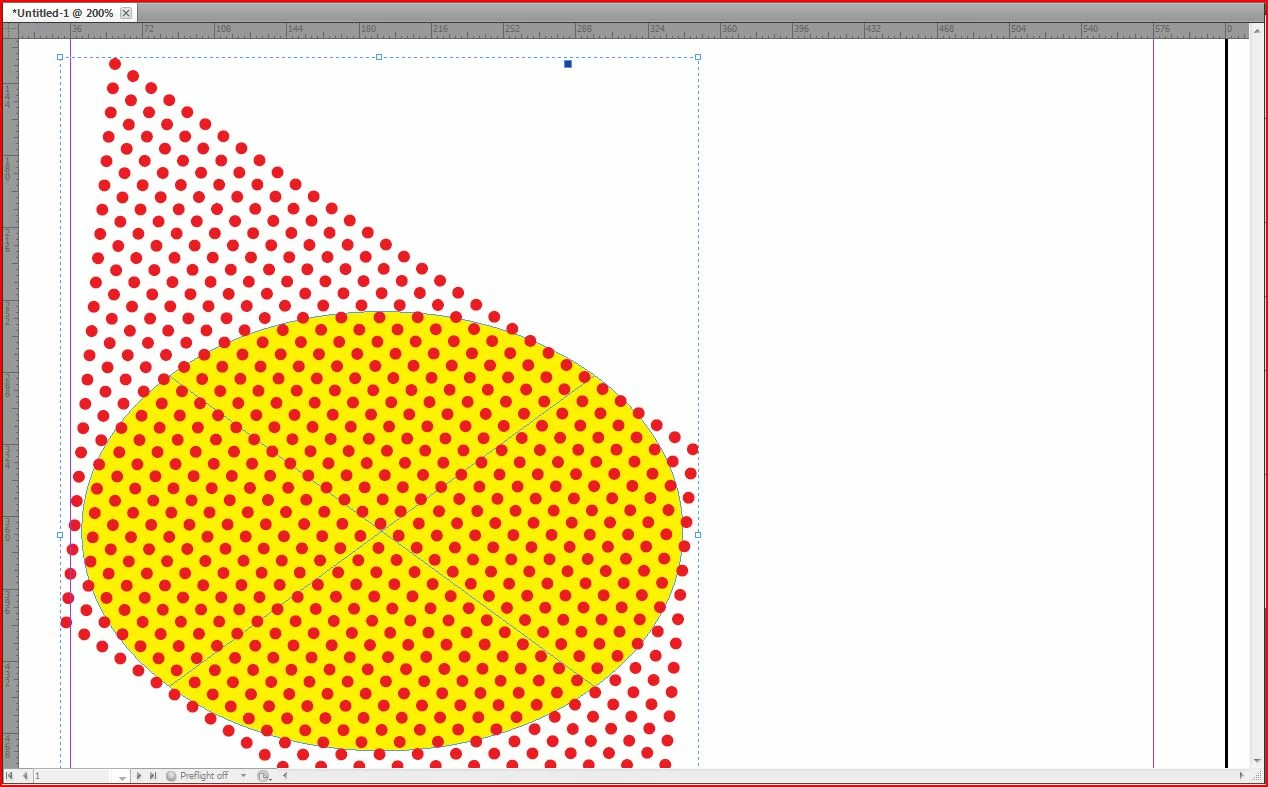
Finish with a grouped set of objects and use Paste Into. (Cut or copy the group, select the frame to fill, Paste Into)

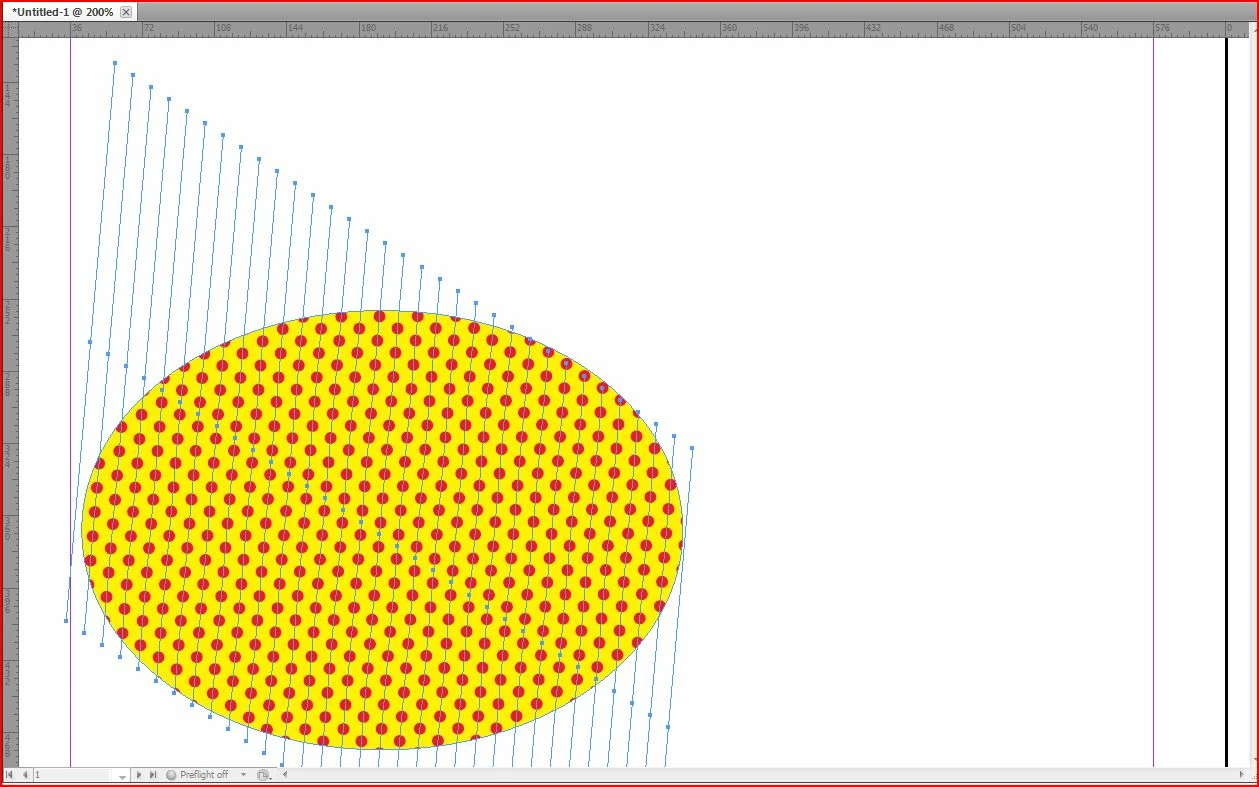
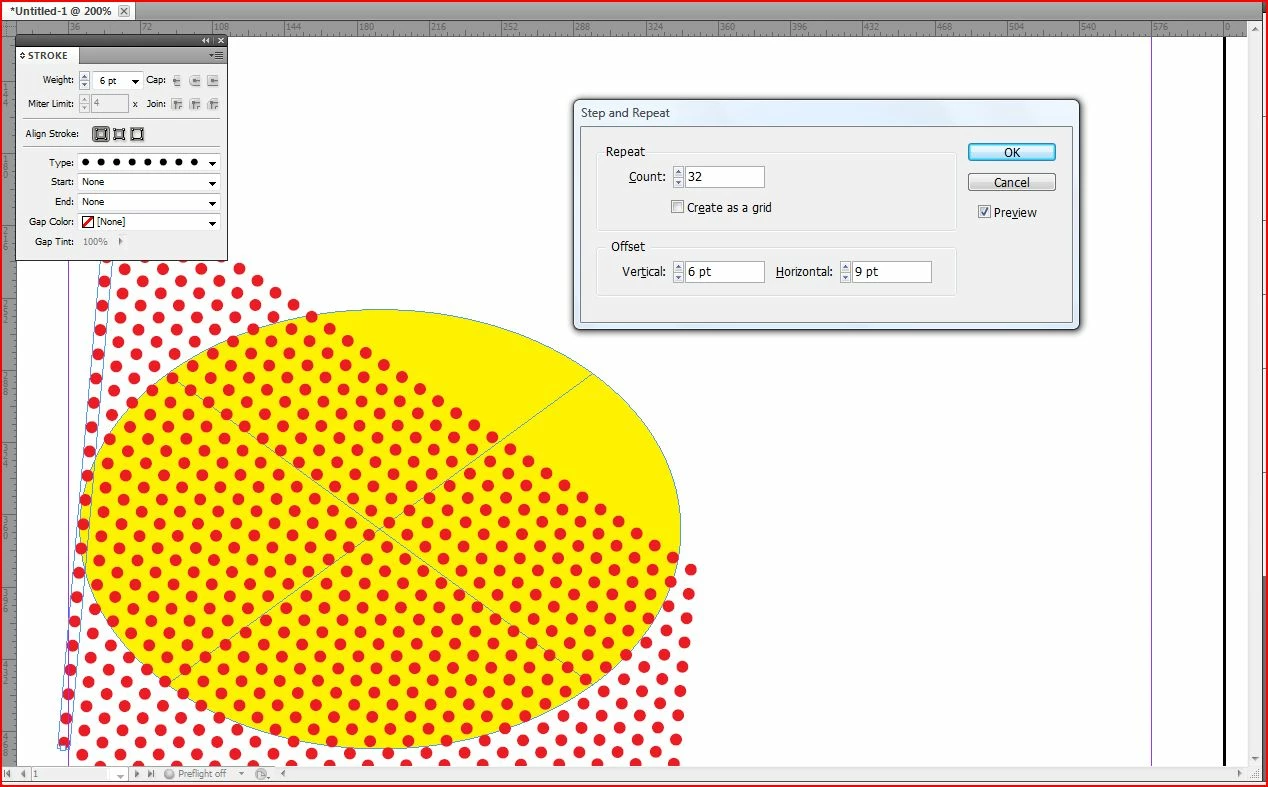
I have used a stoke, set at an angle. I defined the stroke as dotted.

(A custom stoke could control the distance from dot to dot)

I work in values I can divide in my head. 6 pt stoke, step & repeat at 3 or 6 or 9 or 12 pts.

3 replies

Daniel Flavin
Daniel FlavinCorrect answer
Inspiring
May 29, 2014

As Obi-wan noted, start with a shape

Finish with a grouped set of objects and use Paste Into. (Cut or copy the group, select the frame to fill, Paste Into)

I have used a stoke, set at an angle. I defined the stroke as dotted.

(A custom stoke could control the distance from dot to dot)

I work in values I can divide in my head. 6 pt stoke, step & repeat at 3 or 6 or 9 or 12 pts.

Obi-wan Kenobi
Legend
May 29, 2014

Salut Daniel,

In french, it's easier for me. I prefer create a basic pattern element (here, with a circle), apply an object style and duplicate it. That give me much more controls on the pattern: can be anything!

Obi-wan Kenobi
Legend
May 29, 2014

Samples:

Obi-wan Kenobi
Legend
May 29, 2014

HI,

ID can do a lot of things (but not coffee!).

If you begin with this:

… want to do that:

… have several actions on the pattern and the shape, directly with ID elements, e.g., as:

… you can do it easily. 

MapsarewhatIdo
Participant
May 29, 2014

Can you make the dots - diagonal lines? 

Legend
May 28, 2014

This thread has a script for doing this in Illustrator:

Re: [Ann] Design effect - image made of perfectly arranged circles

No reason to create an EPS file -- just place the AI directly into InDesign.

Participant
May 28, 2014

But when you have a bunch of small dots with a bunch of points it slows down Indesign if you import the ai directly. EPS prevents that. I'm wondering if indesign will just do it so I don't have to go back and forth.

Legend
May 29, 2014

When you Place an .ai file into InDesign, and leave it linked, it functions the same as any other linked file, and will not slow anything down. If anything, creating a complex vector shape directly in InDesign has more potential to slow things down that linking will. In any case, eps is an obsolescent format, and should be avoided.