Known Participant
October 6, 2017
Answered

How to find text by "Character Style"

  • October 6, 2017
  • 1 reply
  • 1093 views

HI,

I would like to find a bit of text in the document which have a character style and replace that bit of text with something else without removing the character style.

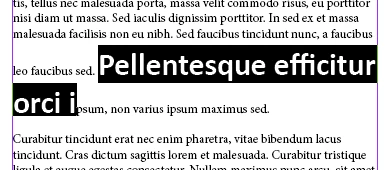
So for example on the screenshots here. The text saying "Pellentesque efficitur orci i" has the character style applied to it "guidebooklisting_name".

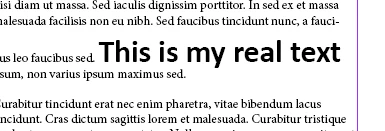
I would like to replace that text with "This is my real text" so the final result would look like this and would not loose the character style.
I hope that make sense : ) Thank you for your help,
This topic has been closed for replies.
Correct answer Anantha Prabu G

Hi geza,

hope its helps!!

var myDoc = app.activeDocument;

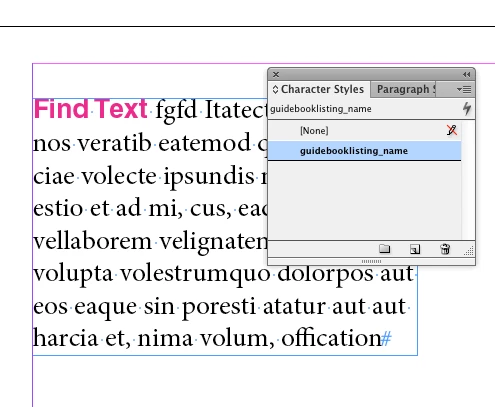
app.findGrepPreferences.findWhat = "Find Text"

app.findGrepPreferences.appliedCharacterStyle ="guidebooklisting_name";

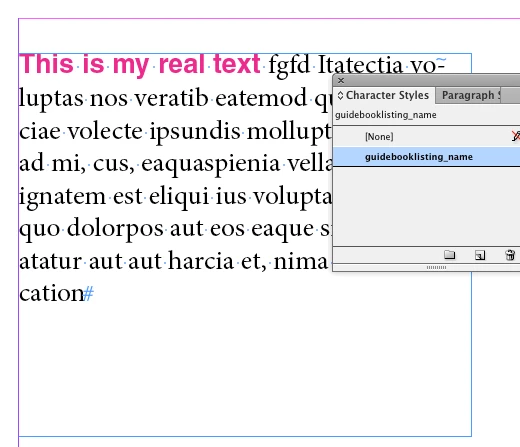
app.changeGrepPreferences.changeTo = "This is my real text";

myDoc.changeGrep();

Thanks,

Prabu G

1 reply

Anantha Prabu G
Anantha Prabu GCorrect answer
Legend
October 6, 2017

Hi geza,

hope its helps!!

var myDoc = app.activeDocument;

app.findGrepPreferences.findWhat = "Find Text"

app.findGrepPreferences.appliedCharacterStyle ="guidebooklisting_name";

app.changeGrepPreferences.changeTo = "This is my real text";

myDoc.changeGrep();

Thanks,

Prabu G

Design smarter, faster, and bolder with InDesign scripting.
Known Participant
October 7, 2017

It helps big time : ) Thank you!

I forgot to say I would like to do this regardless of the content what is in that style. But that is just a small change like this

  1. app.findGrepPreferences.findWhat = ""