

Question
How to fit image into a specific area and specify the cropping direction
I want the image to fit within the page margins, with any excess areas cropped from the top and right sides.
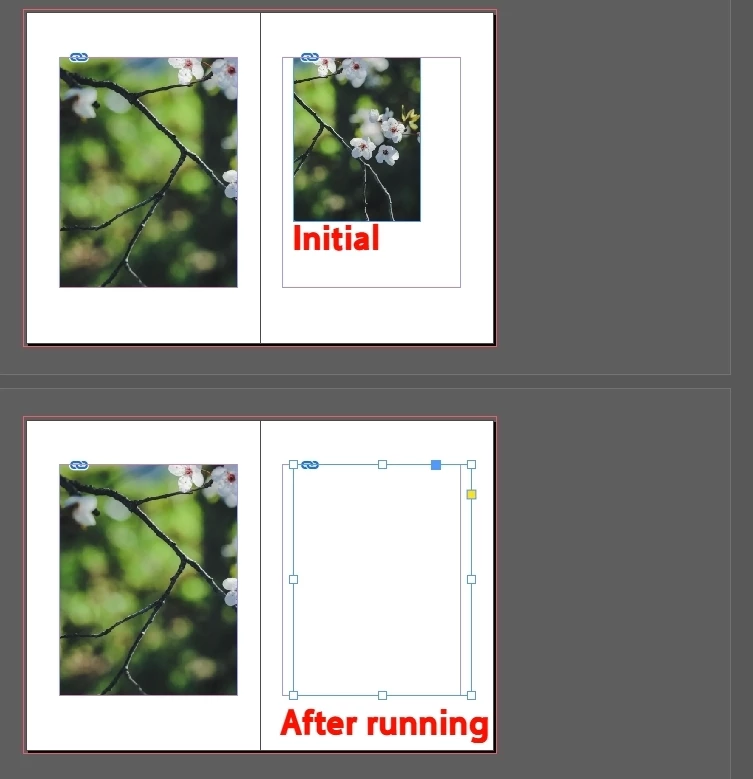
When the image is on the left page, there’s no problem.
When the image is on the right page, after running the script, only the frame fits the page layout, but the image itself disappears.
I’ve been trying to figure this out for a while and suspect it might be because the image extends too far to the right.
Am I using FitOptions incorrectly?
Or is there something wrong with the move command?
Thanks.
var doc = app.activeDocument;
var item = doc.selection[0];
var items = doc.selection;
var s = item;

s.geometricBounds = [40, 30, 247, 190];

s.fit(FitOptions.PROPORTIONALLY);
s.fit(FitOptions.FILL_PROPORTIONALLY);
alert('This part is still correct.');
var img = s.images[0];
var mcy = s.geometricBounds[2] - img.geometricBounds[2]
var mcx = s.geometricBounds[3] - img.geometricBounds[3]
img.move([0, 0], [-mcx, +mcy]);


 AdChoices