
Known Participant
July 18, 2023
Question

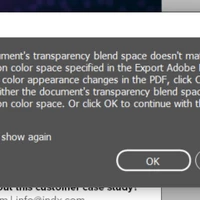
How to fix "document's transparency blend space or destination color space" adobe PDF export

  • July 18, 2023
  • 1 reply
  • 14343 views

Hello, I am having the following issue and my background is not seeing on my mobile phone. I am having the same issue with InDesign and Illustrator. Does anyone know how to fix this? Thanks!


The document should look like this and get this:



Getting this on mobile:



Thanks!

1 reply

Community Expert
July 18, 2023

Try going to Edit>Transparency Blend Space and set it to RGB


rvargasffAuthor
Known Participant
July 18, 2023

I already did, and still not working.

Community Expert
July 18, 2023

Apologies - it wasn't clear what you have tried.

This can happen when transparency is still active within the image - for a test you can try File>Export and choose PDFX1a and save as a test file. 


PDF X1a should flatten all transparency in the PDF.


But again - I'm not sure what you've tried - what file format you're exporting to - or what device exactly you're viewing on - or what application on the device called mobile.


Can you please let us know what file format or program you are using to view on mobile?