Participant
October 29, 2024
Question

How to Fix Panels Opening Half Off-Screen on the Right?

  • October 29, 2024
  • 2 replies
  • 504 views

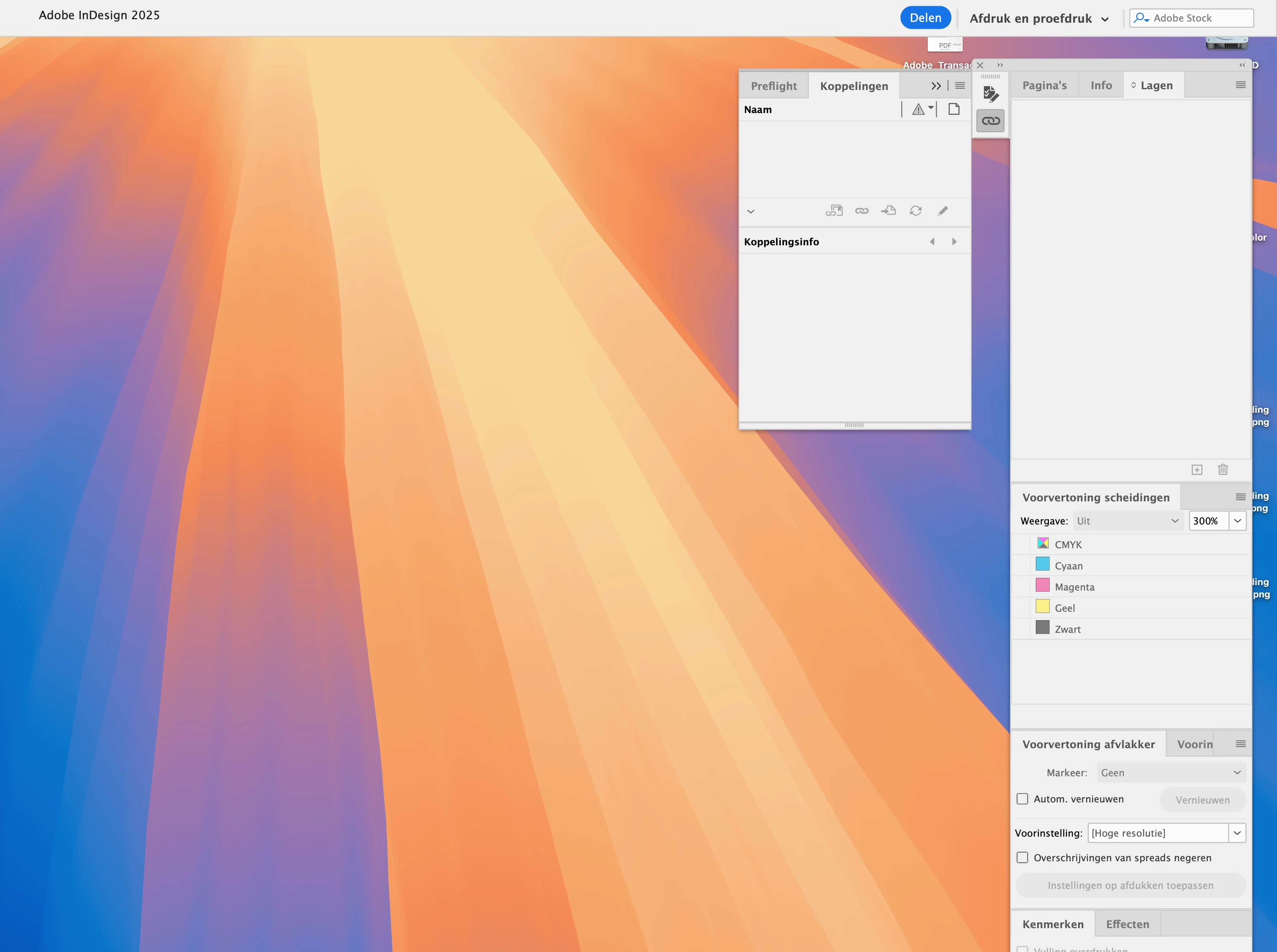
When I have my panels-window set close to the right side of my screen and I click for example on the links-panel, it will open on the left side of the panels-window.


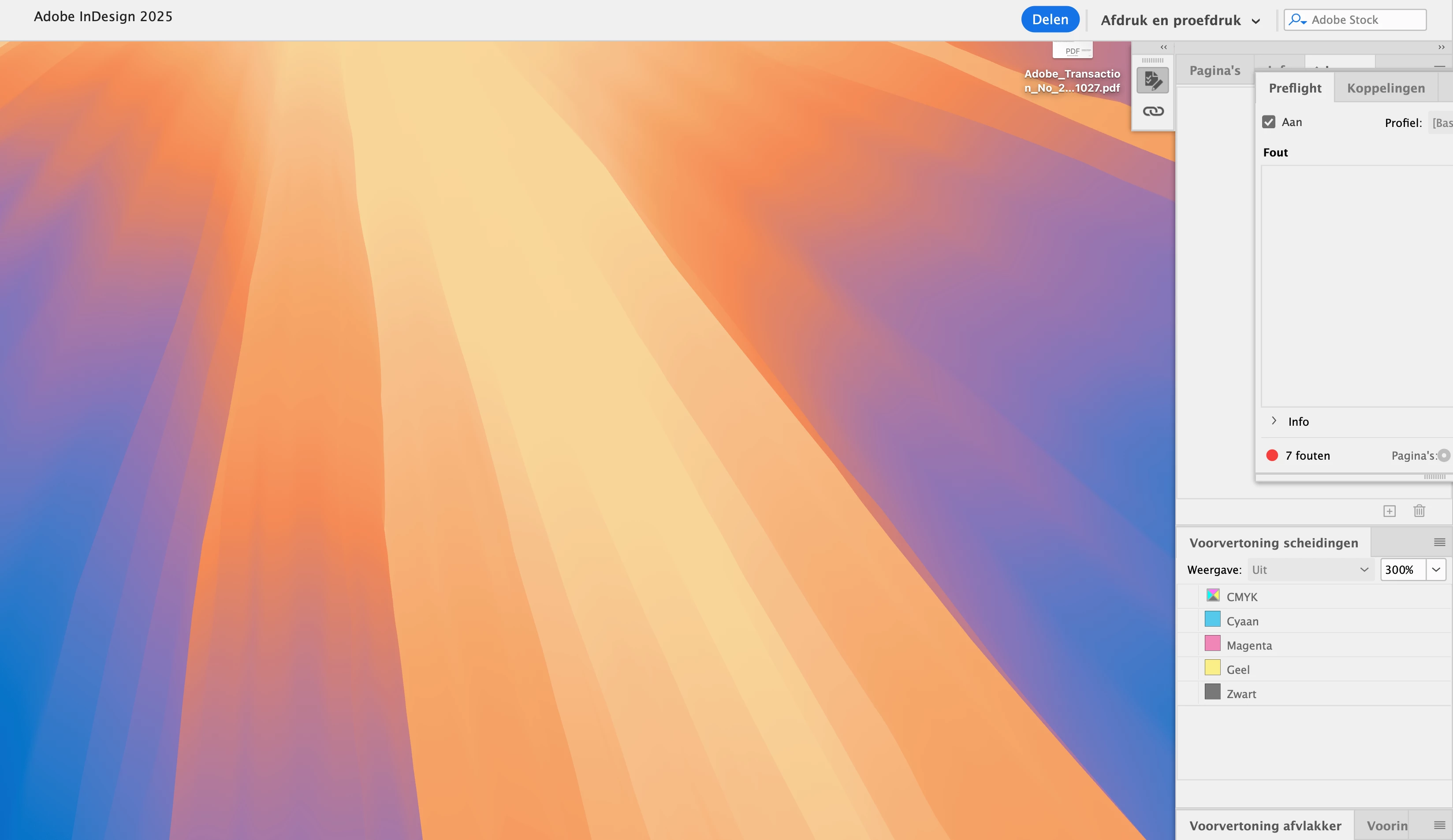
When I have my panels-window set locked to the right side of my screen (or however it is called) and I click on the links-pnale, it will open on the right side of the panels-window and disapear by half.


I'm getting very frustrated.


What do I have to do to fix this?


<Title renamed by MOD>

This topic has been closed for replies.

2 replies

leo.r
Community Expert
Community Expert
October 29, 2024

I remember that another user has reported this issue just recently, and all I know is that I can't reproduce it: the iconized panels will always expand to the left for me. So hopefully suggestions by @Abhishek Rao help, plus I'd also suggest the general troubleshooting steps:


https://www.rockymountaintraining.com/adobe-indesign-rebuilding-preferences-cache/

Abhishek Rao
Community Manager
Community Manager
October 29, 2024

Hi @Full-color,


I can understand how frustrating this must be. Let's work through this together to get your panels behaving as expected.


Could you please let me know which version of InDesign you’re using and the details of your operating system? Also, since when have you been experiencing this issue?

Are you using a default workspace (like Advanced or Interactive for PDF), or is this a custom workspace? If it's custom, could you try switching to a default workspace and let me know if the problem persists?

As a workaround, you can reset the panels by doing the following:

  1. Go to Window > Workspace, and select Reset [Your Workspace Name].
  2. Alternatively, undock and redock the panel group by dragging it slightly away from the edge and then reattaching it.

Let me know how it goes. Thank you for your patience!


Thanks,

Abhishek Rao

Participant
October 29, 2024
quote

Could you please let me know which version of InDesign you’re using and the details of your operating system? Also, since when have you been experiencing this issue?

Since I'm using Indesign 2025 (v20.0)


quote

Are you using a default workspace (like Advanced or Interactive for PDF), or is this a custom workspace? If it's custom, could you try switching to a default workspace and let me know if the problem persists?

I used a constum workspace, but (as you an see on the screenshot) I also tried a default workspace. The problem persists.


quoteAs a workaround, you can reset the panels by doing the following:
  1. Go to Window > Workspace, and select Reset [Your Workspace Name].

Tried that, it didn't work


quote
  1. Alternatively, undock and redock the panel group by dragging it slightly away from the edge and then reattaching it.

I've tried that also, no result.


But... when I go to Scale of Usersinterface (see screenshot) and I slide the bullit to small (klein) then the problem is solved. BUT, then everything in the panels is (to) small 😞


So, the problem is still there.


leo.r
Community Expert
Community Expert
October 29, 2024

I wrote my previous reply just when you were posting yours...

quote

But... when I go to Scale of Usersinterface (see screenshot) and I slide the bullit to small (klein) then the problem is solved. BUT, then everything in the panels is (to) small 😞


By @Full-color


And yes, now I can reproduce the issue you report. I can reproduce it on a Mac Studio with a 27" Dell monitor but NOT on a MacBook Pro 16".


On the Mac Studio I can reproduce the issue under the largest UI scale selected but not any smaller scale settings. (Or, to be more accurate, under some smaller UI scale settings, the panel still does expand to the right but remains within monitor boundaries). There's no issue under the default (Small) UI scaling


So first, it looks like a bug to me. Second, it appears that the behavior of this bug depends on the monitor size (and possibly other factors such as the selected monitor resolution etc.)