
Participant
May 8, 2023
Answered

How to fix unexpected opacity changes in InDesign shapes?

  • May 8, 2023
  • 1 reply
  • 1040 views

Hi everybody,


I have problem about the opacity in InDesign.

Shapes suddenly had transparency but I didn't change any setting. Do you have any idea about that?

I am also adding an image about the problem.


I’m looking forward to your reply.
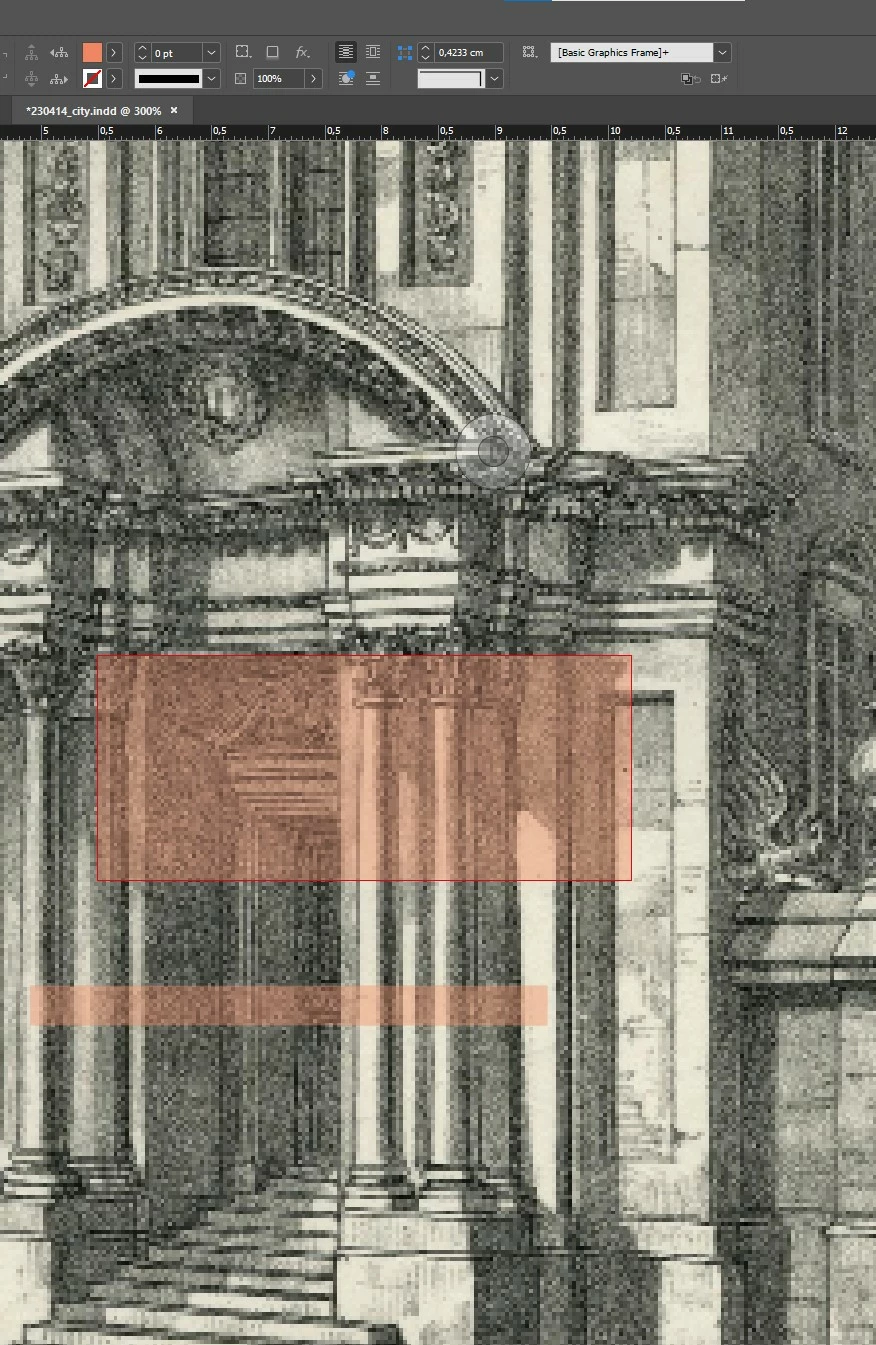


<Title renamed by moderator>

This topic has been closed for replies.
Correct answer Ibo Vis

Hi,

Perhaps you accidentally changes the blending mode? Check the effects panel. The dropdown next to Opacity should be set to Normal.

1 reply

Ibo VisCorrect answer
Inspiring
May 8, 2023

Hi,

Perhaps you accidentally changes the blending mode? Check the effects panel. The dropdown next to Opacity should be set to Normal.

Participant
May 8, 2023

Thank you very much!


I am not familiar with indesign, I've never thought about the effects.

That solved the problem.

Inspiring
May 8, 2023

You are very welcome. Glad to see you are giving indesign a try. Indesign is very useful and the best for creating text-heavy multi-page documents. Make sure you also get familiar with the data-merge feature, in some situations it is the most powerful and time-saving feature of indesign.

I know Indesign like the back of my hand so if you have any more questions don't hesitate to ask. Good luck!