Inspiring
March 24, 2019
Answered

How to force-justify vertical alignment of columns?

  • March 24, 2019
  • 1 reply
  • 1442 views

Hi There,

We have ongoing and painful issues with vertical alignment when images use text wrap - see attached.

90% of the time, vertical justification works great but why doesn't it work in all situations? Currently we're tweaking the size of images or juggling text wrap amounts  but sometimes it doesn't work at all.

How do we force-justify columns (like the columns in the image) so they always line up?

On deadline, any help would be much appreciated.

Cheers
This topic has been closed for replies.
Correct answer Laubender

Hi cmscss ,

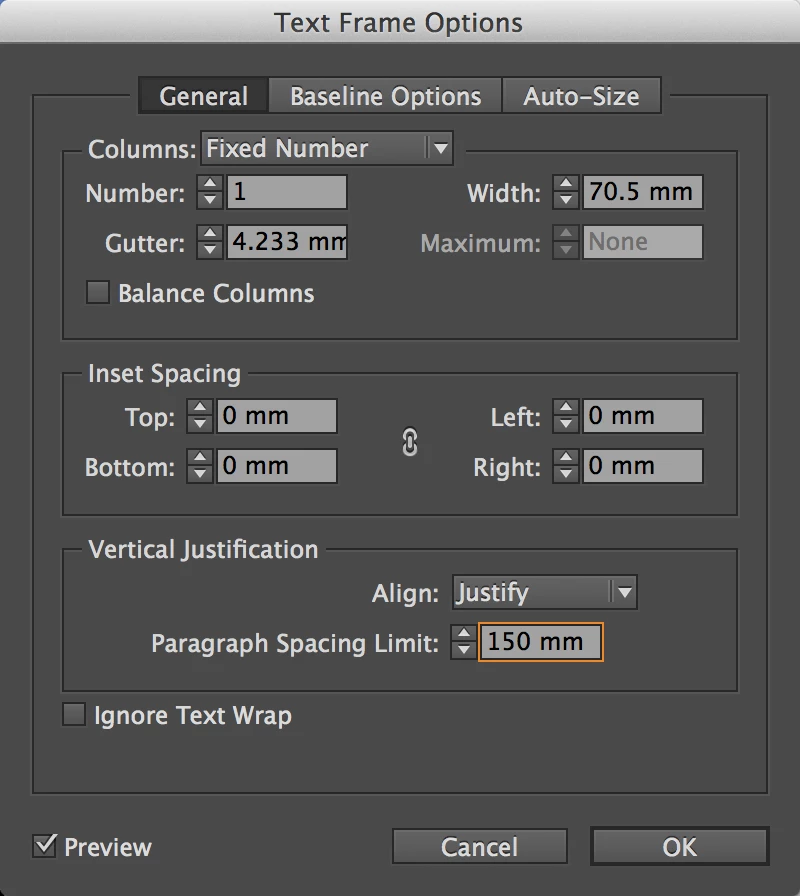
in this case ( your screenshot ) this can be done with the Text Frame Options:

General > Vertical Justification > Align: Justify

Also note that you have to set a specific amount of Paragraph Spacing Limit.

Here one example:

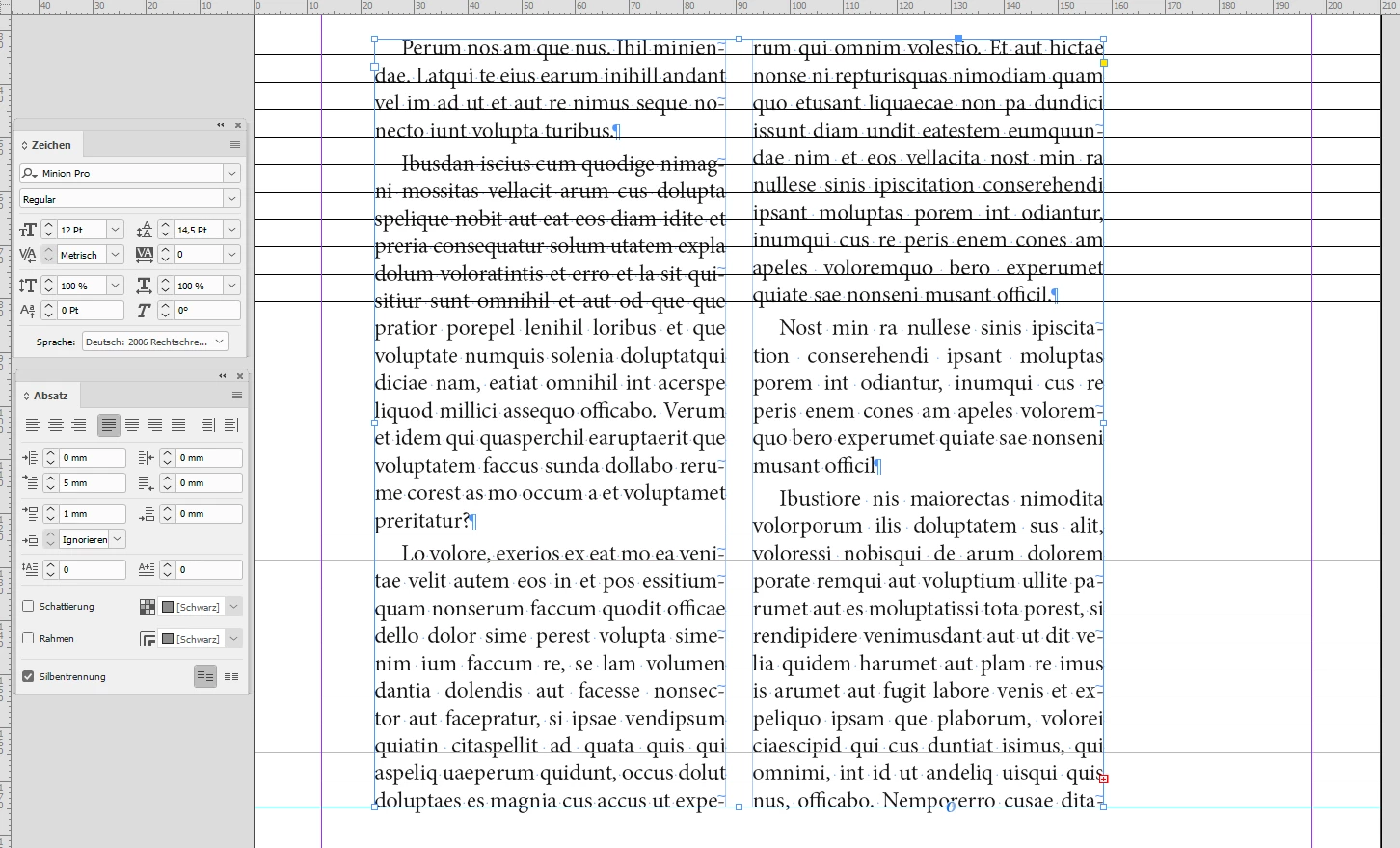
Below a screenshot from my German InDesign of a text frame where I did exactly this, number of columns is 2.

The text is 12/14.5 Pt with paragraph space before: 1 mm. The black guide lines with distance 14.5, the same amount as leading, align beautifully with the upper lines of text. The gray ones align with the bottom lines of text:

So experiment a bit with the value of Paragraph Spacing Limit.

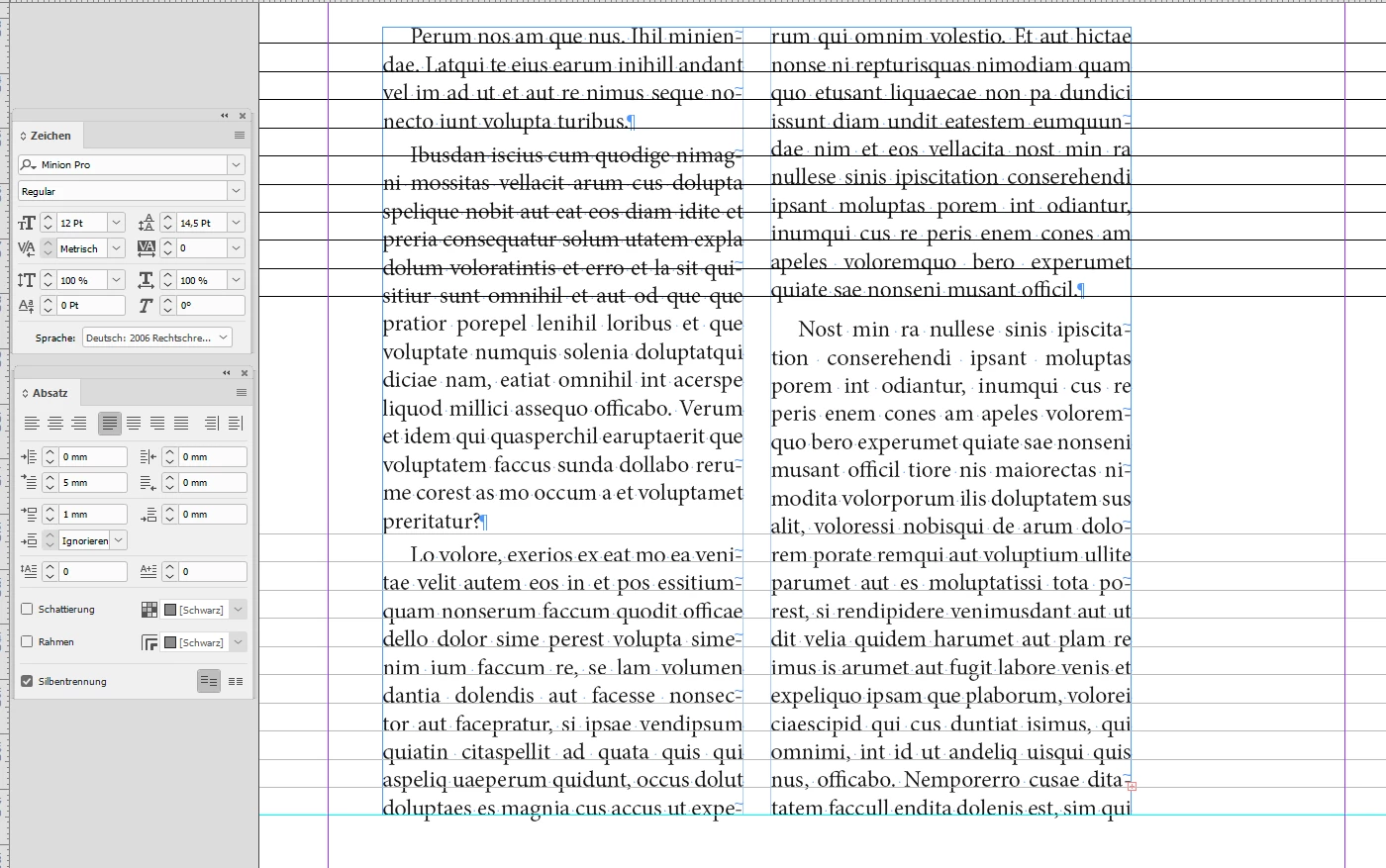
EDIT: Here another screenshot after I edited some text in column two. Still the alignment of text lines with the guides I set before is perfect:

Regards,
Uwe

1 reply

LaubenderCommunity ExpertCorrect answer
Community Expert
March 24, 2019

Hi cmscss ,

in this case ( your screenshot ) this can be done with the Text Frame Options:

General > Vertical Justification > Align: Justify

Also note that you have to set a specific amount of Paragraph Spacing Limit.

Here one example:

Below a screenshot from my German InDesign of a text frame where I did exactly this, number of columns is 2.

The text is 12/14.5 Pt with paragraph space before: 1 mm. The black guide lines with distance 14.5, the same amount as leading, align beautifully with the upper lines of text. The gray ones align with the bottom lines of text:

So experiment a bit with the value of Paragraph Spacing Limit.

EDIT: Here another screenshot after I edited some text in column two. Still the alignment of text lines with the guides I set before is perfect:

Regards,
Uwe

Frans v.d. Geest
Community Expert
Community Expert
March 24, 2019

But... but... Uwe, your text does not register (align to baseline) in the middle, that’s far worse for column text...

Steve Werner
Community Expert
Community Expert
March 24, 2019

Frans,

I don't see the OP asking that the text align to baseline. Lots of publications don't use the align to baseline feature.