Known Participant
May 10, 2020
Answered

How to format text insets that break across pages?

  • May 10, 2020
  • 2 replies
  • 1499 views

I'm redoing an older book that has a lot of inset boxes. Here's a screenshot of a sample page in the original layout:
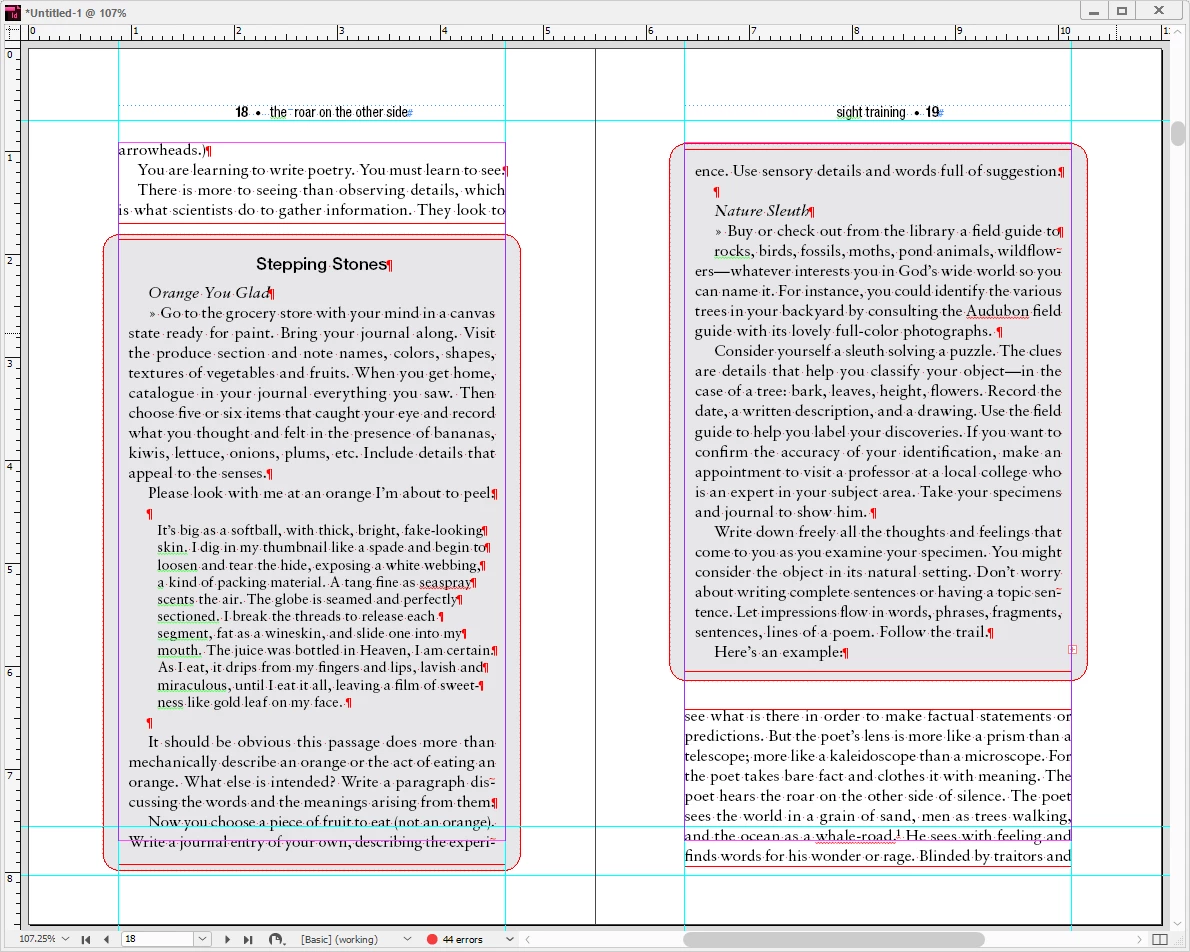


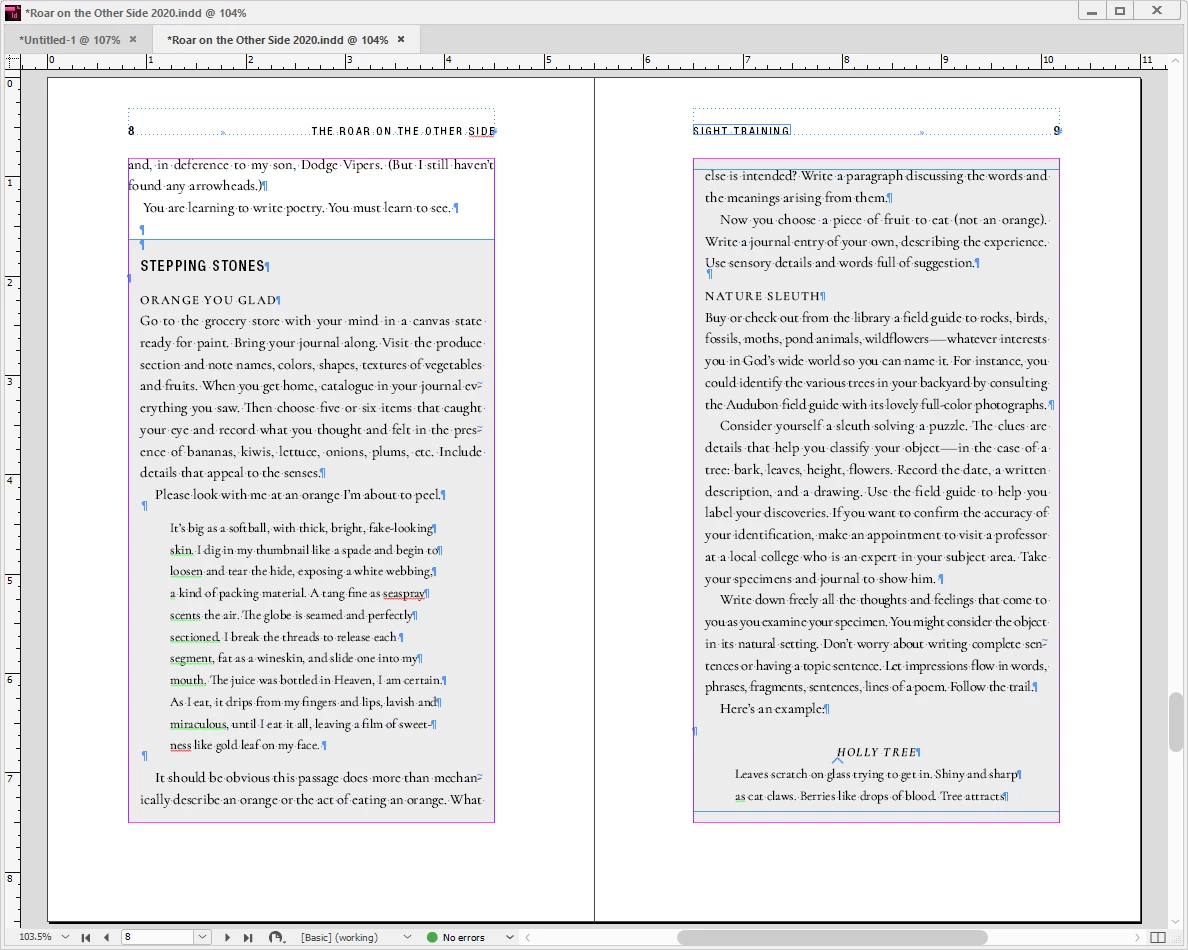
The original designer's rather clunky solution was separate text frames plus separate shades backgrounds. I'd love to find a solution that would allow me to keep one continuous text flow: The inset box anchored in the main text frame and flowing along with the rest of the text. Trouble is, I can't make either a single-cell table (which would otherwise be ideal) or a text frame anchored in the main text work across page breaks.

I'd like it to look more like this, but I've had to arange things here manually:
 

Hope the question makes sense!


~Valerie

This topic has been closed for replies.
Correct answer Derek Cross

Have a look at the newish InDesign facility Paragraph Shading.


This excellent video from Jeff Witchel shows you the various methods of adding shading including Paragraph Shading.

https://vimeo.com/135024579


2 replies

Derek Cross
Community Expert
Community Expert
May 13, 2020

Sadly the feature does not export successfully to a Reflowable ePub.

Known Participant
May 13, 2020

Alas! But thanks!

Derek Cross
Community Expert
Derek CrossCommunity ExpertCorrect answer
Community Expert
May 10, 2020

Have a look at the newish InDesign facility Paragraph Shading.


This excellent video from Jeff Witchel shows you the various methods of adding shading including Paragraph Shading.

https://vimeo.com/135024579


Known Participant
May 11, 2020

And the heavens opened and the rays of light shone forth and the angel choirs sang.

Thanks, Derek! There's always some feature I just haven't noticed yet!