



dublove
Legend
July 30, 2026
Answered

How to generate static captions and switch the operation object to the captions?

  • July 30, 2026
  • 14 replies
  • 116 views

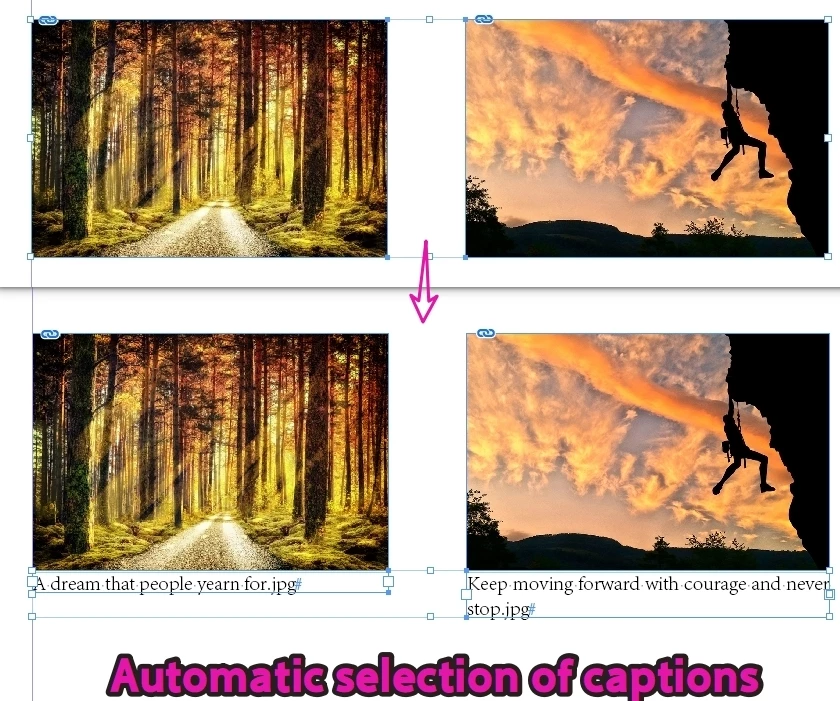
I have currently selected multiple images, and I want to use a script to generate captions. 

After generating static captions, automatically select the captions as the operating objects.
In the future, I will make other adjustments to the captions.


    Correct answer dublove

    Hi @rob day 

    You didn't understand what I meant, it seems quite complicated.
    I remember this, ​@m1b  wrote it 3 years ago.
    I am trying to change the target to: selected image

    https://community.adobe.com/t5/indesign-discussions/is-there-a-way-to-apply-generic-static-caption-to-all-graphic-containers/m-p/13367937#M503941

    Okay, it seems like the problem above has been solved.
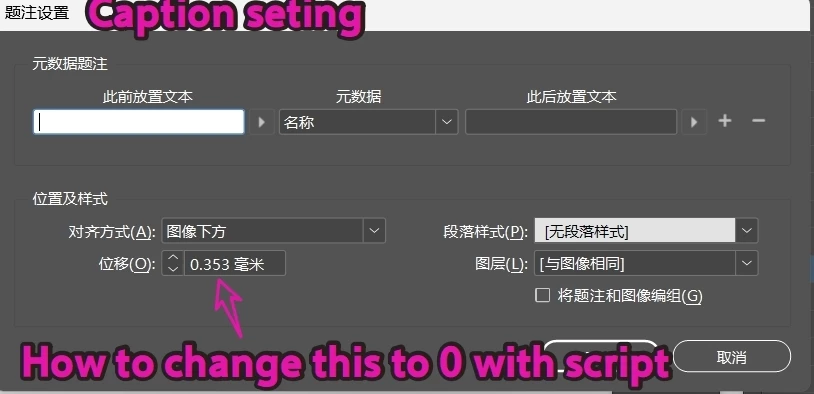
    How to modify the value below?


    14 replies

    dublove
    dubloveAuthor
    Legend
    August 3, 2026

      Hi ​@m1b ​@rob day 

    Long time no see, I miss you very much.

    The original post cannot be replied to

    (I seem to have been restricted from posting new posts again.)

    Today I came across several strange pictures, some of which had their captions changed to 'Default' after using this script.
    Some of them are errors below the prompt. I guess they are not recognizing the image, or the image is outside the layout, or there are locked or hidden images?
    Also, can we avoid grouping images and captions together? Because this feature is actually not practical.


    Here is the code (unchanged)

    /**
    * @discussion https://community.adobe.com/t5/indesign-discussions/is-there-a-way-to-apply-generic-static-caption-to-all-graphic-containers/m-p/13367937#M503941
    */
    function main() {
    var doc = app.activeDocument,
    graphics = doc.allGraphics;
    // add caption to each graphic in document
    for (var i = 0; i < graphics.length; i++) {
    var contents = (
    // try to get the graphic's xmp "description"
    getXMPProperty(graphics[i], 'description')
    // or fall back to the link filename
    || graphics[i].itemLink.name
    );
    addCaptionToGraphic(
    {
    doc: doc,
    graphic: graphics[i],
    contents: contents,
    objectStyleName: 'Caption',
    captionBoxHeight: 40, // pts
    groupCaptionWithGraphic: true,
    }
    );
    }
    /**
    * Adds a caption text frame
    * to the graphic.
    * @author m1b
    * @version 2022-11-24
    * Note: will use "No contents" if contents is empty.
    * @param {Object} options
    * @param {Graphic} options.graphic - an Indesign Graphic.
    * @param {String} options.contents - the text of the caption.
    * @param {String} [options.objectStyleName] - name of the object style to apply.
    * @param {Number|String} [options.captionBoxHeight] - height of the caption box (default: to fit).
    * @param {Boolean} [options.groupCaptionWithGraphic] - whether to group the caption with the graphic's frame.
    * @returns {TextFrame|Group} - the caption's text frame or, if grouped, the group.
    */
    function addCaptionToGraphic(options) {
    app.scriptPreferences.measurementUnit = MeasurementUnits.POINTS;
    options = options || {};
    var doc = options.doc || app.activeDocument,
    graphic = options.graphic,
    contents = options.contents || 'No contents',
    objectStyle = getByName(doc.allObjectStyles, options.objectStyleName),
    captionBoxHeight = options.captionBoxHeight || 10,
    captionBox,
    frame = graphic.parent,
    b = frame.geometricBounds;
    if (graphic.parentPage == null)
    // don't process graphics on pasteboard
    return;
    // add a frame for the caption text
    captionBox = graphic.parentPage.textFrames.add();
    // set position and size of the caption
    captionBox.geometricBounds = [b[2], b[1], b[2] + captionBoxHeight, b[3]];
    //add caption text
    captionBox.contents = String(contents);
    // expand to handle overflow
    var counter = 0;
    while (
    captionBox.overflows == true
    && counter++ < 1000
    )
    // add 5 pts height
    captionBox.resize(CoordinateSpaces.PARENT_COORDINATES, AnchorPoint.TOP_LEFT_ANCHOR, ResizeMethods.ADDING_CURRENT_DIMENSIONS_TO, [0, 5])
    if (
    objectStyle != undefined
    && objectStyle.isValid
    )
    // set captionBox's object style
    captionBox.applyObjectStyle(objectStyle);
    if (options.groupCaptionWithGraphic !== false)
    // group
    try {
    doc.groups.add([frame, captionBox]);
    } catch (error) { }
    };
    /**
    * Returns a graphic's XMP property contents.
    * Example XMP property names:
    * author, copyrightInfoURL, copyrightNotice,
    * copyrightStatus, creationDate, creator,
    * description, documentTitle, format, jobName,
    * keywords, modificationDate, serverURL
    * @author m1b
    * @version 2022-11-24
    * @param {Graphic} graphic - an Indesign Graphic.
    * @param {String} property - the desired XMP property name.
    * @returns {String}
    */
    function getXMPProperty(graphic, property) {
    if (!graphic.isValid)
    return;
    try {
    return graphic.itemLink.linkXmp[property];
    } catch (error) {
    /* metadata not available */
    }
    };
    /**
    * Returns a style matching name.
    * @author m1b
    * @version 2022-08-14
    * @param {Array<style>} styles - an array or collection of styles.
    * @param {String} name - the name to match.
    * @returns {style}
    */
    function getByName(styles, name) {
    for (var i = 0; i < styles.length; i++)
    if (styles[i].name == name)
    return styles[i];
    };
    } // end main
    main();


    rob day
    Community Expert
    Community Expert
    August 1, 2026

    Is this it?

    var d = app.activeDocument;
    d.CaptionMetadataVariablePreference.properties = {
    YOffset:0,
    }


    Apparently I can’t help, but the captionMetadataVarialePreference does not have an YOffset property.

    https://www.indesignjs.de/extendscriptAPI/indesign-latest/#CaptionMetadataVariablePreference.html


    You would have to get at the caption’s text frame and change its bounds, which is what I do in my catalog script. When a caption is created via a menuAction, its new text frame is textFrames[0].


    dublove
    dubloveAuthor
    Legend
    August 2, 2026

    @rob day 

    I found it, there's no need to set it up anymore.
    This is actually the “inner margin top” in the regular options of the text frame
    textFramePreferences: { insetSpacing: ["2.5mm", 0, 0, 0] },

    rob day
    Community Expert
    Community Expert
    August 2, 2026

    If you add inset spacing without adjusting the bounds doesn’t your caption text overflow?

    dublove
    dubloveAuthor
    Legend
    August 1, 2026

    I'm dizzy, have I been banned again?

    babarbrohio
    Participating Frequently
    July 30, 2026

    That sounds like a useful workflow improvement. It would be especially helpful if the script could automatically switch the selection from the images to the newly created captions, making it easier to apply additional formatting or positioning changes right away. Saving those extra clicks can make a big difference when working with large batches of images.

    rob day
    Community Expert
    Community Expert
    July 30, 2026

    Hi ​@dublove , I think you will have to select the image’s parent frame and invoke the Generate Live Caption menu item


    var img = app.activeDocument.allGraphics
    //select the document’s first image frame
    app.select(img[0].parent)
    //invoke generate live caption
    var makeCap = app.menuActions.itemByName("Generate Live Caption")
    makeCap.invoke();
    //caption is the active page’s top textframe
    app.activeDocument.select([app.activeWindow.activePage.textFrames[0]])


    dublove
    dubloveAuthor
    Legend
    July 30, 2026

    Hi ​@rob day 

    It seems wrong, the content is unknown before generating the caption.
    It can be applied to any number of images.


    The process is as follows:
    I selected multiple images, ran the script, generated captions for each image, and then selected all captions.

    Equivalent to performing menu operations:


    rob day
    Community Expert
    Community Expert
    July 30, 2026

    My example just shows how to create a caption for the first image in the document. If you want to add captions to a range of images you would need a loop. This would get all the graphics in the document. You can not select objects that are on different spreads


    var img = app.activeDocument.allGraphics
    for (var i = 0; i < img.length; i++){
    app.select(img[i].parent)
    var makeCap = app.menuActions.itemByName("Generate Live Caption")
    makeCap.invoke();
    };