
Participant
May 5, 2025
Answered

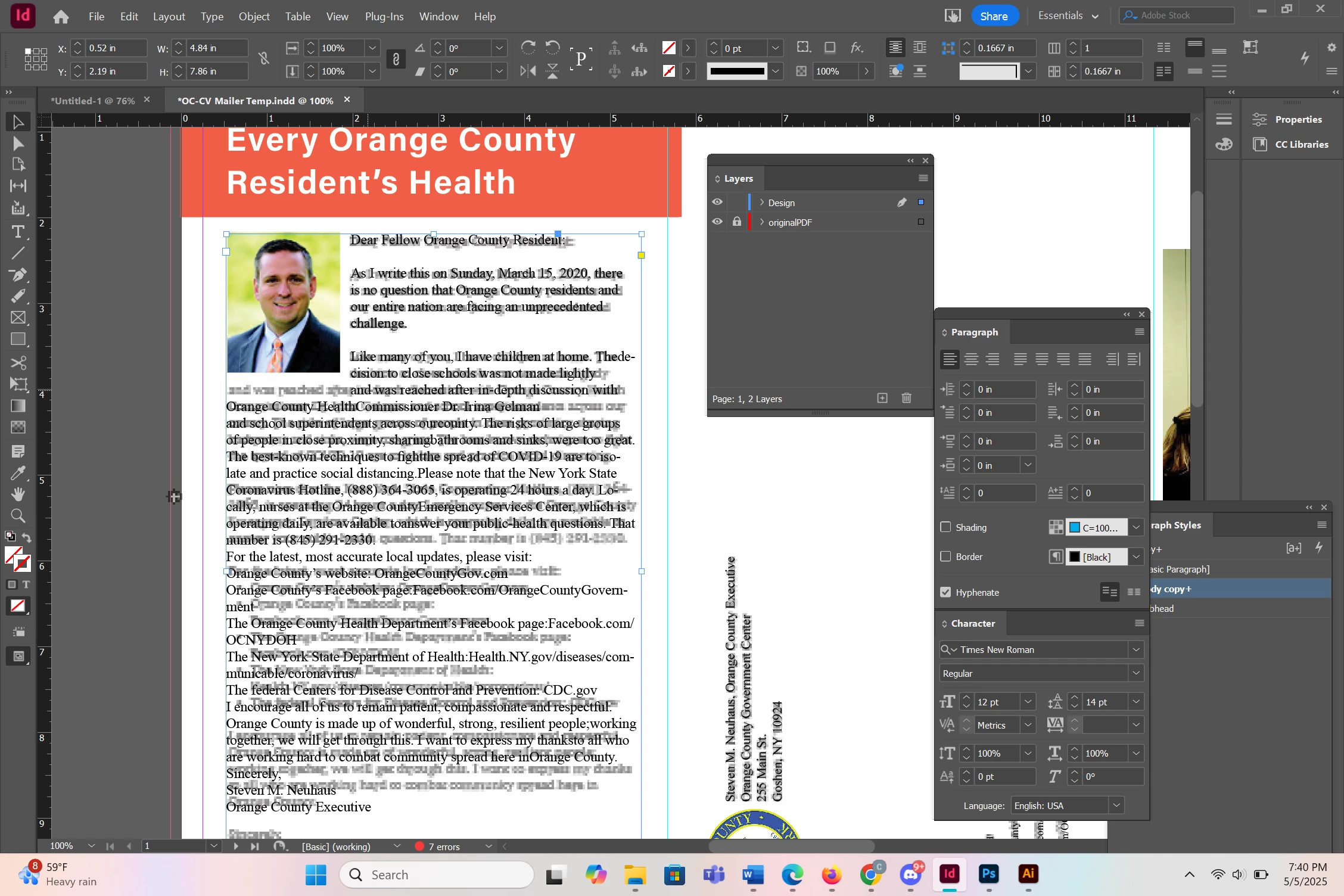
How to get rid of space below image
  • May 5, 2025
  • 1 reply
  • 361 views


This an assignment where I have to match the design layer with the original pdf layer (the layer with low opacity). I wrapped the text around the picture, but a big gap appears below the image. I need the third line of text of the big paragraph to go directly below the picture. I tried backspacing so that the text goes under the picture, but that doesnt work.


Basically I want to know how to get rid of the gap below the image and have the text go directly below the image instead. Thanks!


Correct answer christine_0152

No, that's what I was looking for. 


Now, can you check if you've Align To Baseline Grid set in ParaStyle applied to text under the photo? 


But from the initial screenshot - it looks like you don't. 


Would be much quicker if you could share your document - or just this one page 😉


Nevermind-- I was able to figure it out! In the text wrap panel, I disabled the "Make all settings the same" button, and I decreased the bottom offset from 0.125 inches to 0 inches, which got rid of the gap. Thank you for your help anyway 🙂

1 reply

Robert at ID-Tasker
Legend
May 5, 2025

When you select  this image - what Text Wrap panel shows?


Participant
May 6, 2025

This is what it shows, if thats what you're asking. Sorry if I possibly misunderstand, still relatively new to Indesign. The text is wrapped around the bounding box of the image

Robert at ID-Tasker
Legend
May 6, 2025

No, that's what I was looking for. 


Now, can you check if you've Align To Baseline Grid set in ParaStyle applied to text under the photo? 


But from the initial screenshot - it looks like you don't. 


Would be much quicker if you could share your document - or just this one page 😉