Participant
January 9, 2024
Answered

how to give page numbers to spread

  • January 9, 2024
  • 2 replies
  • 3944 views

hello guys,

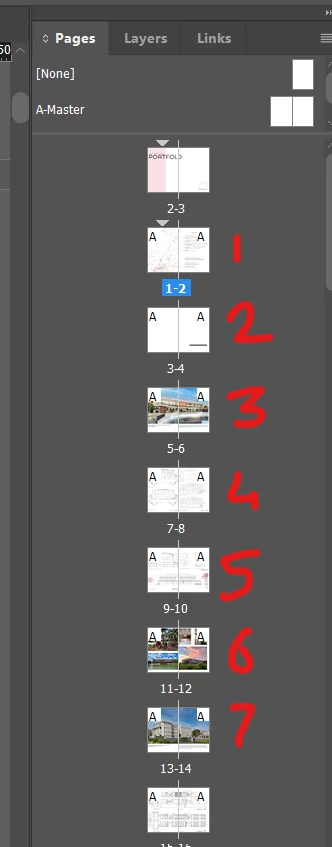
Is there any way to give numbers to spread? I've created an InDesign doc using facing pages (two pages make one spread ) and I have to number the spreads, not the pages. I tried creating a master page but it shows 3,5,7... I want spreads to be numbered. The snap below explains my problem 
 

Correct answer jmlevy

Use a list:

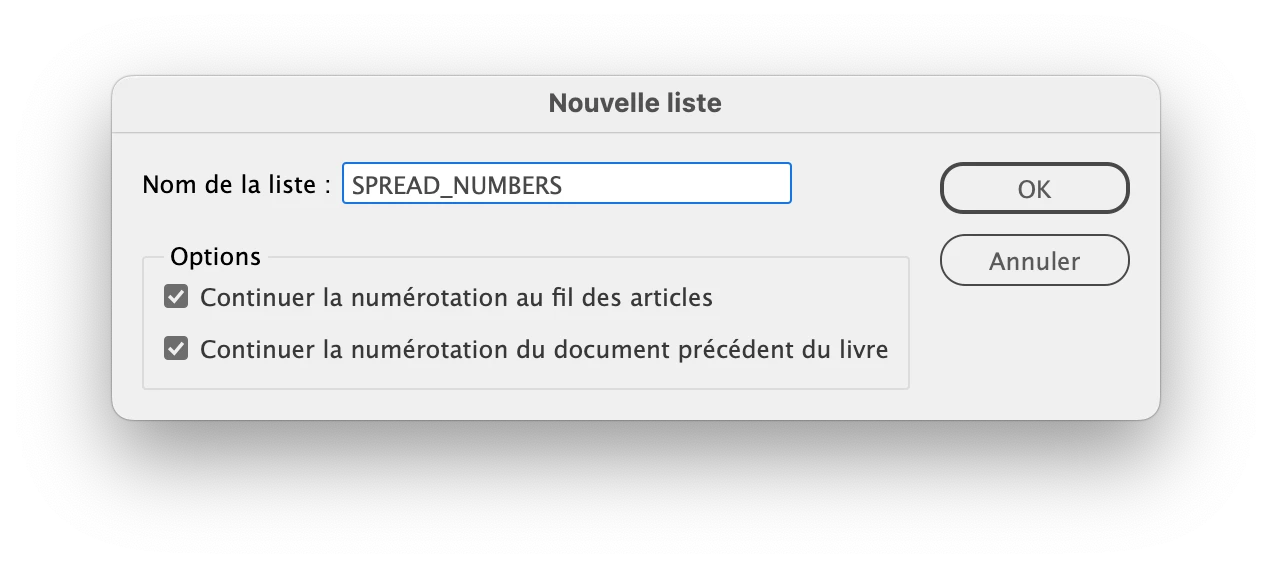
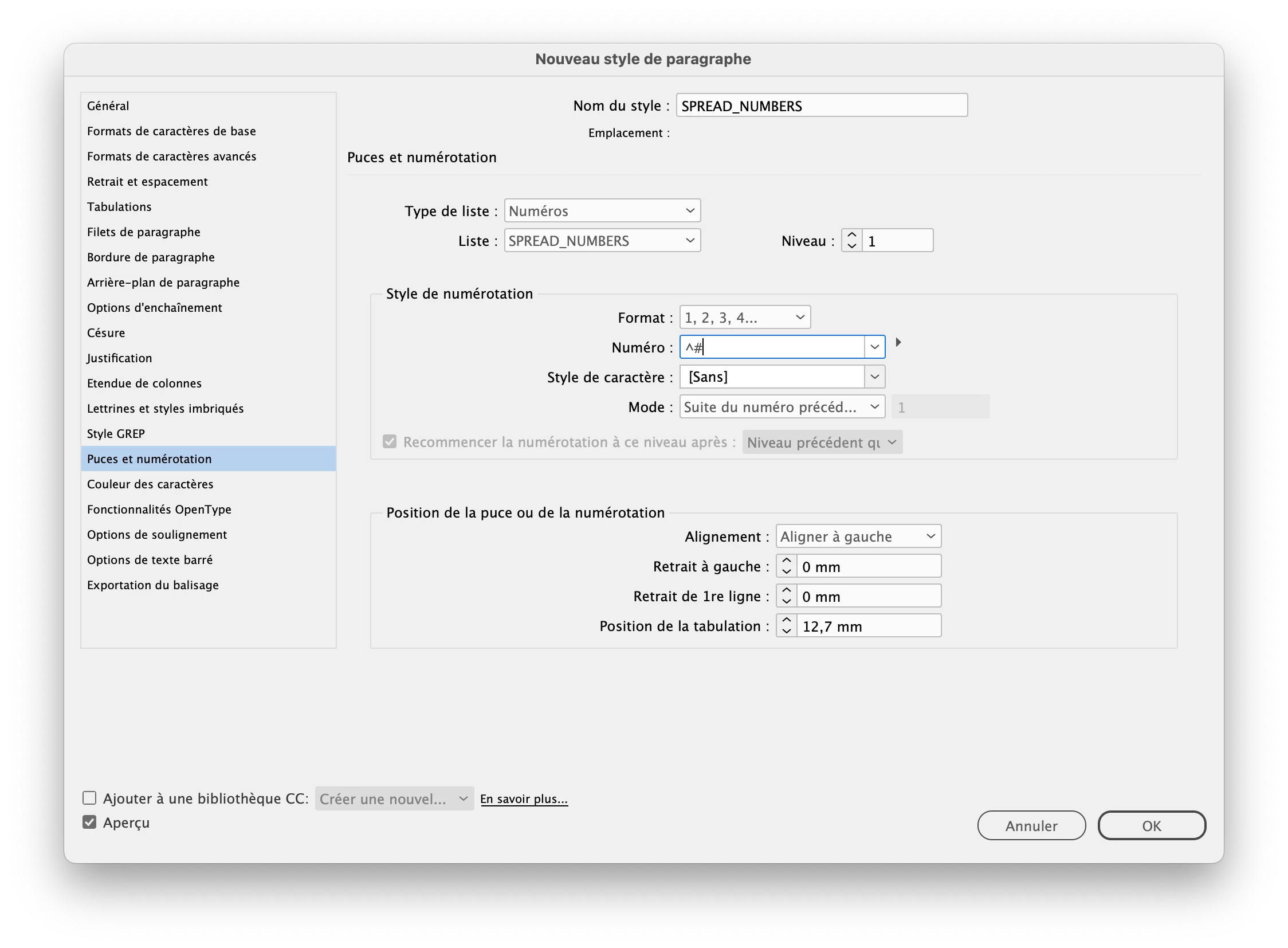
  • create a paragraph style using these numbering settings
  • on the parent page, create a text frame where you need the numbering, apply the paragraph style and type a space to trigger the auto numbering. It's better to place this frame on a separate layer
  • at this step, all the spreads are numbered 1
  • go back to the current pages and select all the pages (at least those that should be numbered)
  • lock all the layers except the one with the numbered text frames
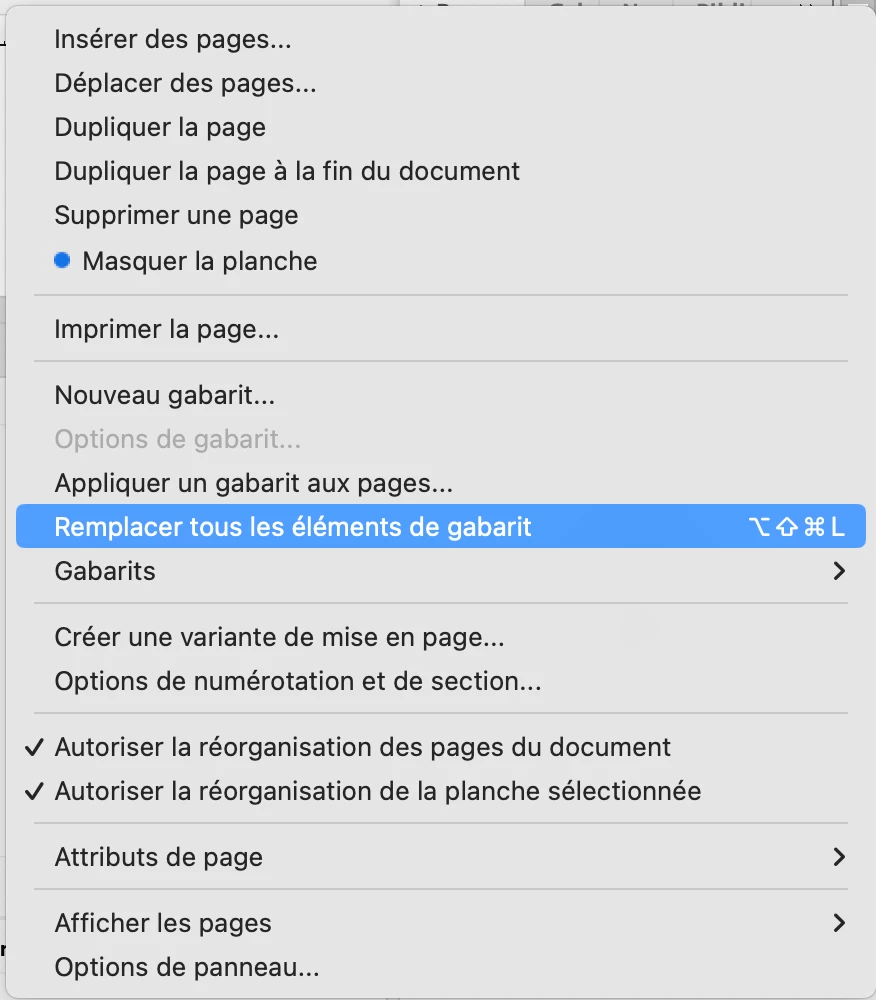
  • in the page panel, go in the option menu > override all parent pages elements (not sure of the exact English term, since I use a French version). You'll see that autonumbering changes to display the spred numbers.

2 replies

Participant
March 12, 2024

I really need this, too! Same reason. Digital viewing of spreads necessitates different numbering.

jmlevy
Community Expert
jmlevyCommunity ExpertCorrect answer
Community Expert
March 12, 2024

Use a list:

  • create a paragraph style using these numbering settings
  • on the parent page, create a text frame where you need the numbering, apply the paragraph style and type a space to trigger the auto numbering. It's better to place this frame on a separate layer
  • at this step, all the spreads are numbered 1
  • go back to the current pages and select all the pages (at least those that should be numbered)
  • lock all the layers except the one with the numbered text frames
  • in the page panel, go in the option menu > override all parent pages elements (not sure of the exact English term, since I use a French version). You'll see that autonumbering changes to display the spred numbers.
Participant
January 4, 2025

This was very helpful for someone with limited knowledge on scripting, thank you!

Steve Werner
Community Expert
Community Expert
January 9, 2024

There is no such feature in InDesign.


What is the reason you need this feature. If you tell us more about your intention, we may be able to come up with alternatives.

Participant
January 11, 2024

the reason I'm working like this is I want to export this document in 2 different PDFs, One will be exported as a full spread(to view it in digital form) and the other will be half spread i.e. right and left as both different pages (like when we open a book we'll see full spread ) so I wanted the page no for a whole spread. (only on right page)


I found this article but this is very complicated and I'm not getting it https://creativepro.com/create-spread-numbers/#comments