


Participant
April 30, 2024
Answered

How to group the pages of the page panel by color code?
  • April 30, 2024
  • 1 reply
  • 211 views

Hello everyone !
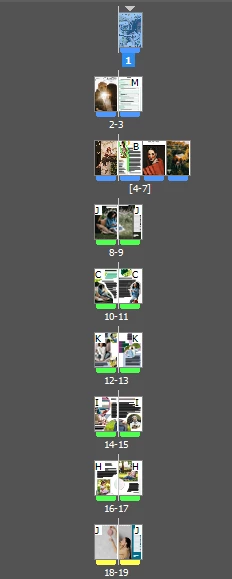
During a training exercise, I classified the pages of a magazine by color code (colored bookmarks under each page) to make it easier to find in the pages panel. I don't remember at all how I did this. Can anyone help me? Thanks in advance !
Barbara
This topic has been closed for replies.
Correct answer Eugene Tyson

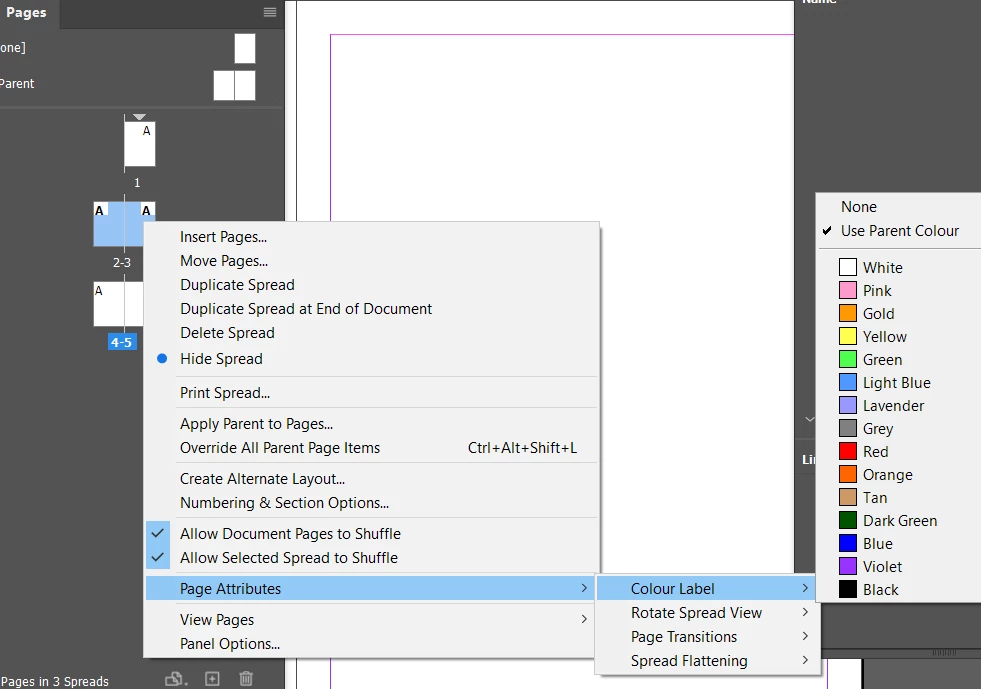
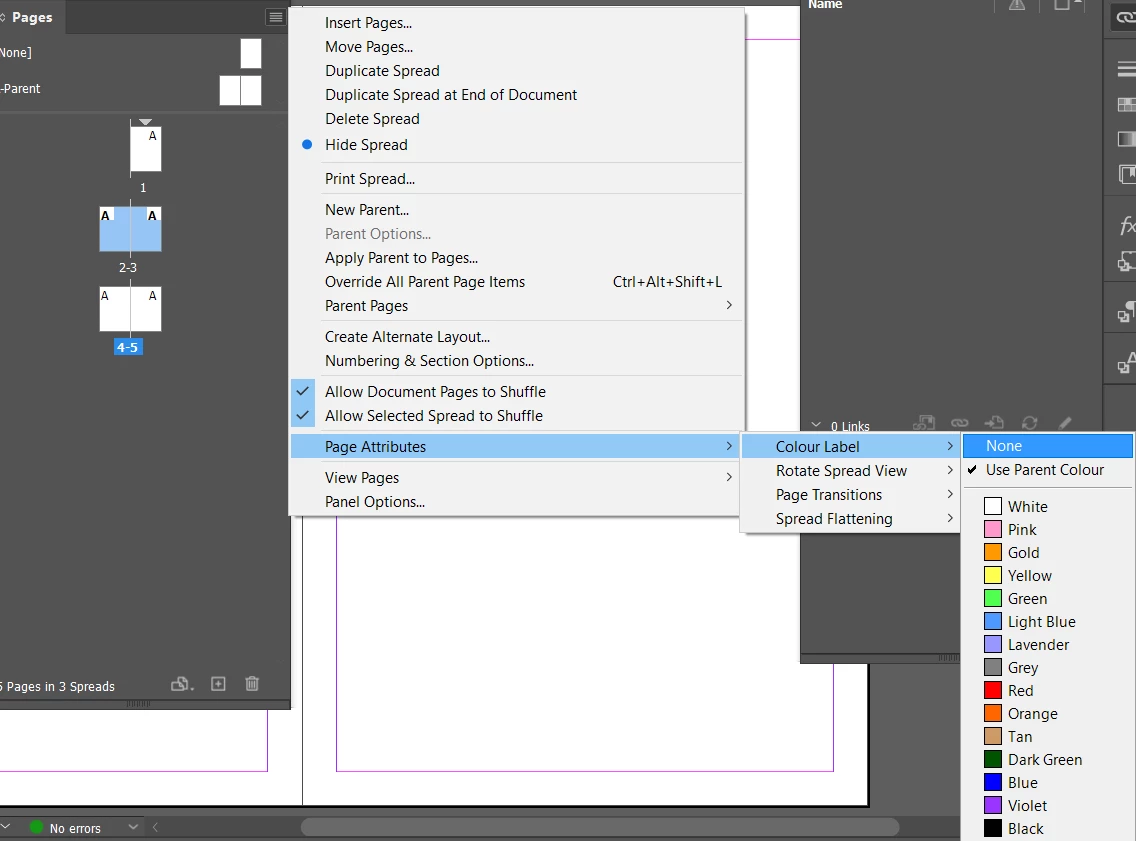
Right Click on the Page and go the Contextual Menu options


It's the same from the Sub Menu Panel at the Top Right of the Pages Panel


1 reply

Eugene TysonCommunity ExpertCorrect answer
Community Expert
May 1, 2024

Right Click on the Page and go the Contextual Menu options


It's the same from the Sub Menu Panel at the Top Right of the Pages Panel


Participant
August 25, 2024

Thank you Eugene Tyson !