This topic has been closed for replies.

4 replies

Community Expert
August 6, 2021

Hi rui huang,

to hide XML tags in layout with View > Normal look into menu:

View > Structure > Hide Tag Markers


Regards,
Uwe Laubender

( ACP )

rui huangAuthor
Inspiring
August 7, 2021

I try , it is unsuccess

SumitKumar
Inspiring
August 14, 2021

Can you share the indesign snippet?

-Sumit
pixxxelschubser
Community Expert
Community Expert
August 6, 2021

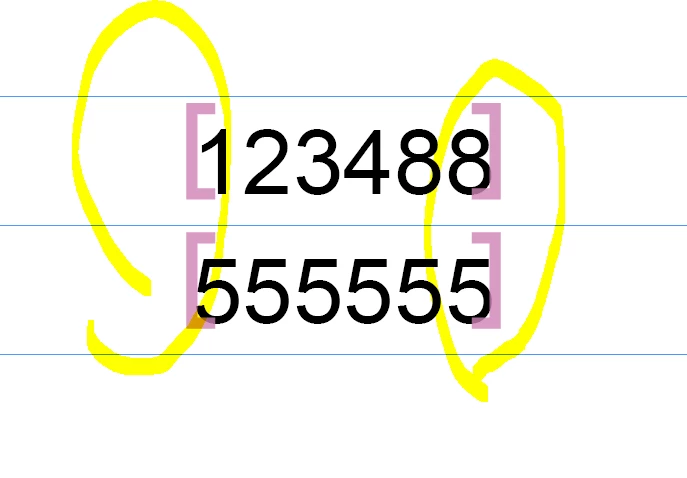
Do you want hide the "brackets"?

Or:

Do you want remove the "brackets"?

rui huangAuthor
Inspiring
August 7, 2021

I just don't want to show when import data file with INDATA, as it is OK for Indesign CS.


Indesign CC have the situation

Community Expert
August 6, 2021

InData is a plugin not associated with normal InDesign install.

Are you using InData?


It looks like and INDesign Tag

https://helpx.adobe.com/in/indesign/using/tagging-content-xml.html


You could try contacting EmSoftware who produce the plugin

http://emsoftware.com/support/


pixxxelschubser
Community Expert
Community Expert
August 6, 2021

Your question is not clear for me.

But try to "hide" the "brackets" in preview view --> [Ctrl/Strg]+[W]

rui huangAuthor
Inspiring
August 6, 2021

when I select clear Headers/Footers, it will disappear