


Participant
Feb 3, 2026 7:18 PM UTC
Answered

How to Hide Tagged Frames in InDesign

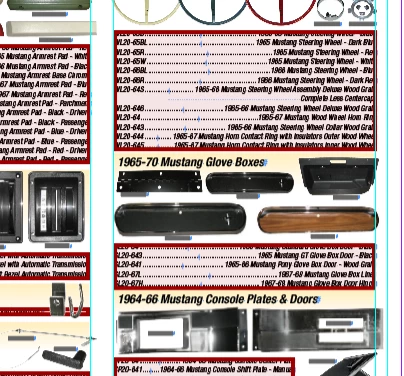
Seems like for no reason overnight all files within the same folder, and same Book, are doing this to the part number text boxes. I have never seen this, any ideas how this happened and how to correct it? I have more than a dozen files in this folder. 
Other InDesign documents open fine, it's only the files within this folder and they are all part of a book. Maybe something was done across the board to all files when the pdf was made from the Book? 
 

    christopherb7778115Correct answer
    Participant
    Feb 3, 2026 8:36 PM UTC

    This was a pricing software that we used. Used View > Structure > Hide Tagged Frames. They went away.

    2 replies

    christopherb7778115AuthorCorrect answer
    Participant
    Feb 3, 2026 8:36 PM UTC

    This was a pricing software that we used. Used View > Structure > Hide Tagged Frames. They went away.

    Translate
    Dave Creamer of IDEAS
    Community Expert
    Community Expert
    Feb 3, 2026 7:37 PM UTC

    Any change an Object Style was applied to the frames?

    Did the data come from a database or just entered/pasted?


    Translate
    David Creamer: Community Expert (ACI and ACE 1995-2023)