


Answered
How to Hyperlink Multiple Instances of a Word to One Chapter in InDesign Efficiently?
Hello everyone,
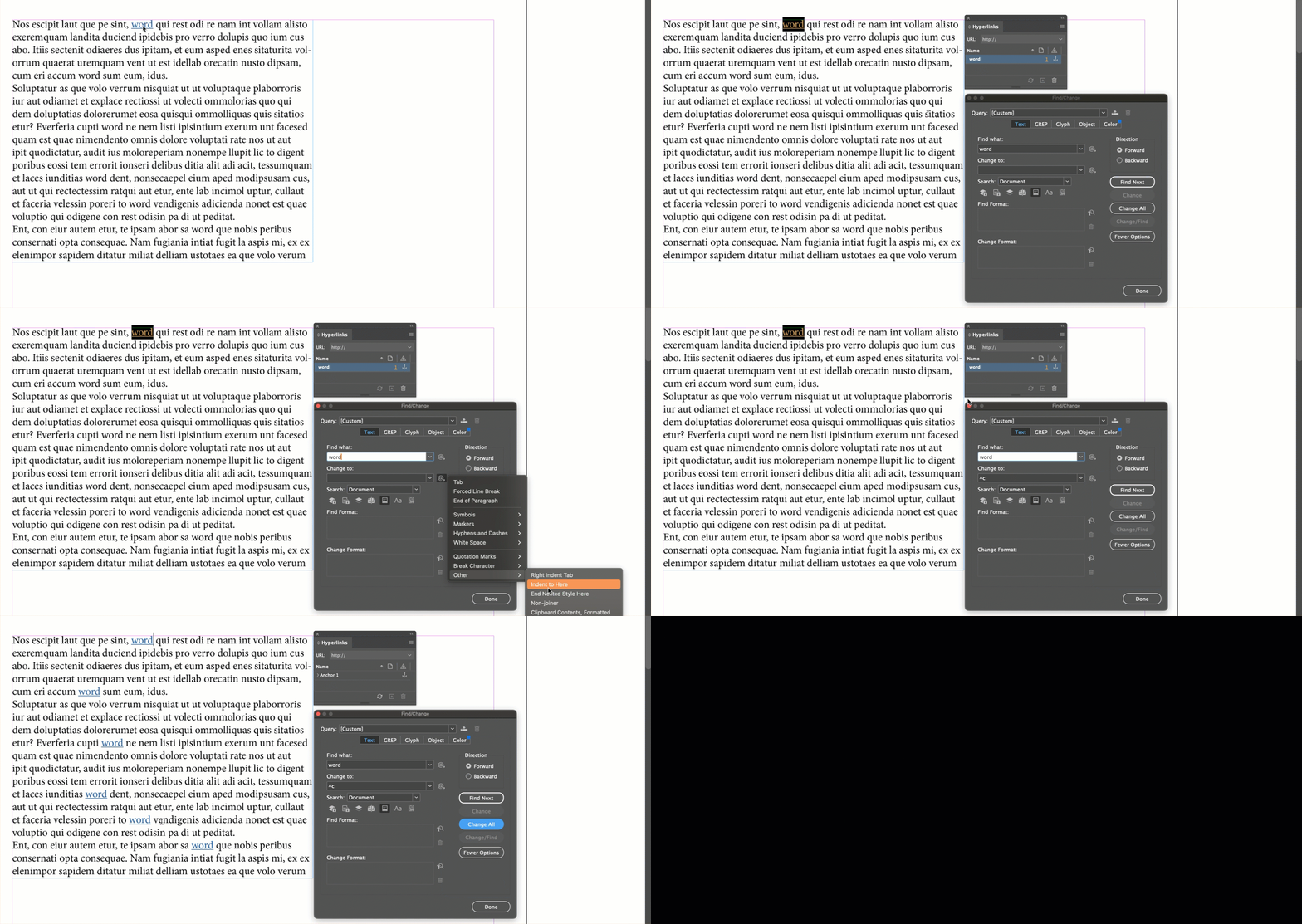
I am currently working on an E-Book in InDesign. Now I need to work through 500 pages to link the words to definitions etc.
Is there an option to link the same word, for example "xy technique" to that chapter??? I know that I can use the option "search and replace" to change/replace words in the whole e-book. But I want to hyperlink a specific word to its`chapter, so it´s easy for the e-book reader to click on the word and hop to the definition. Because I don´t wanna go through 500 pages of text and search for every single word and link them individually.... 😩 I have multiple chapters and many words and definitions I have to hyperlink to....
<Title renamed by MOD>
Can someone pls help 🥲
Thx ❤️



 AdChoices