
Participant
October 13, 2025
Answered

How to import from ilustrator without losing quality

  • October 13, 2025
  • 4 replies
  • 594 views

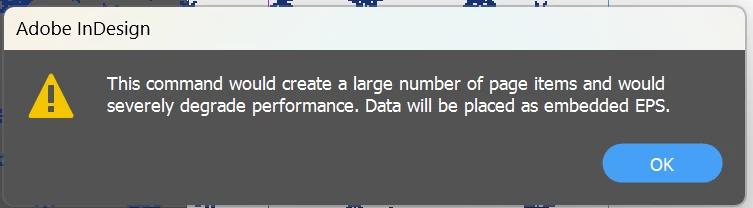
Hey, im trying to import an ilustration from AI to Indesign, and no matter how i do it (SVG, AI, PDF, PNG) it ends up pixelated, and if i try copying and pasting this message shows, any help on how to fix it?? i dont seem to find the solution on my own. thank you in advanced.
Correct answer Brad @ Roaring Mouse

With very few exceptions, NEVER copy and paste from Illustrator to InDesign. The correct approach is to Place the files.

The pixelation you see depends on where you are seeing this. Once you answer that question, we can go a bit deeper.

As one example: If it's just how it looks in the InDesign document, you may not have your Display preferences to render high quality previews. This only affects the preview of the placed file, not the quality of the file itself.

If it's not that, let us know.

4 replies

Brad @ Roaring Mouse
Community Expert
Brad @ Roaring MouseCommunity ExpertCorrect answer
Community Expert
October 13, 2025

With very few exceptions, NEVER copy and paste from Illustrator to InDesign. The correct approach is to Place the files.

The pixelation you see depends on where you are seeing this. Once you answer that question, we can go a bit deeper.

As one example: If it's just how it looks in the InDesign document, you may not have your Display preferences to render high quality previews. This only affects the preview of the placed file, not the quality of the file itself.

If it's not that, let us know.

Participant
October 13, 2025

it was exactly that, thank you so so much.

Brad @ Roaring Mouse
Community Expert
Community Expert
October 14, 2025

Glad it worked out!

Peter Spier
Community Expert
Community Expert
October 13, 2025

That error message sounds like a very large and complex file.

Are you saving the file as .ai with PDF compatibility?

BobLevine
Community Expert
Community Expert
October 13, 2025

That's the alert one would receive when trying to copy/paste, which I think the OP touched on.

Peter Spier
Community Expert
Community Expert
October 13, 2025

@BobLevine Indeed, but it implies the file is very large. I've seen that with .ai files saved from AutoCad, for insstance, whre what could be smooth curvers are rencered as hundreds, or thousands, of straight line segments.

Bill Silbert
Community Expert
Community Expert
October 13, 2025

In addition to Bob's suggestion (View>Display Performance>High Quality Display) make sure that GPU Performance is turned off in the GPU Performance section of InDesign's preferences (settings) (if you are on a Macintosh).

BobLevine
Community Expert
Community Expert
October 13, 2025

GPU Performance is not likely the cause but make a note that it is now available on Windows.

Bill Silbert
Community Expert
Community Expert
October 13, 2025

So noted. Thanks.

BobLevine
Community Expert
Community Expert
October 13, 2025

Pixelated where? If it's on screen set the view to high quality.