


How to insert dynamic Data Merge fields as placeholders using ExtendScript (not as static text)?
Hi everyone,
I am writing an ExtendScript for InDesign to automate inserting Data Merge fields from an active data source (like CSV/TXT) into specific text frames.
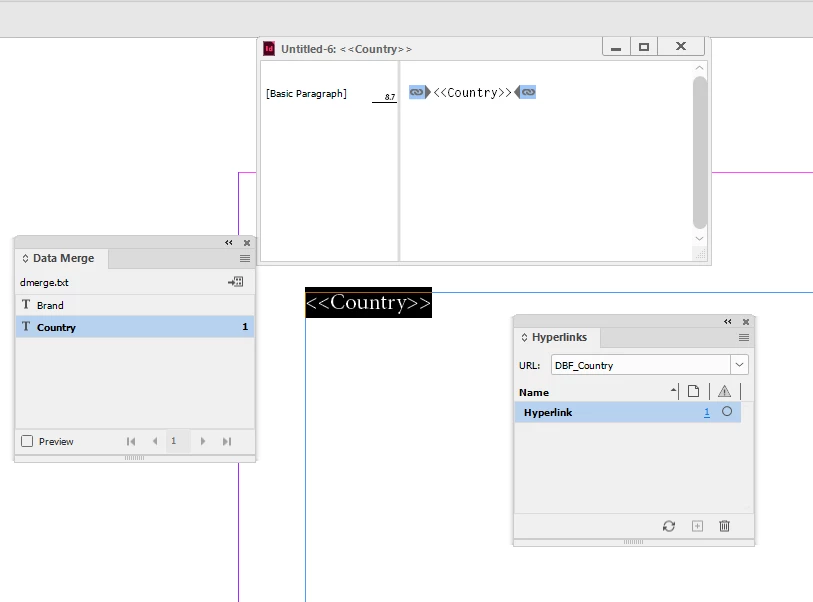
Currently, my script inserts the field name as static, plain text (e.g., just printing <<Country>> or the actual value from the source), but it does not behave as a dynamic Data Merge placeholder. When I preview or merge, InDesign doesn't recognize it as a merge field.
Here is a screenshot of my Data Merge panel:
My Goal: > I want to target a specific text frame, find an insertion point, and insert a dynamic placeholder field (for example, "Country" or "Top text") so that it remains a live Data Merge variable.
How can I target the DataMergeField and insert it properly into a story/insertion point via JSX?
Thank you in advance for your help!

 AdChoices