
Answered
How to insert the page belonging to the chapter at the top of the chapter?
I would have inserted before b1 to become the new b1.
I had no choice but to insert it after a1 and then adjust the content.
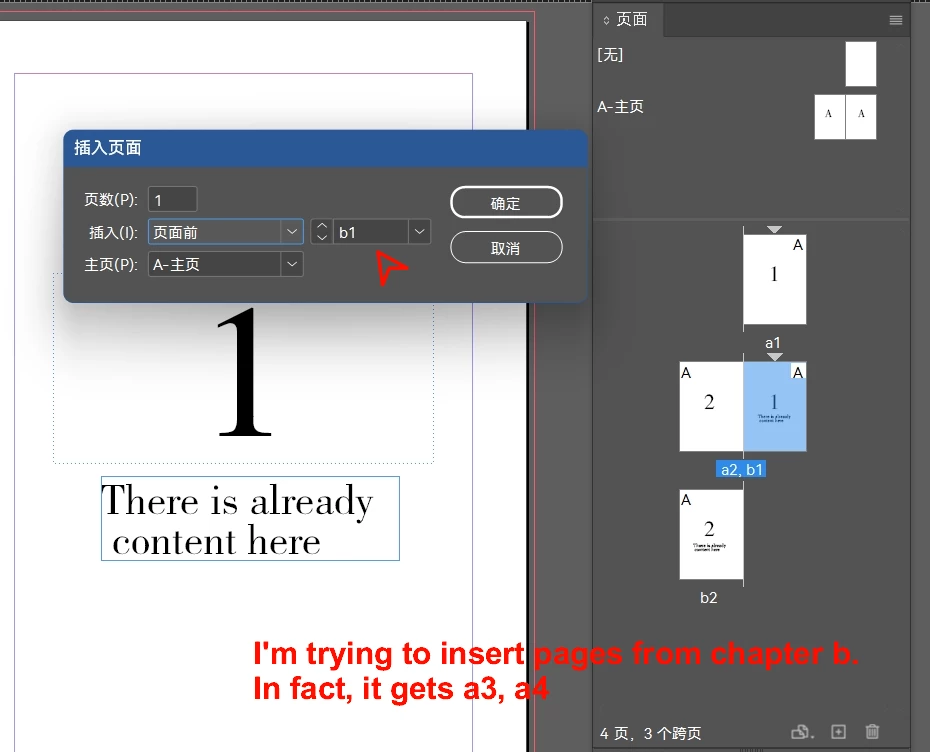

I would have inserted before b1 to become the new b1.
I had no choice but to insert it after a1 and then adjust the content.
Section starts at a specific page - is hardcoded internally - so you can't insert a new starting page - you need to either move contents - or start a new Section before and then delete old one.
Well, I guess the only way to reset the current chapter is to insert the page at the end of the previous chapter and then eliminate the current chapter.
Already have an account? Login
Enter your E-mail address. We'll send you an e-mail with instructions to reset your password.


 AdChoices