
Gopa C
Inspiring
July 3, 2022
Answered

How to keep the very long footnote on the same paragraph or page in InDesign?

  • July 3, 2022
  • 3 replies
  • 3493 views

I am having a problem with a very long footnote in abook with lots of footnotes. In this case the very long footnote number is attached to the chapter title, and nothing I do will keep some of the first paragraph of text on this page. I have checked all the obvious things and nothing works.Please see 2 attached png files. I finally did a workaround which involved making the footnote number that is at the end of the chapter title not a real footnote marker, and then putting a tiny footnote marker and coloring it K 0% near the end of the fourth line. The result of this is shown in the png attached called FootnoteIssue_p3.png. In this instance I put the footnote after the word "vel" near the end of line 4, tinted it to 0% and then kerned the space between it and the next word. But this seems to be a really complicated way to do things . . . . I'm wondering if this is a known issue?


<Title renamed by moderator>
This topic has been closed for replies.
Correct answer Barb Binder

I know, but copyfitting is the solution. Talk with the editor about the situation—adding or removing lines in the footnote will take care of the issue.


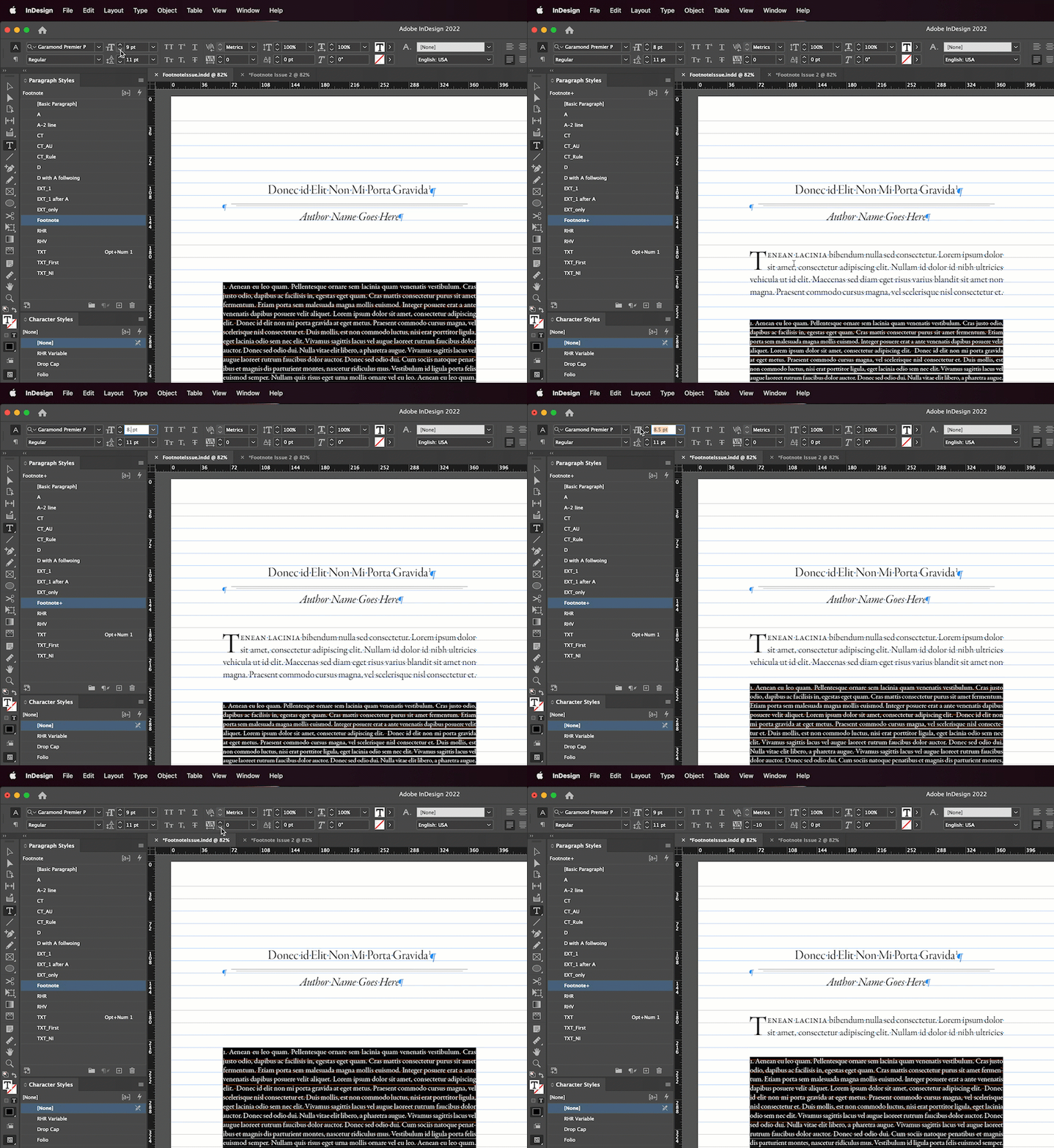
The other option is for you to play with the typography. Changing that footnote's typesize from 9 pt to 8.5 pts takes care of it as does changing the tracking to -10. And both allow you to keep the body copy on the baseline grid.


~Barb


3 replies

Barb Binder
Community Expert
Barb BinderCommunity ExpertCorrect answer
Community Expert
July 13, 2022

I know, but copyfitting is the solution. Talk with the editor about the situation—adding or removing lines in the footnote will take care of the issue.


The other option is for you to play with the typography. Changing that footnote's typesize from 9 pt to 8.5 pts takes care of it as does changing the tracking to -10. And both allow you to keep the body copy on the baseline grid.


~Barb


~Barb at Rocky Mountain Training
Gopa C
Gopa CAuthor
Inspiring
July 14, 2022

Barb, Thanks for this. I had an interesting conversation with the editor and production manager (this is a BIG publisher.) Their comment (I thought this would amuse you): "We know you can make it work!" (i.e., no, we won't edit anything)  It was not possible to reduce the size of the footnotes as that would entail resetting 590 already completed pages, and -10 tracking is too much on my world. So what I did was to make the footnote number marker attached to the chapter title not an actual footnote marker. It'sjust a number not attached to anything. Then I inserted the footnote marker in line 4 of the first paragraph of text. I then tinted it to 0% and kerned up the type next to it so there wasn't a bit gap. Voilà! Then we made a note for the eventual epub processor to make sure to put the footnote attached to the right word. But for the print edition, as long as it looks fine, we are all happy! (I still consider it a bug!)

Barb Binder
Community Expert
Community Expert
July 12, 2022

Hi @Gopa C:


In this case the very long footnote number is attached to the chapter title, and nothing I do will keep some of the first paragraph of text on this page.

This just seems to be a matter of Murphy's law, not a bug. The footnote fits perfectly on the page along with the title and the byline, so that's what is does. But with the baseline grid on, the paragraph following the byline doesn't fit, so InDesign moved it to the next page. 


If you add additional lines to this footnote it will break to the next page. And if you take the text off the baseline grid then the two lines from the previous page will come back up. It's just an unfortunate mathematical combination that isn't occuring in the other chapters. 


~Barb

~Barb at Rocky Mountain Training
Gopa C
Gopa CAuthor
Inspiring
July 13, 2022

That's interesting! I added ten lines to the footnote, so then it moved some of the lines to the next page. Then, when I said "keep 14 lines at the end of the paragraph together", it did do what I needed and I got 5 lines of my first paragraph on the correct page. Unfortunately I can't add ten lines to the footnote in the actual document. I think the editor might have a fit. 🙂


Willi Adelberger
Community Expert
Community Expert
July 3, 2022
  1. Allow to divide the footnote.
  2. In the paragraph style of the first text paragraph go to the keep options, activate keep with previous and keep some lines at the beginning.
Gopa C
Gopa CAuthor
Inspiring
July 4, 2022

I've done all these things!  Nothing works!