AhavaEchad
Participating Frequently
December 1, 2017
Answered

HOW TO MAKE A DASHED OUTLINE OF A LETTER- PLEASE [DIETY]

  • December 1, 2017
  • 2 replies
  • 4914 views

hey pleaseee

I NEED FOR EXAMPLE THE LETTER "A" OUTLINED-

so i make the outline black // and the inside is white/paper

so now the A is outlined

but then how do make the outline dashed-

like a connect the dots for kids

the A would be outlined dotted or dashed so that you can trace it

pleaseeeeeeee &

thank youuuuuu

[Title renamed by moderator.]
This topic has been closed for replies.
Correct answer Bill Silbert

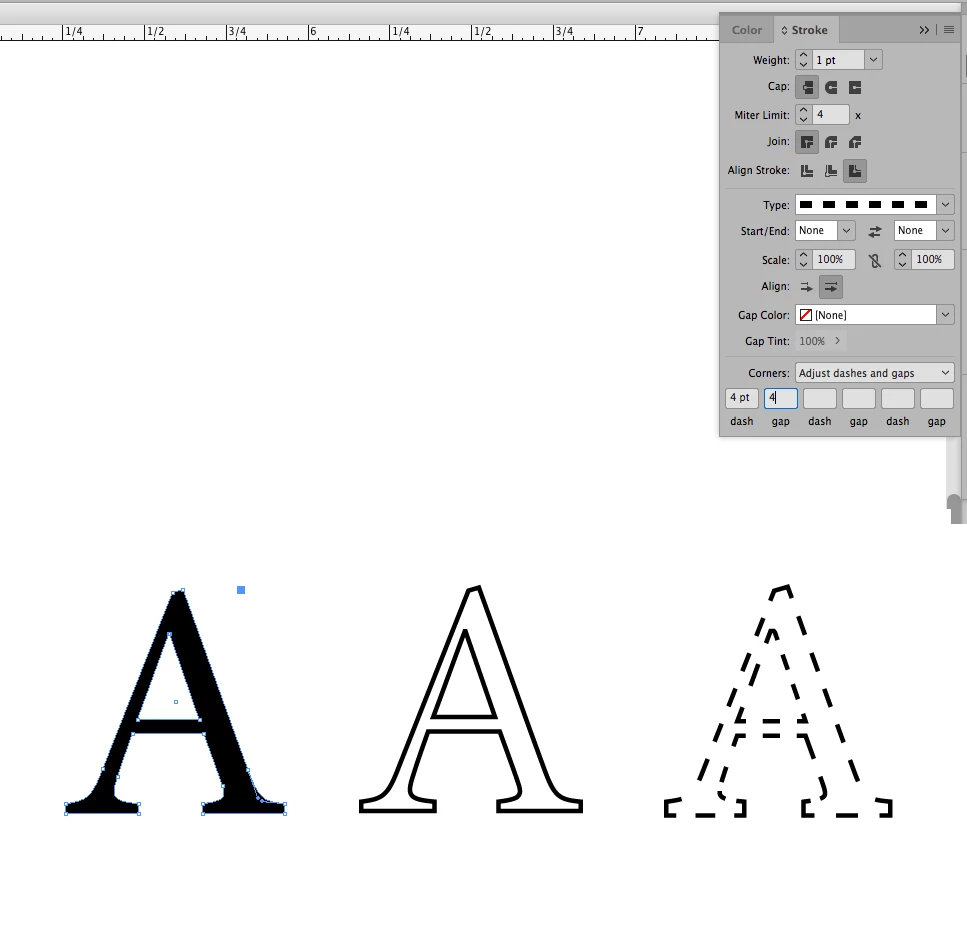
See screen shots:

or:

Set Stroke Panel as shown.

2 replies

vinny38
Legend
December 4, 2017

Hi

By the way, if you want to keep your text editable, you can create it in Illustrator.

Illustrator allows you to add a custom stroke to live text (and soooo much more).

Then place (NOT paste) your illustrator file into Indesign and edit it if you want to modify it.

AhavaEchad
Participating Frequently
December 4, 2017

wow thank you soo so much!

yess this would be amazing- live text-

i may look into getting illustrator then- cause right now i have the single plan for indesign

Bill Silbert
Community Expert
Bill SilbertCommunity ExpertCorrect answer
Community Expert
December 1, 2017

See screen shots:

or:

Set Stroke Panel as shown.

AhavaEchad
Participating Frequently
December 1, 2017

thank you so much for responding and responding so quickly!

i cant replicate-

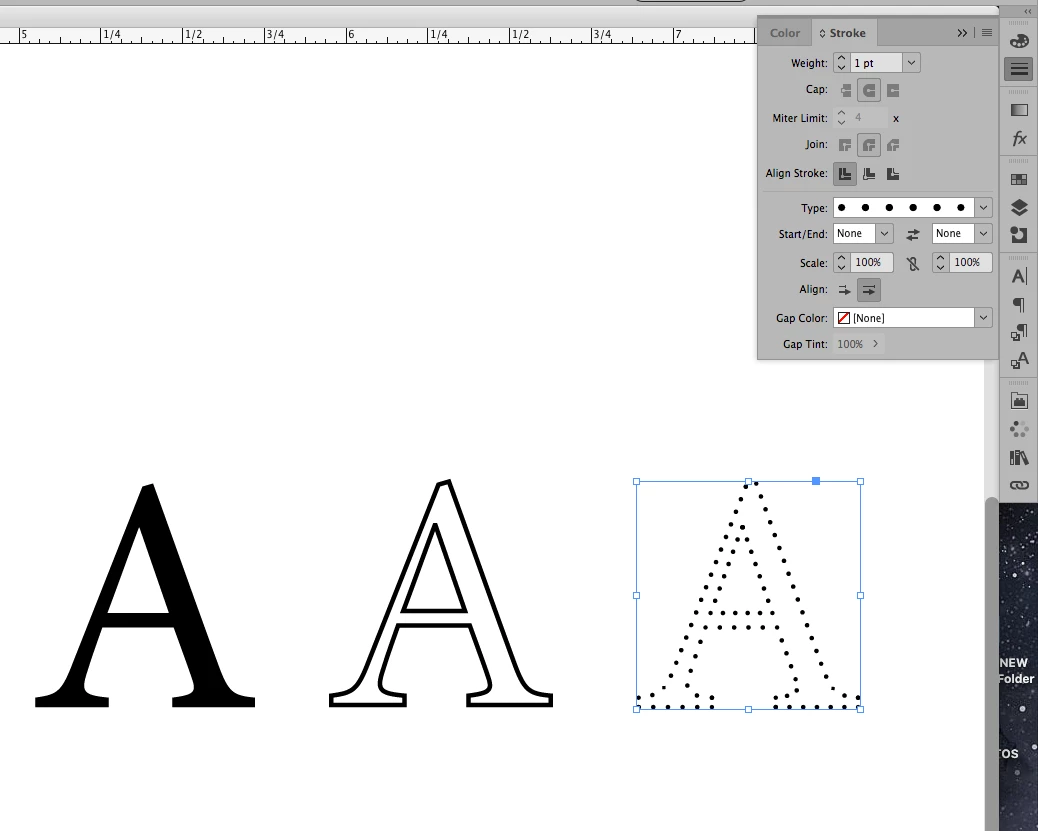
here is a screen shot-

those options are not clickable for some reason

Steve Werner
Community Expert
Community Expert
December 1, 2017

There are two ways to outline a letter. You selected the text. Instead, select the frame around the letter A with the Selection tool and choose Type > Create Outlines. Then you can do it.