ValérielArtiste
Participating Frequently
April 1, 2026
Answered

How-to make a text field in a form pdf editable

  • April 1, 2026
  • 3 replies
  • 64 views

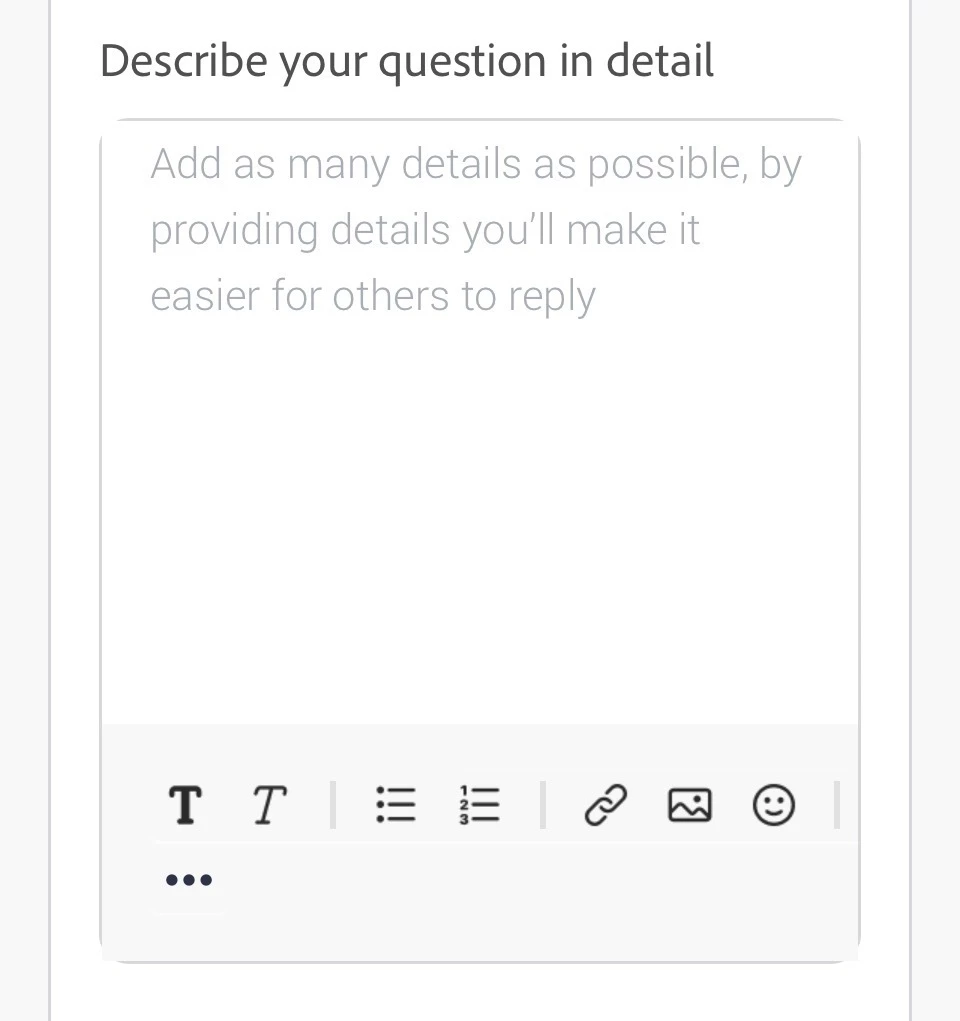
Is there a way to have something like this in a pdf form made in InDesign (or Acrobat DC) ? So the person filling the form can format the text he is writing

 

    Correct answer Dave Creamer of IDEAS

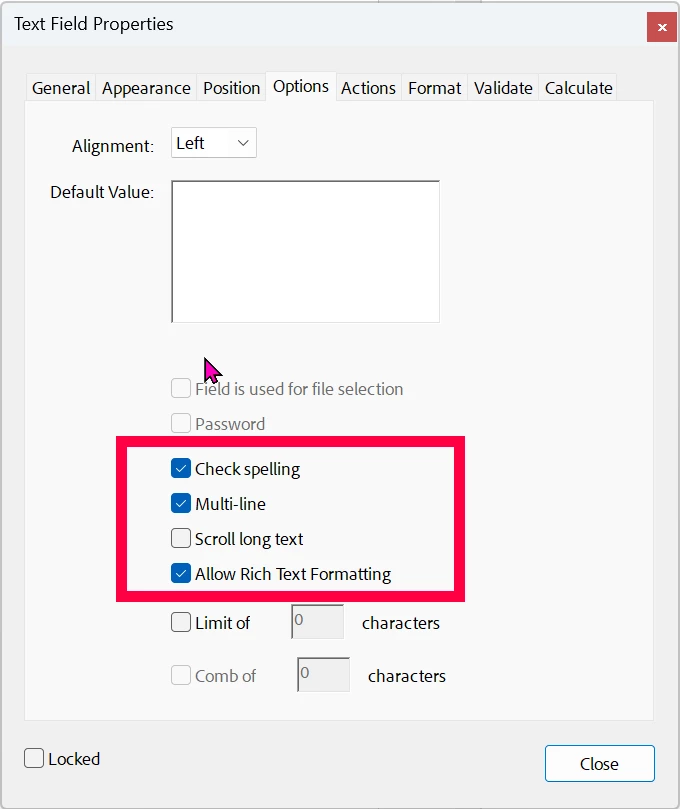
    AFAIK, only if one uses Rich Text formatting. You can put a tooltip or text on the form mentioning that Cntl-E or Cmd-E with Acrobat Reader, Standard, or Pro. 
     

    3 replies

    ValérielArtiste
    Participating Frequently
    April 3, 2026

    Thank you all. The rich text format is what i was forgetting and i will add a mention for the Ctrl+E. Thank you! 

    TᴀW
    Legend
    April 3, 2026

    It’s not clear from your question if you mean that you specifically want “rich text” available in the PDF, or if you just want the user to be able to type in a designated area (a text field). From the title of the thread it sounds to me like the latter.

    In that case, yes, create a text frame in InDesign, open the Buttons and Forms panel, and set the text frame to be a text field.

    Now when you export the InDesign document to interactive PDF, the user will be able to type text into that area...

    Visit www.id-extras.com for powerful InDesign scripts that save hours of work — automation, batch tools, and workflow boosters for serious designers.
    Dave Creamer of IDEAS
    Community Expert
    Community Expert
    April 3, 2026

    Since the OP used the “format the text” and showed a screen capture with formatting tools, my assumption is the user needs to use rich text.

    David Creamer: Community Expert (ACI and ACE 1995-2023)
    Dave Creamer of IDEAS
    Community Expert
    Dave Creamer of IDEASCommunity ExpertCorrect answer
    Community Expert
    April 1, 2026

    AFAIK, only if one uses Rich Text formatting. You can put a tooltip or text on the form mentioning that Cntl-E or Cmd-E with Acrobat Reader, Standard, or Pro. 


    David Creamer: Community Expert (ACI and ACE 1995-2023)
    ValérielArtiste
    Participating Frequently
    April 1, 2026

    Ok! So what does the Ctrl+E does? if the text box is set to « allow Rich text formatting »?

    Dave Creamer of IDEAS
    Community Expert
    Community Expert
    April 1, 2026

    OR, you could try it.


    (Hint: It brings up the formatting tool bar.)

    David Creamer: Community Expert (ACI and ACE 1995-2023)