



Document Geek
Community Expert
Community Expert
June 30, 2026
Question

How to make an index that does not include index markers for content in hidden conditional text

  • June 30, 2026
  • 2 replies
  • 75 views

I am working on a complex book with an index. This book has several conditions. When I make the index, InDesign still includes the index markers of the hidden conditional text. How can I make it only include the index markers of the visible conditional text?

For example, the two highlighted items relating to C-Zone switching are in hidden conditional text and should not be included in the index.
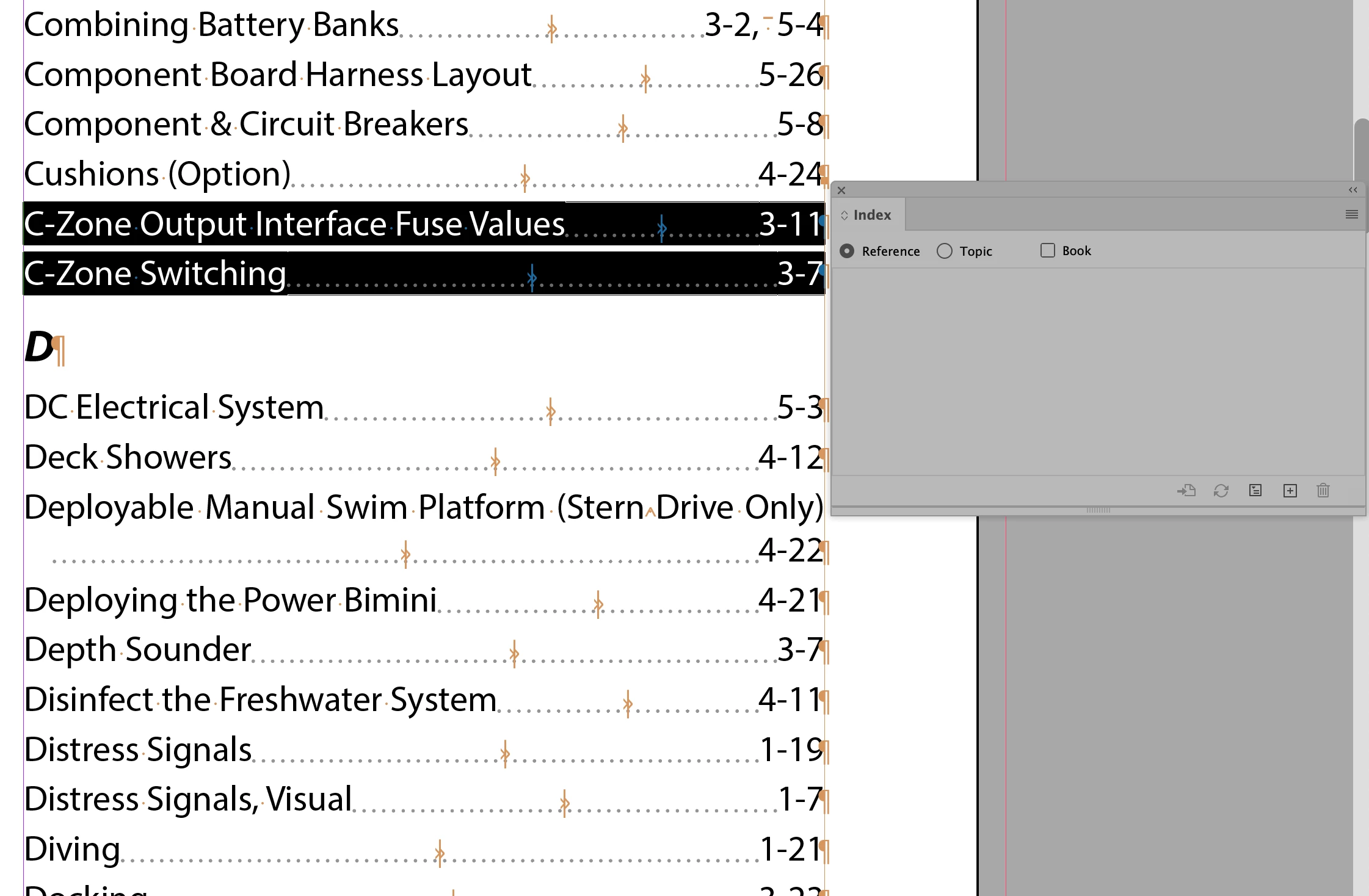


    2 replies

    Document Geek
    Community Expert
    Community Expert
    July 1, 2026

    The screenshot is from the index document. Those index markers are actually located in a different document.


    When I do the following:

    1. make a new sample document
    2. add some conditions
    3. make an index marker
    4. apply a condition to that marker
    5. then hide the condition

    that index marker no longer appears in the index. 


    So I think that’s what I need to do… I just need to select the index marker and apply the appropriate condition to it. What makes that difficult is that when I try to view the text thread in Story Editor mode, InDesign crashes 100% of the time. :( Not for every document, but for this particular very complex document.


    So to get around that, I copy and paste the affected text into a new blank document, assign conditions to the index markers as desired, then paste that modified text back into the original document, That avoids having to view the BIG document in story editor mode, and avoids InDesgn crashing.

    Peter Kahrel
    Community Expert
    Community Expert
    July 1, 2026

    Aha, I see. You want to apply a condition only to an index marker. It’s a bit fiddly, but you don’t need the story editor, do you? Show hidden characters, select an index marker and apply the condition. The marker’s visual (the blue circumflex accent) changes colour when you hide the condition. So it’s useful in fact to hide the condition so that whenever you apply the condition to an index marker you immediately see whether you got it right.

    Document Geek
    Community Expert
    Community Expert
    July 1, 2026

    Fiddly is good word for it! If I have two zero-space characters right next to each other (which does happen from time to time), it is impossible to tell which one I am selecting. With conditional text, I can show the condition to expand the content and see what I am selecting, but not so with index markers.


    Also, even after I apply a condition to an index marker, the color of the index marker doesn’t change, nor does it get a standard squiggly underline (like normally happens when conditional text is applied). Am I missing something?

    Peter Kahrel
    Community Expert
    Community Expert
    July 1, 2026

    But those two C-Zone lines aren’t hidden. . .

    Over here it works as expected: index markers in hidden conditional text don’t appear in the generated index.