Hosun
Inspiring
January 1, 2023
Answered

How to make color setting similar in all Ai, Id, Ps and Adobe Bridge?

  • January 1, 2023
  • 1 reply
  • 1938 views

Hi, 


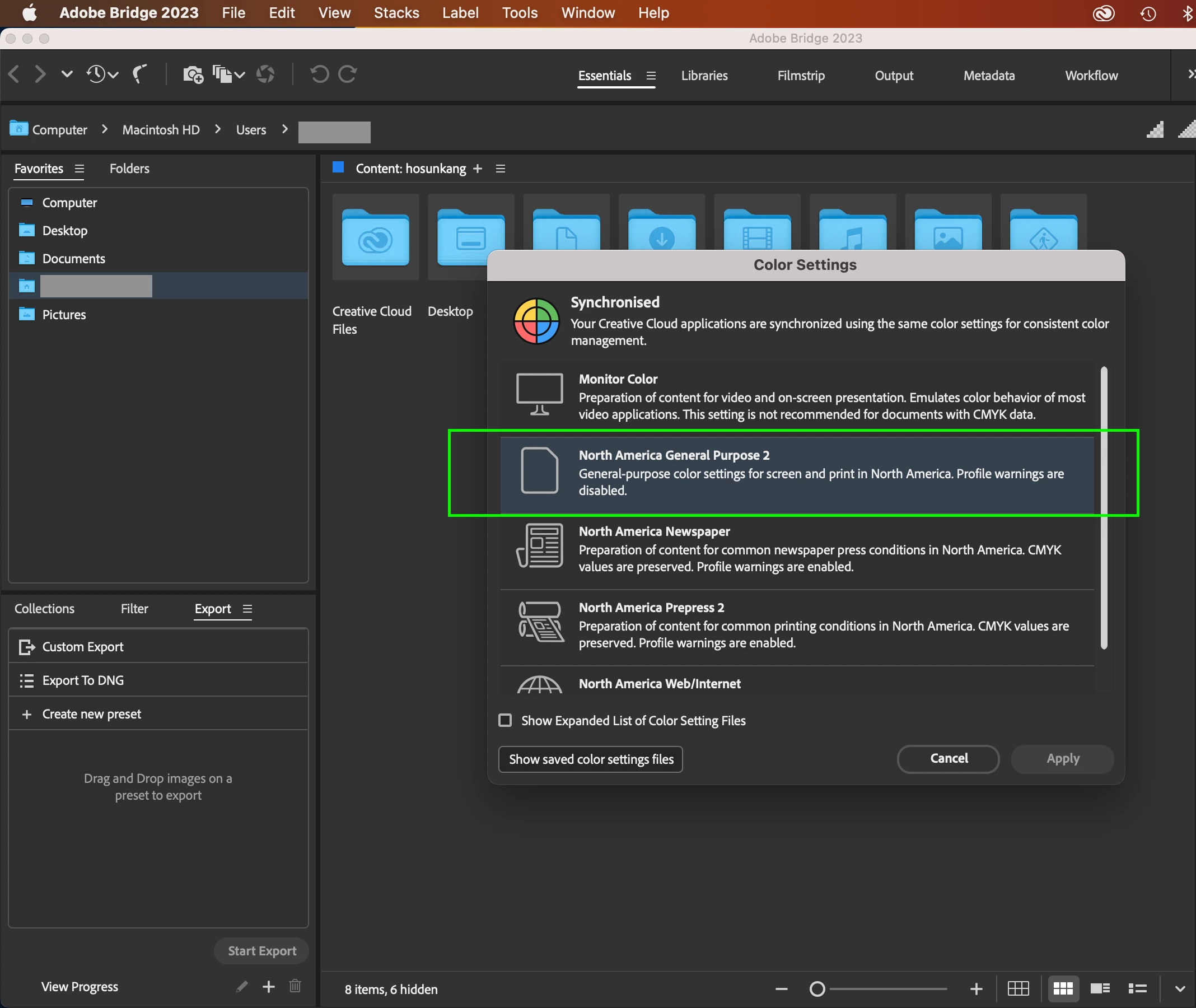
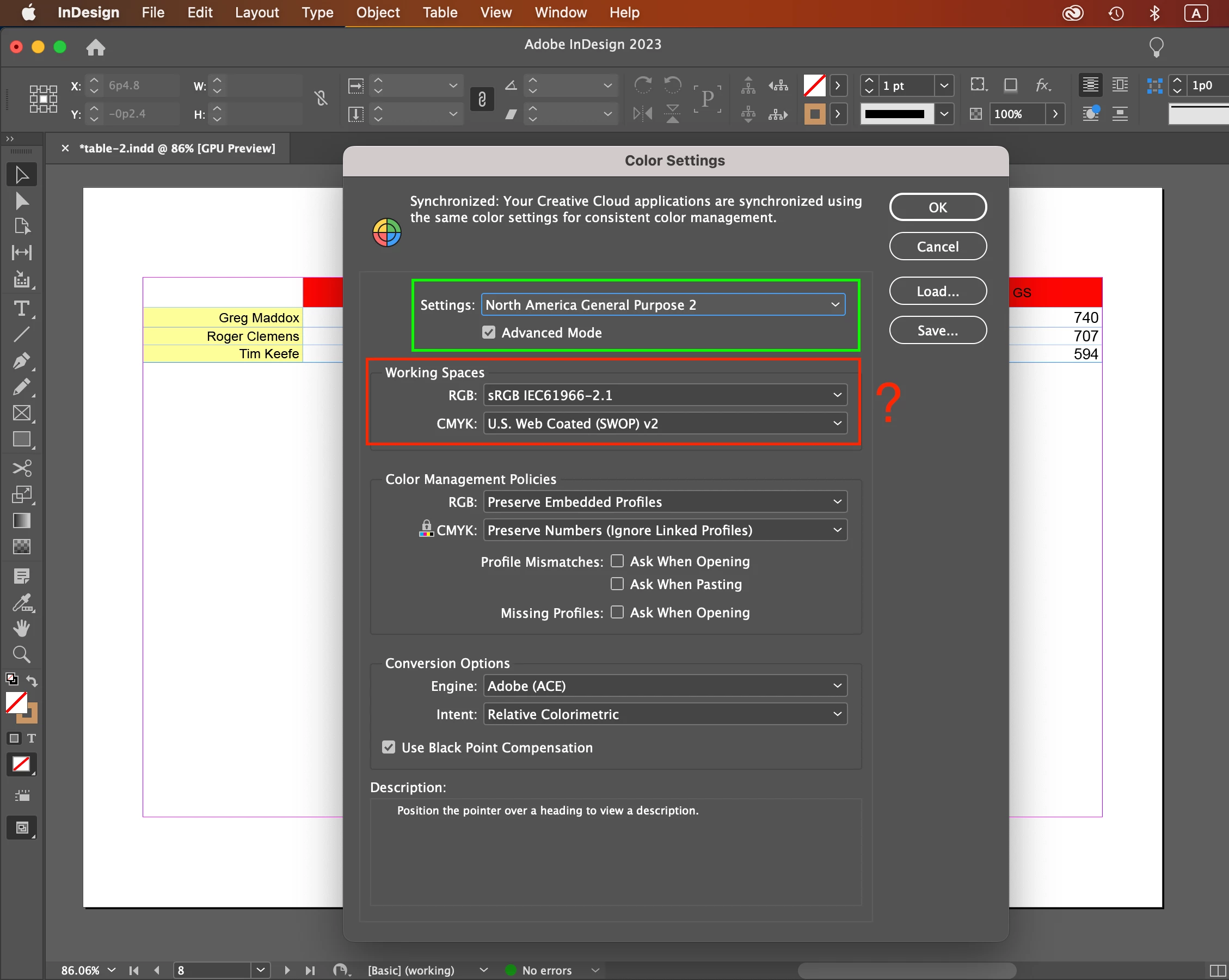
I just installed Adobe Bridge. Its Color Settings looks to bring up color settings of Id.

To make color settings consistent across Id, Ai, Ps, what should I do more in Adobe Bridge?

or

When I open Ai or Ps later, the color mode and settings of Id are sychronized automatically via Adobe Bridge?


Currently, I have only Id available.


Hosun


<Title renamed by moderator>

This topic has been closed for replies.
Correct answer rob day

This is a different question.


A few weeks ago, you told me about Id, "Transparency blend space to handle mixed color modes, when the spread has transparency."


Could you explain more about that with an example, if you don't mind?


Hosun


InDesign lets you mix color spaces on the same page—it doesn’t have a single document color mode the way Photoshop and Illustrator do.


When you print (or export a page to an image format) there can only be one output color space—all of the color has to be flattened into a single destination space. The Transparency Blend Space previews the page in the expected output color space—it’s a preview not a conversion.


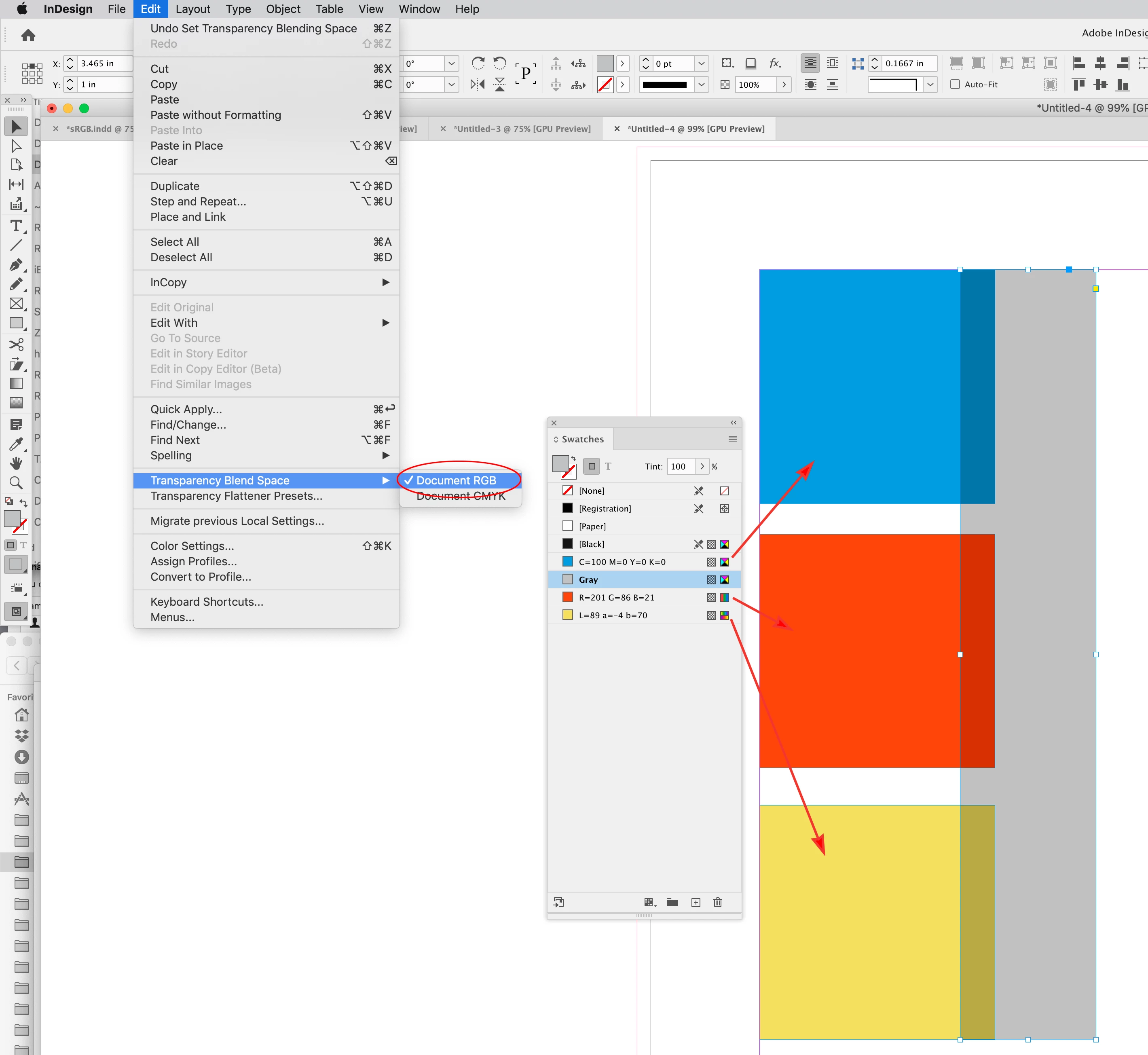
Here I have CMYK, RGB, and Lab color fills with a transparent object on the page. If the Transparency Blend Mode is set to RGB, the preview shows the expected color when the three color spaces are converted into my document’s RGB space at output or export—it is the color I would get if I exported a JPEG to document RGB. Images can only be in a single color space:


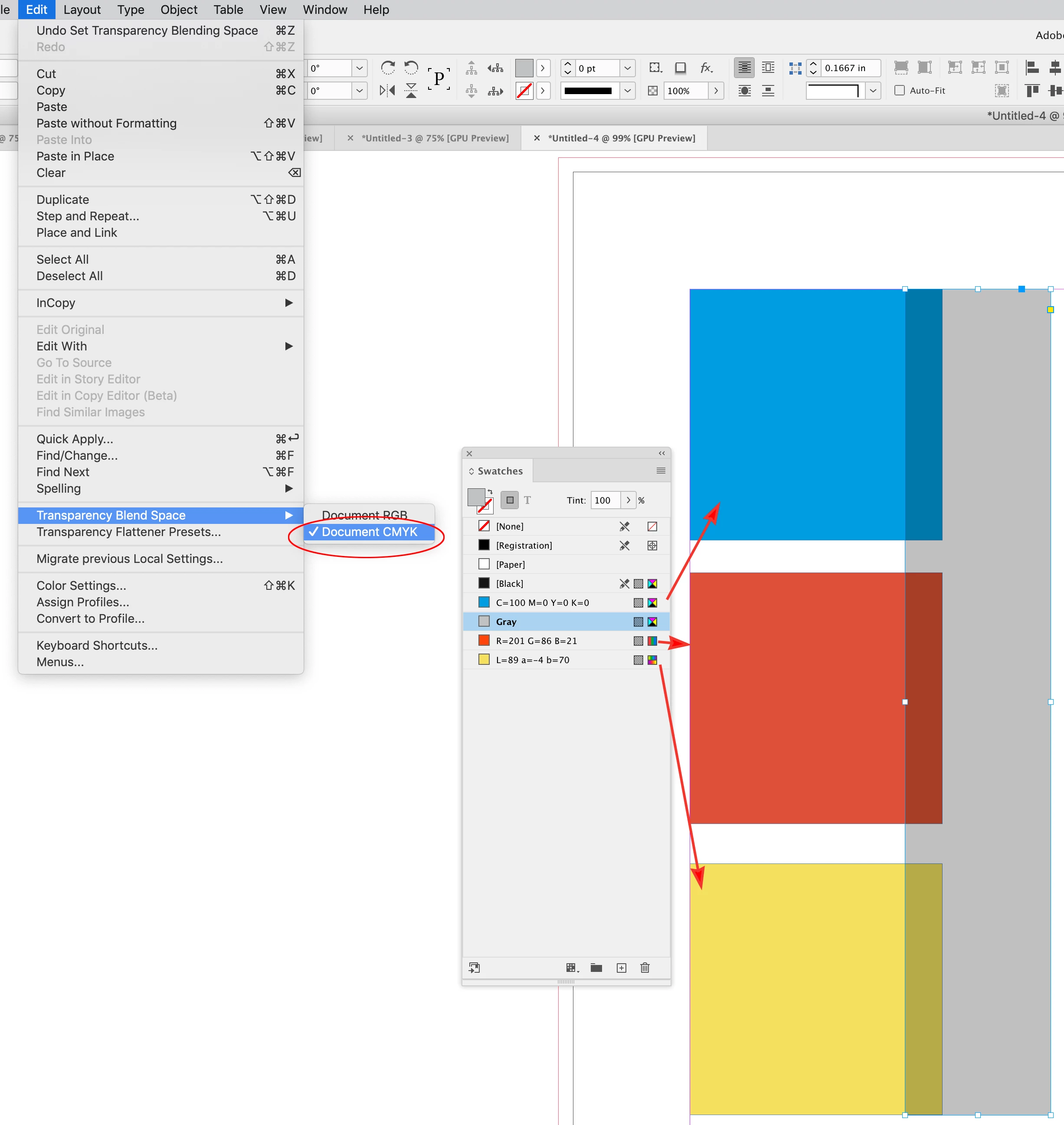
If I set the blend mode to CMYK, the preview shows how the RGB and Lab fills will be converted into my document’s CMYK space—Coated GRACol 2006 is my assigned CMYK profile. You can see the orange is outside of the GRACoL CMYK gamut so its soft proof appearance changes:



1 reply

Hosun
HosunAuthor
Inspiring
January 1, 2023

When I open Ai or Ps later, the color mode and settings of Id are sychronized automatically with Ai and Ps via Adobe Bridge?


Hosun

Steve Werner
Community Expert
Community Expert
January 1, 2023

Yes, if you set your color settings with Adobe Bridge, by default (unless you've overridden them in an application), it should choose those settings for InDesign, Illustrator, Photoshop and even Adobe Acrobat.


Hosun
HosunAuthor
Inspiring
January 1, 2023

Could you tell me how to do on Color Settings dialog box?

Even "Apply button" is not activated.


Hosun