


Answered
How to make customized adobe preset as default while creating InDesign package
Hi,
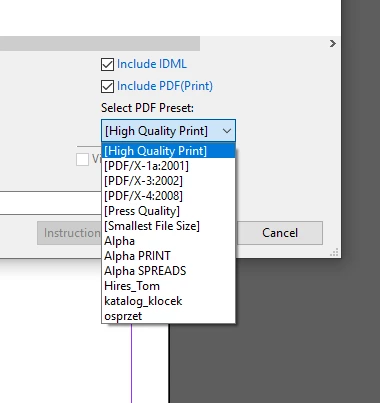
I have created a customised adobe preset in InDesign called "Lowres with screenshots". I want to use this preset as default when I am creating final package out of the InDesign file.
Currently it is creating pdf taking default preset while creating the package . So I have to delete the pdf from the final package and create the pdf again using my customized "Loweres with screenshot" preset.
Can anyone please suggest how can I set my "Lowres with screenshots" preset as default while creating final InDesign package, so that I dont need to delete pdf from the folder and create again using my preset?
Thank you in advance
Himakara



 AdChoices