



dublove
Legend
July 9, 2024
Question

How to make the object quickly align to the reference line?

  • July 9, 2024
  • 4 replies
  • 842 views

I found another problem that can be improved.
How to make the object quickly align to the reference line?
It can only be manually aligned. This is too low, unscientific, and not advanced.

Add a condition, press CTRL to select the object and reference line at the same time, and then align with the reference line.

Hope adobe can see this.
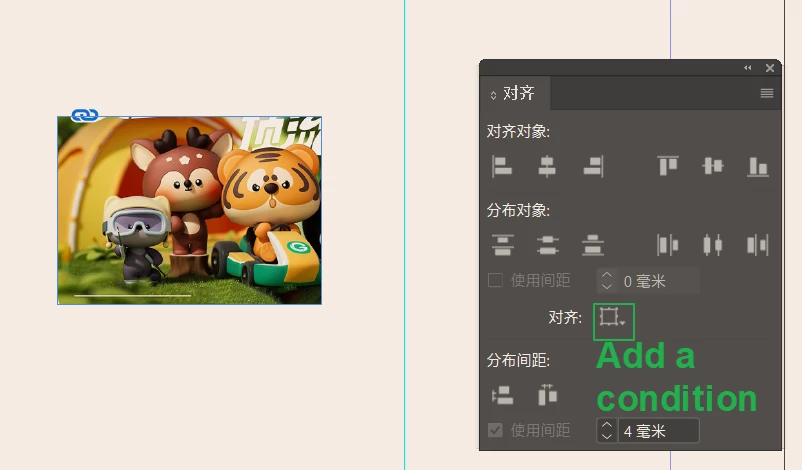
This topic has been closed for replies.

4 replies

Barb Binder
Community Expert
Community Expert
July 10, 2024

Hi @dublove:


1.  InDesign.uservoice.com for bugs and feature requests

A quick reminder that we are users like you—we know InDesign well and  volunteer in our spare time to help other users. There is a feature request tag because at some point, this forum will accept feature requests but right now, you are making a suggestion to other users who have no power to add anything to InDesign. Please post all bugs and feature requests on this page: https://indesign.uservoice.com/


2. Community.Adobe.com for questions about how to the software

Please use the community forums to ask for help on how to perform a specific task. For example:

  1. If you drag that frame near the ruler guide, it will snap to it. 
  2. Or, you can note the position of the ruler guide, and precisely move the frame to it by selecting a handle in the proxy and  typing in the position value. 


~Barb


~Barb at Rocky Mountain Training
dublove
dubloveAuthor
Legend
July 10, 2024

https://indesign.uservoice.com/

It was a quite bad website.

Community Expert
July 10, 2024
Robert at ID-Tasker
Legend
July 10, 2024

@dublove


What do you mean by "reference line"?


Can you be more specific? 


James Gifford—NitroPress
Legend
July 9, 2024

Drag and snap to a guideline is about as fast, accurate and automatic as any process can get given that it's usually done in a "designing" environment. You can only automate so many steps in such a process.

Community Expert
July 9, 2024

Not clear what you're trying to do - can you please be more specific?

Do you mean aligning two objects?


Select one or more objects

Then click on any of the objects again - see the thicker line

Then align to Key Object 


dublove
dubloveAuthor
Legend
July 10, 2024

What you said to me is not the same thing

Community Expert
July 10, 2024

Can you clarify what you mean?