
dublove
Legend
March 23, 2014
Question

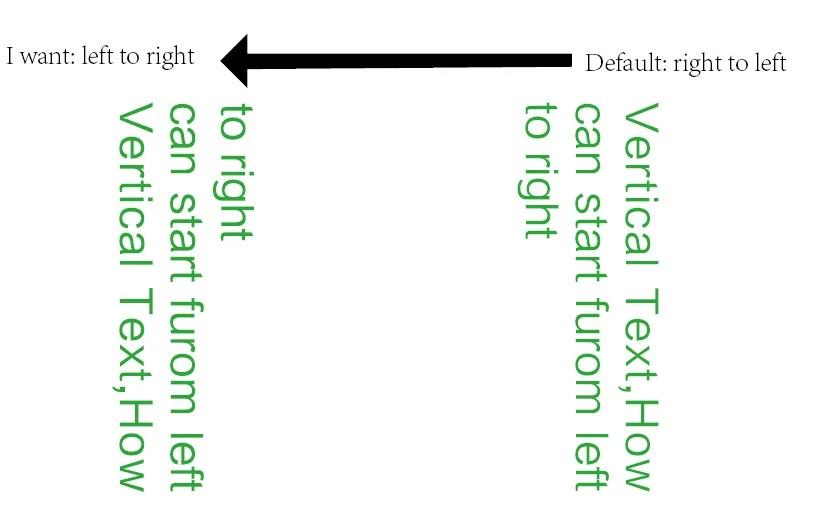
How to make Vertical Text start furom left to right?

  • March 23, 2014
  • 1 reply
  • 1477 views

Sometimes some customers must be vertical text from left to right

This is mainly for Asian fonts

Whether it can be achieved with script,Or are there other methods?

............................................................................................................................................

Thank you~
This topic has been closed for replies.

1 reply

Community Expert
March 27, 2014

@喜狼_edny – hm. Possible, but the result is somehow unsatisfactory.

See for yourself.

We could start with some text right aligned in a table with just one single cell:

We could rotate the cell to 270° like that:

Code:

var myCell = app.selection[0].tables[0].cells[0];

myCell.rotationAngle = 270;

And now we need the text direction from right to left and all characters rotated to 180°:

Code:

var myCell = app.selection[0].tables[0].cells[0];

myCell.rotationAngle = 270;

myProperties = {

    composer : "$ID/HL Composer Optyca",

    characterDirection : CharacterDirectionOptions.RIGHT_TO_LEFT_DIRECTION,

    paragraphDirection : ParagraphDirectionOptions.RIGHT_TO_LEFT_DIRECTION,

    characterRotation : 180

    };

myCell.texts[0].properties = myProperties;

Result:

Ugh! Not exactly the result we expected…
(Tested with InDesign CS5.5 on OSX 10.6.8)

It's the characterRotation that is not working as expected.

Uwe

Message was edited by: Laubender

Trevor:
Legend
March 28, 2014

Hi Uwe,

I'm pretty sure that's just a problem with Latin fonts but not with Chinese and the like.

See also http://indesignsecrets.com/rotate-text-inside-a-frame.php including the comments

Trevor

Community Expert
March 28, 2014

@Trevor – hm, yes. For monospaced fonts that will work.

However, the characters will be rotated around the baseline.

And that is bearing other effects. Like ignoring cell insets.

Chinese (traditional) vs. monospaced Courier font:

Uwe