dublove
Legend
April 23, 2026
Answered

How to move a layer to the top and move an object to a specific layer?

  • April 23, 2026
  • 4 replies
  • 50 views

How do I move a layer to the top and move an object to a specific layer?
For example, I have three layers, and I want the final order from top to bottom to be:
A1
A2
A3.
I’d like to know how to use code to move A1 to the top.
Additionally, I want to move the selected object to A2.
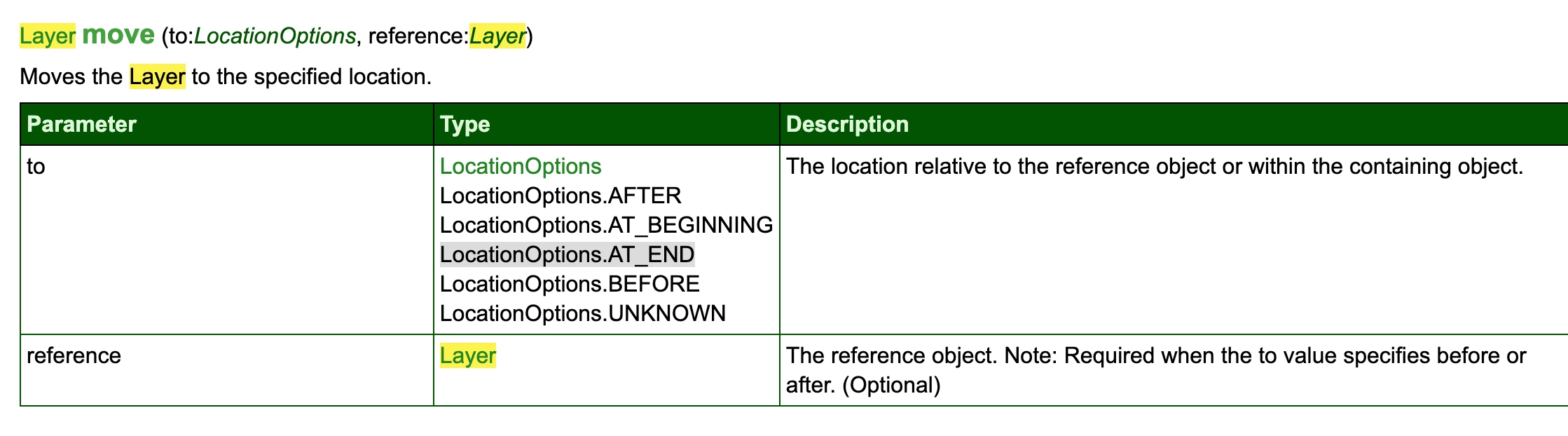
I found this, but I don’t seem to understand it:
https://community.adobe.com/questions-671/script-for-object-styles-being-applied-to-specific-layer-880528

Thank you.

    Correct answer rob day

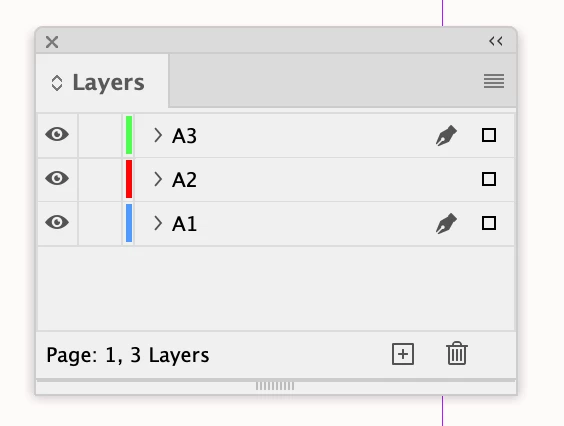
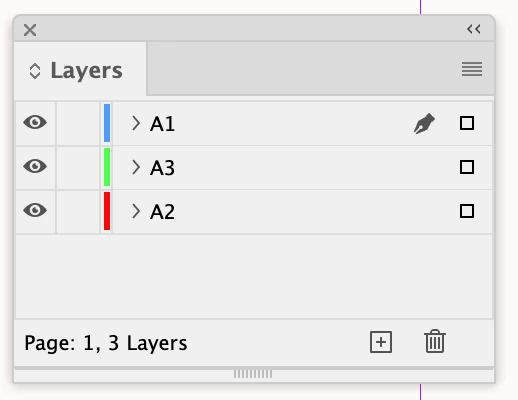
    This moves the layer named A1 to the top:


    //a layer named A1
    var a1 = app.activeDocument.layers.itemByName("A1")
    //moves A1 to the top
    a1.move(LocationOptions.AT_BEGINNING)


    Before and after


    The layer move method:


    You can also move layers via their index —top index is 0. This moves the bottom layer to 1 below the top layer. BEFORE and AFTER use the 2nd parameter, which is a layer

    var l = app.activeDocument.layers
    //l[l.length-1] is the bottom layer, l[0] is the top layer,
    //moves the bottom layer to 1 below the top layer
    l[l.length-1].move(LocationOptions.BEFORE, l[1])


    4 replies

    dublove
    dubloveAuthor
    Legend
    April 24, 2026

    How to use 6-bit RGB color values.
    This usage is acceptable:

    var myLayer = app.activeDocument.layers.add({ name: "A", layerColor: UIColors.magenta });

    This 6-bit format is not supported:

     var myLayer = app.activeDocument.layers.add({ name: "A", layerColor: UIColors.#ef8910 });


    sorry, I know:

    var myLayer = app.activeDocument.layers.add({ name: "A", layerColor: [239, 137, 16] });


    rob day
    Community Expert
    Community Expert
    April 23, 2026

    Additionally, I want to move the selected object


    Missed your 2nd question—this moves a selection in the bottom layer to the top layer:

    var d = app.activeDocument;
    var l = app.activeDocument.layers
    var s = d.selection[0]
    s.move(l[0])

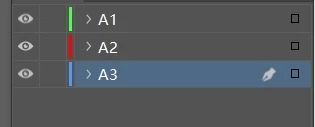
    Before after:


    rob day
    Community Expert
    rob dayCommunity ExpertCorrect answer
    Community Expert
    April 23, 2026

    This moves the layer named A1 to the top:


    //a layer named A1
    var a1 = app.activeDocument.layers.itemByName("A1")
    //moves A1 to the top
    a1.move(LocationOptions.AT_BEGINNING)


    Before and after


    The layer move method:


    You can also move layers via their index —top index is 0. This moves the bottom layer to 1 below the top layer. BEFORE and AFTER use the 2nd parameter, which is a layer

    var l = app.activeDocument.layers
    //l[l.length-1] is the bottom layer, l[0] is the top layer,
    //moves the bottom layer to 1 below the top layer
    l[l.length-1].move(LocationOptions.BEFORE, l[1])


    dublove
    dubloveAuthor
    Legend
    April 24, 2026

    Thank you very much

    I just realized that I can also move it to Layer A.

    var myLayer = d.layers.itemByName(‘A’);
    s.itemLayer = myLayer;


    kglad
    Community Expert
    Community Expert
    April 23, 2026

    you can drag and drop objects and layers.

    leo.r
    Community Expert
    Community Expert
    April 23, 2026

    his question is about scripting the process.