Inspiring
March 31, 2026
Question

How to Move or Edit Individual Polygon Vertices in InDesign

  • March 31, 2026
  • 3 replies
  • 30 views

I am trying to move the vertices of a polygon:
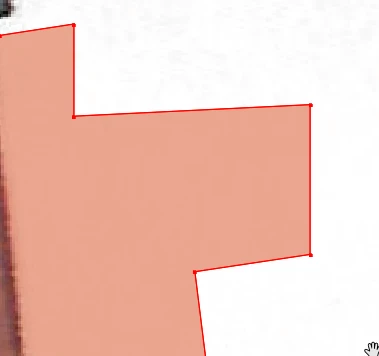
I thought I found a solution but this shows exactly the issue I am trying to avoid.


Thanks.

    3 replies

    Peter Spier
    Community Expert
    Community Expert
    March 31, 2026

    I often find the easiest way to select a single anchor point is to drag a marquee around it with the Direct Select tool.

    Community Expert
    March 31, 2026

    The video is definitely NOT titled correctly.

    The video should be titled how to convert anchor point from corner point to curved point

    Abhishek Rao
    Community Manager
    Community Manager
    March 31, 2026

    Hi @Charlie329572228uvx,


    If I understand what you're trying to achieve here corrently. To move individual vertices of a polygon, please switch to the Direct Selection Tool (white arrow(A)) instead of the Selection Tool. Then click directly on the shape to reveal the anchor points, select the specific vertex you want, and drag it to the desired position. This allows precise control without affecting the entire shape.

    If you're seeing unexpected behavior while doing this, it would really help if you could share a quick screen recording or a bit more detail about what exactly goes wrong when you try to move the points.


    Looking forward to your update.

    Abhishek