I want the document to be printed with full bleed images (as far as I know, thats the only way to do it with 8.5x11 pages correct?). I need to bind it with a plastic spiral afterwards, so itll be just like a normal book. |
For most binding methods the inside bleed isn't used because the spine edge is folded and not trimmed. For your Wire-o book with full page bleeds you will need an inside bleed because the inside of the page will be trimmed and visible.
It may be too late, but another option for wire-o would be to turn off Facing Pages and create a master spread with two pages. You can then separate the spread and get access to the inside bleed using the Page Tool.
Something like this:
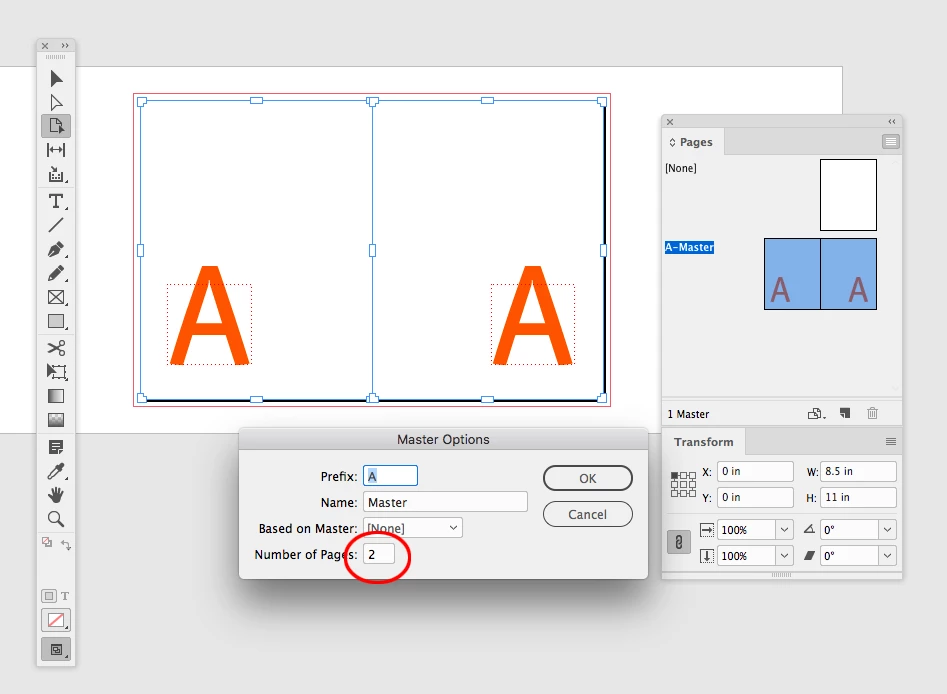
With facing pages turned off, set the master's Number of Pages to 2 and position your folios. Create a layer in the Layers panel for the page numbers and a layer below for the images:
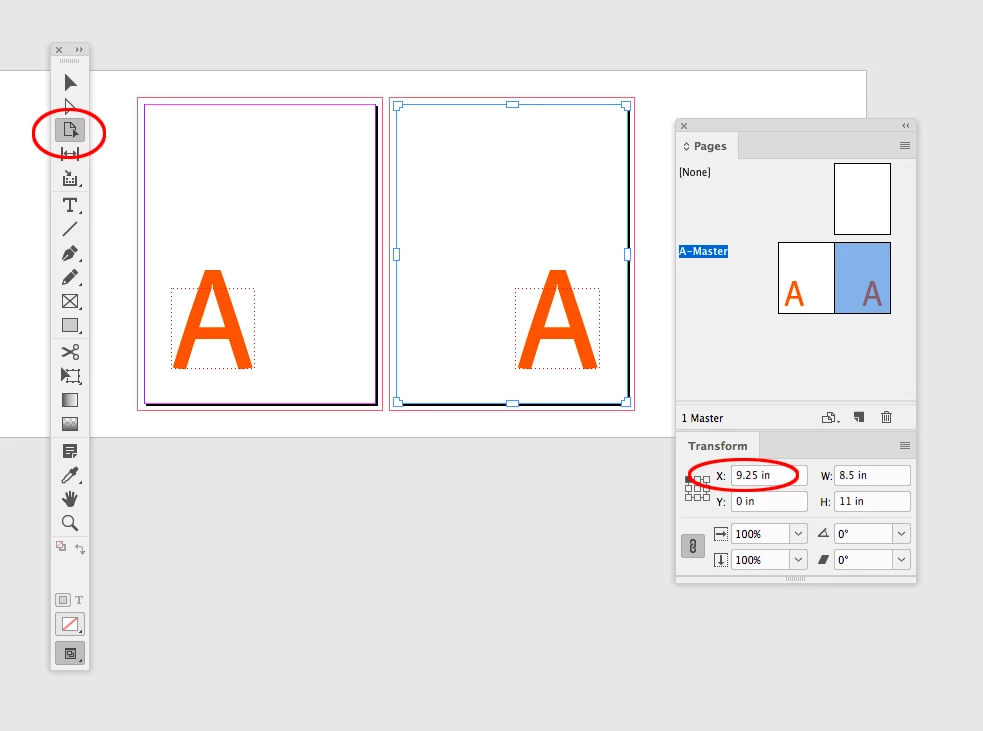
Using the Page Tool, select the right hand page in the Pages panel and separate the pages via the Transform panel's X position. Here I've moved the page .75" to the right. You can also drag the page into position with the page tool.
Note that with facing pages turned on you can't change a spread's page position
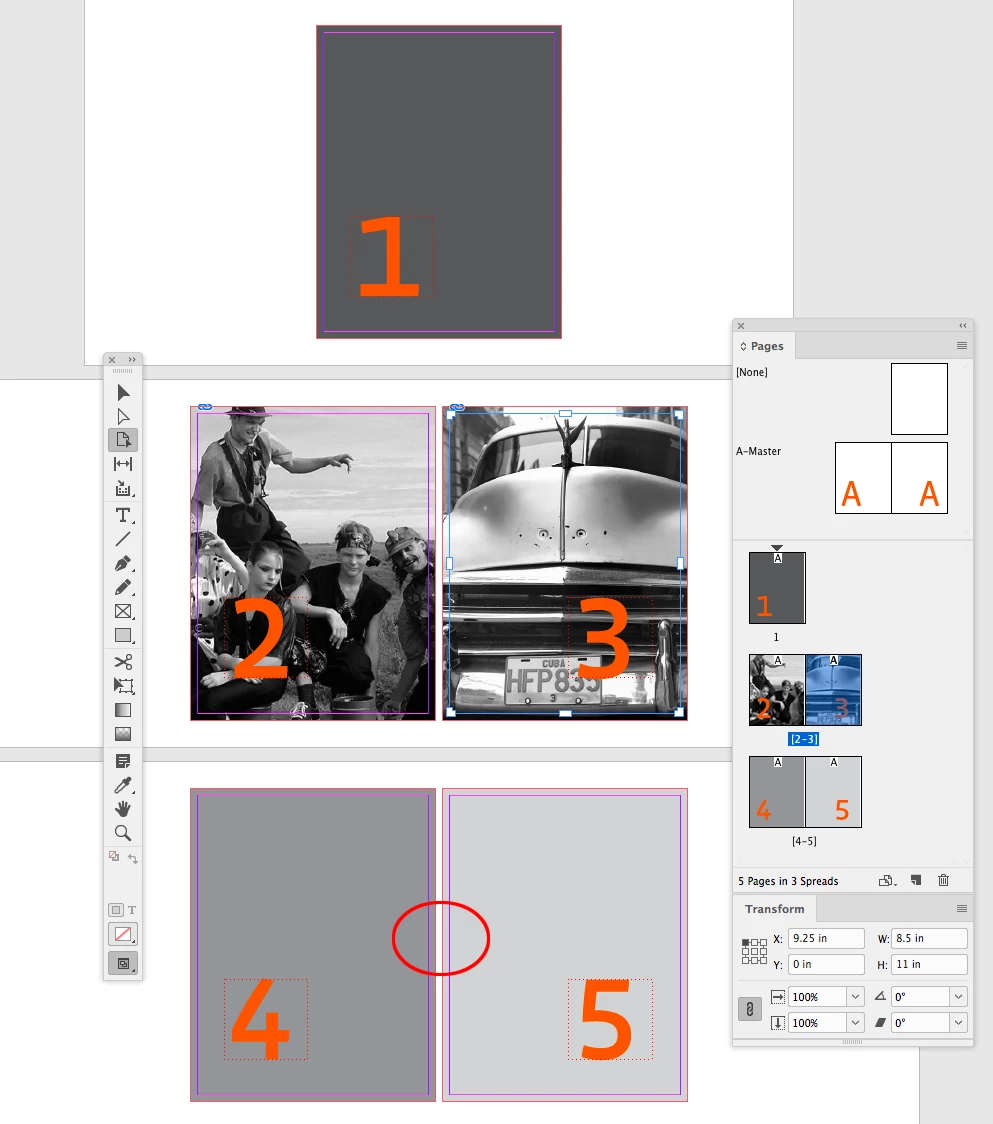
In the Pages panel make sure Allow Selected Spread to Shuffle is unchecked, and add new spreads based on the master. The split masters will let you set your full bleed images with an inside bleed.
It is important to follow the rules of facing page documents. You should have a single page for the cover and back cover, and the total page count needs to be multiples of 4.
 AdChoices