
how to open crash recovery files InDesign when it fails to?
InDesign crashed when I was saving a document and quiting. (nt for the first time but I use it so irregularly these days I keep forgetting how fragile it is).
When I reopenned InDesign it didn't recover the file(s) that I had open (I'd come back from other work and mac was asleep for an hour too). I may have openned the prerelease version or updated main version to 18.2.1 in between, i didn't realise it hadn't saved until I checked.
So InDesign User guide directs me to the Library folder (although the documentation ~/Library/Cache/… folder when in fact it's ~/Library/Caches/… folder with an 's'.
Theres a recover document file saved a few minutes before INDD crashed but I don't know how to use it to recover and the USer Guide is not telling me how.
Is there in fact any way to recver this info (a few hours of very tedious work)?
I tried appending .indd to the filename and moving it to a regular folder with user RW privledges but that's no joy. Its the highlighted file in the screenshot.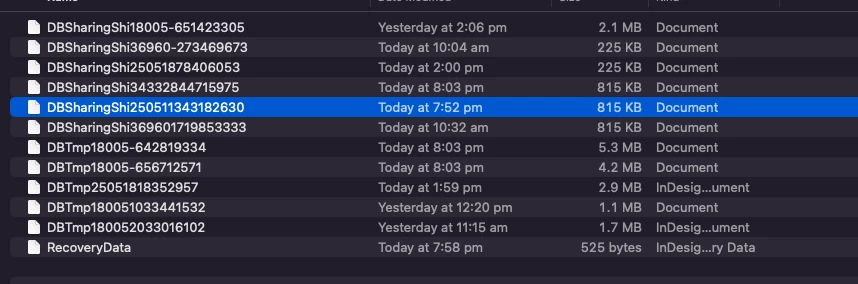
 AdChoices