

Juleshoward
Participant
February 9, 2026
Question

How to Print Multiple Business Cards per Sheet in Adobe InDesign on US Letter (8.5×11)

  • February 9, 2026
  • 3 replies
  • 52 views

I make business cards from Publisher. It has the ability to make multiple copies per sheet:
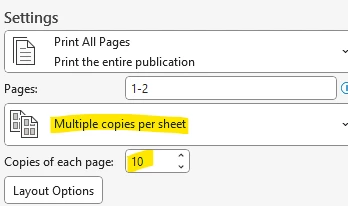
 

The file is 3.5x2 inches with one business card. When printing, I select “multiple copies per sheet” and “10 copies.” It looks like this:
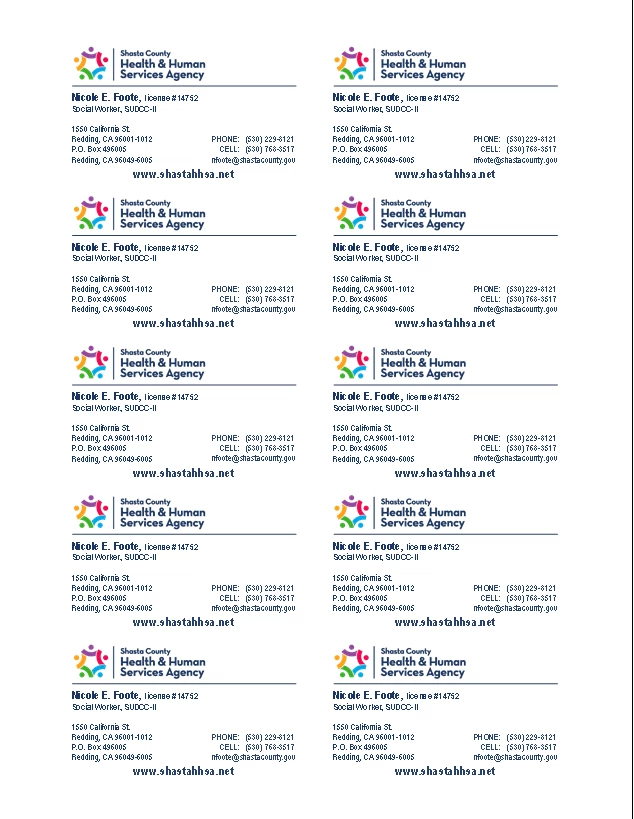
 

I have tried in Acrobat, InDesign and Illustrator to find a way to make 10 copies on a sheet from one 3.5x2 inch file. I keep hearing that the only way to do it is to start with an 8.5x11 document, make one 3.5x2 inch business card and duplicate it 9 more times. We need an easy way to do it, like Publisher. Any suggestions?

    3 replies

    Willi Adelberger
    Community Expert
    Community Expert
    February 10, 2026

    Multiple copies per sheet not.

    But you can make one adress as the original ant the others linked copies. Changes in the original will be reflected in the  other instances. You can set up it once and per duplicate the pages reuse it with not much effort. It does not work on the parent/master page.

    1. Select the content collectors tool.
    2. The content conveyer strip appears.
    3. Select the original with the tool and you see its thumbnail in the conveyor.
    4. Select the thumb
    5. Now you can activate some options. In your case activate “create link”, “Map styles” and “Keep in conveyor and selected” (that is the  second option of three).
    6. Click, click, click to place the instances.
    7. You will see the links from the original to the instances in the link panel and you can update the like image links.
    Dave Creamer of IDEAS
    Community Expert
    Community Expert
    February 10, 2026

    Sort of, just not during printing. Under the Edit menu, look for Step and Repeat:

    (The top left frame is the only thing I created)


    David Creamer: Community Expert (ACI and ACE 1995-2023)
    davecourtemanche
    Inspiring
    February 9, 2026

    A couple questions: 
    Is this the layout for all the business cards you do, or do some bleed?
    Do you print crops & cut lines?

    If you’re going to be doing this often, I’d recommend a template. Create a doc that’s 7” x 10” and add 10 picture boxes in the layout you have above. Add the cut marks in the bleed of the doc (if needed) and then work on your business cards in a 1 up 3.5” x 2” layout. Export to PDF and drop into template. 

    Not as easy as “print 10up” but not too tough once you’ve made your template.

    juleshoward1
    Participant
    February 9, 2026

    It will be printed on an Avery template business card sheet. There are no crops and bleeds.