
Answered
How to print PDF pages in InDesign
Good morning,
with an indesign file with many pages I should print pdf files of two pages each. Is there a script or some option in indesign to say "print pages 2 to 2"?
{Renamed by MOD}

Good morning,
with an indesign file with many pages I should print pdf files of two pages each. Is there a script or some option in indesign to say "print pages 2 to 2"?
{Renamed by MOD}
Hm. Did not see the reply saying the PDFs must be named after product code.
But even for this one could do bookmarks in InDesign and choose Acrobat's option with Split:
File Labeling > File name > Use bookmark names for file names
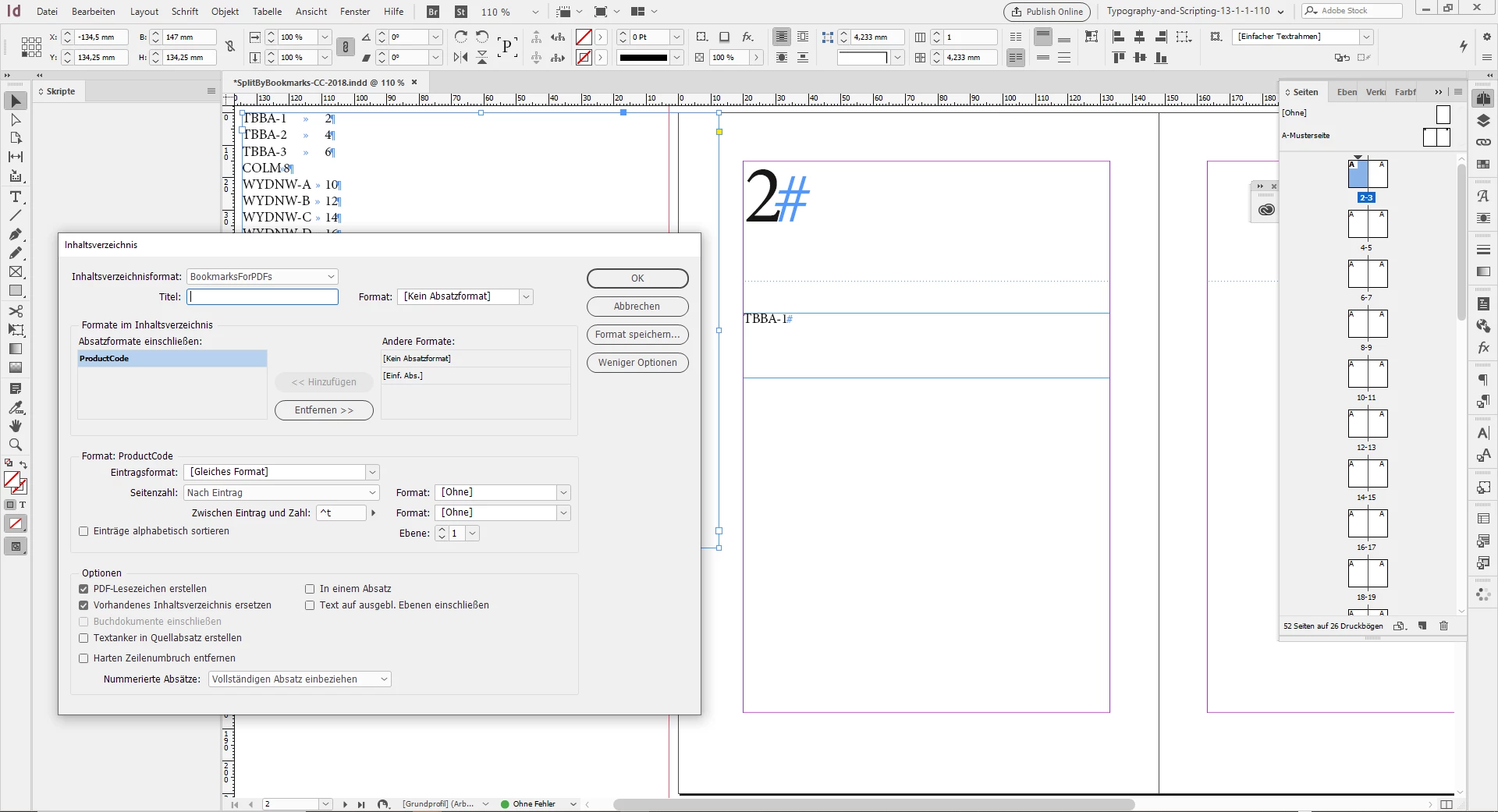
If every article contains the product code on the first page, one even could automate creating bookmarks by creating a table of contents using InDesign's TOC feature with the option enabled to export bookmarks to PDF.
From my German InDesign:
1. TOC settings where PDF-Bookmarks are enabled.
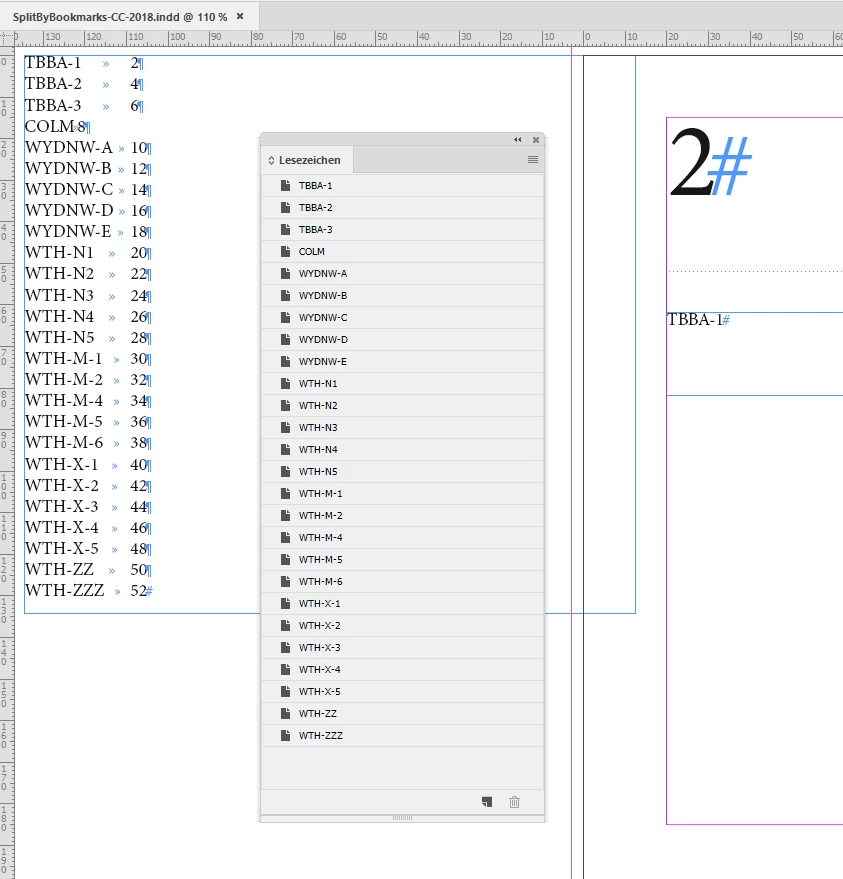
The updated TOC in InDesign together with the Bookmarks panel:
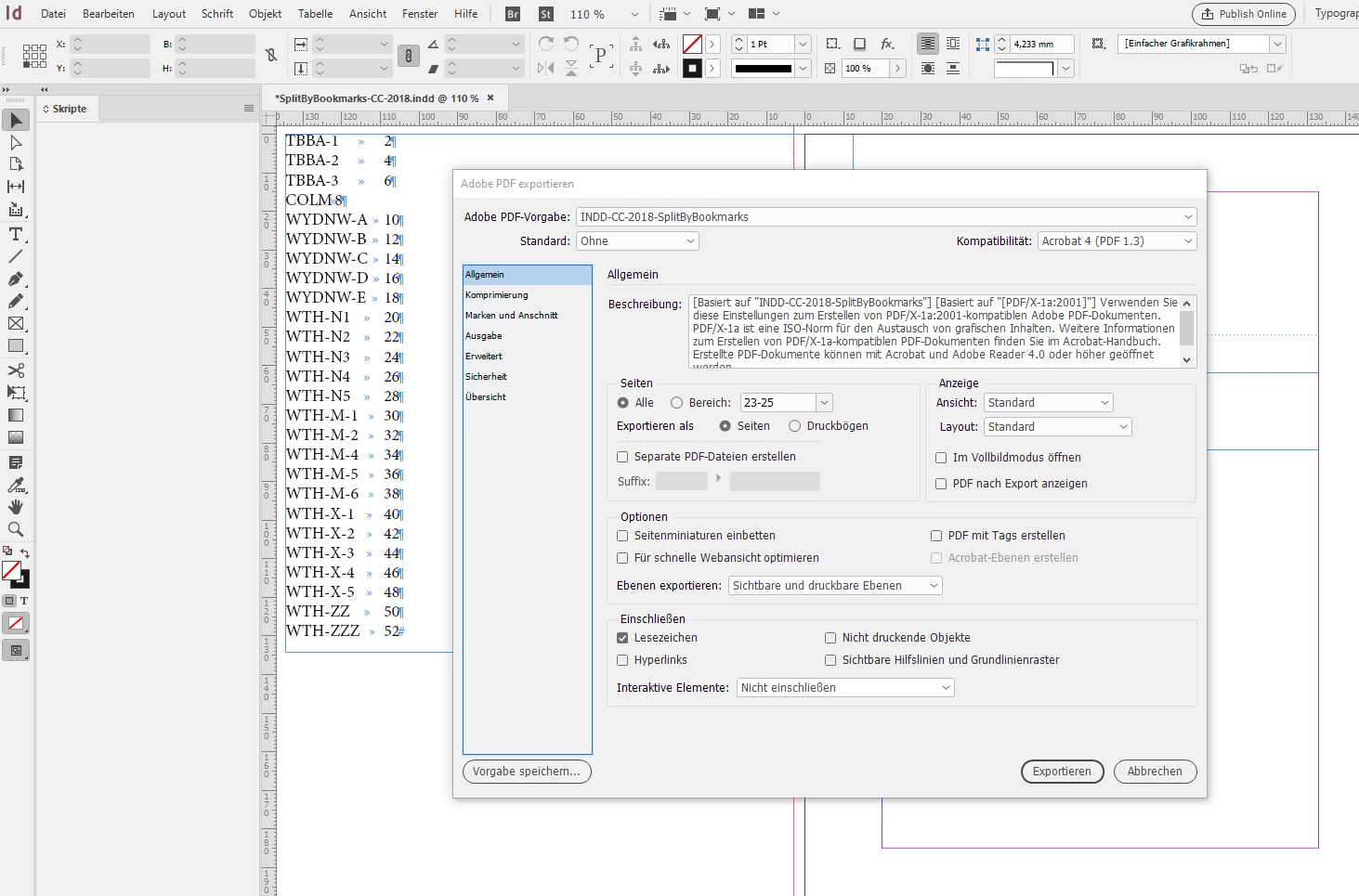
Pages exported as PDF where Bookmarks should be enabled.
( Unfortunately that means you cannot choose a PDF/X option )
Export: All
Bookmarks ( "Lesezeichen" ) checked:
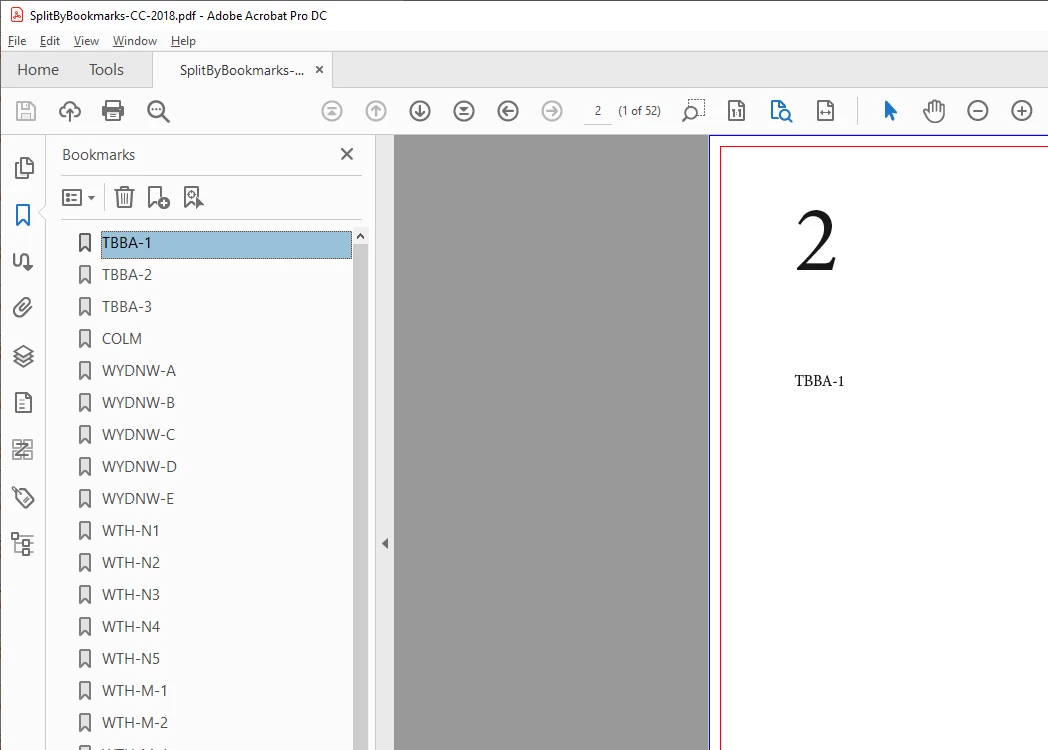
Now on with the PDF opened with Acrobat Pro where we can see the TOC's bookmarks in the Bookmarks panel.
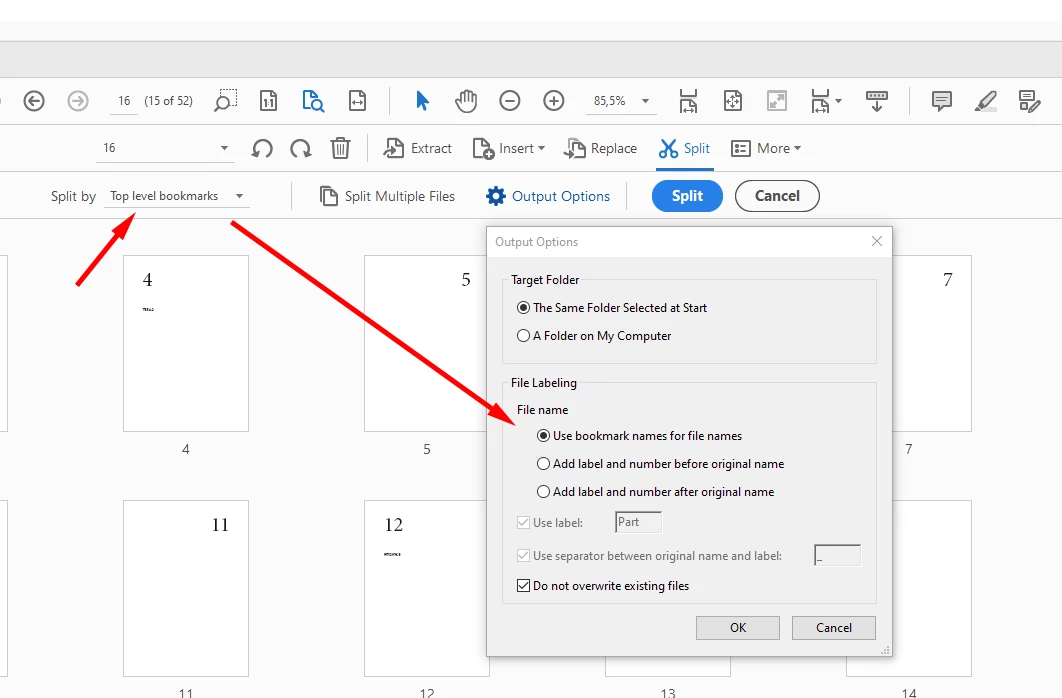
Switch workspace so that we can use Acrobat's Split feature with:
Split by "Top level bookmarks" and Output Options where "Use bookmark names for file names" could be accessed now:
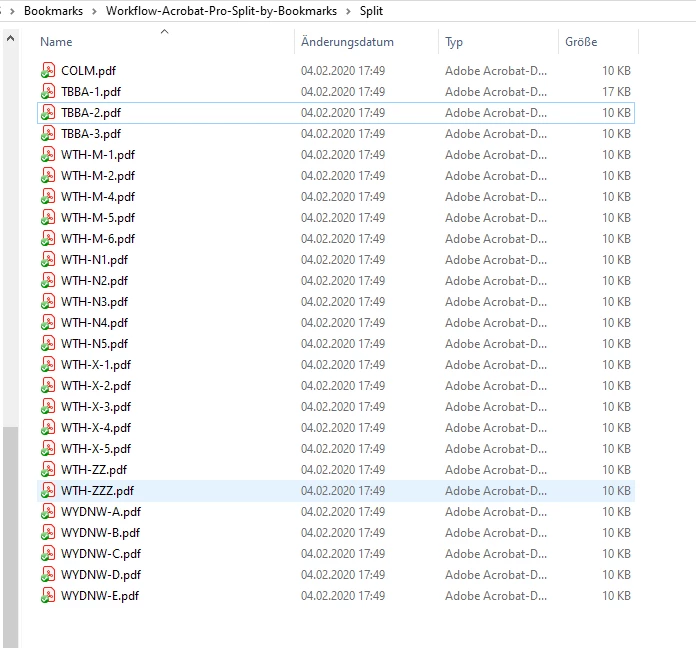
The result in my file system:
Regards,
Uwe Laubender
( ACP )
EDITED: Changed and added screenshots and text to make the point more clear, that the top level bookmarks are the separators for splitting PDFs in Acrobat Pro.
Already have an account? Login
Enter your E-mail address. We'll send you an e-mail with instructions to reset your password.
 AdChoices