dublove
Legend
February 25, 2024
Answered

How to quickly change a color in a color palette to the color of a certain color block?

  • February 25, 2024
  • 1 reply
  • 304 views

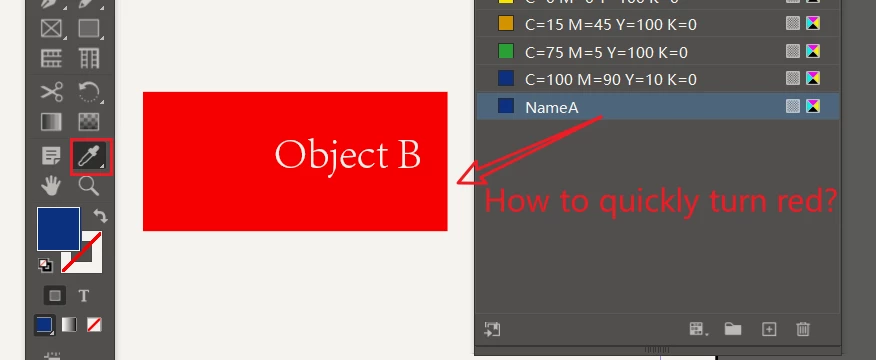
As shown in the picture, how can I change the color of NameA from blue to the same red color as Object B?

Can I only create a new color palette for B and then modify the NameA value?

Can I use a straw to complete it in one step?

Sometimes, I prefer to keep the name of NameA unchanged and use a straw to directly draw the color of Object B.

Another possibility is that there are two existing color palettes (NameA, NameC). Later, I want to change NameA to the same color as NameC, and it seems that I can only modify the data.

Did you not hold down Alt and copy the value to C?
This topic has been closed for replies.
Correct answer Eugene Tyson

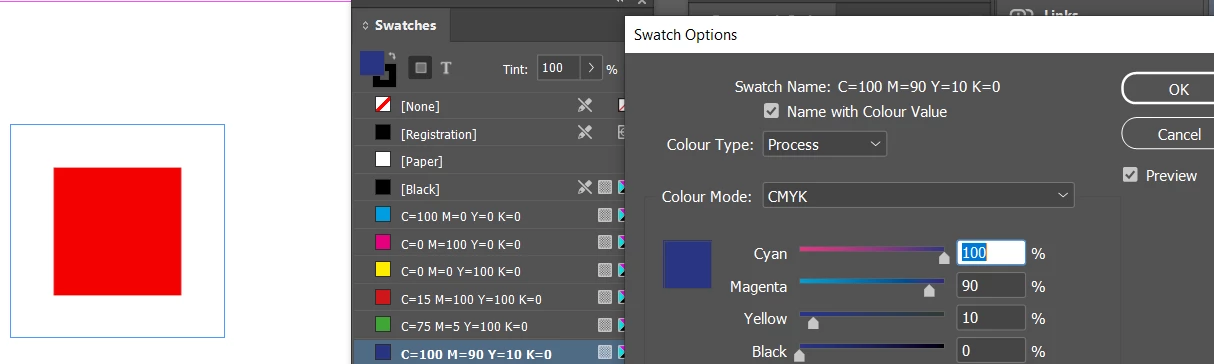
If you double click the swatch - mine is in CMYK - so you don't get a 'straw' to select from as you can't do that for some reason


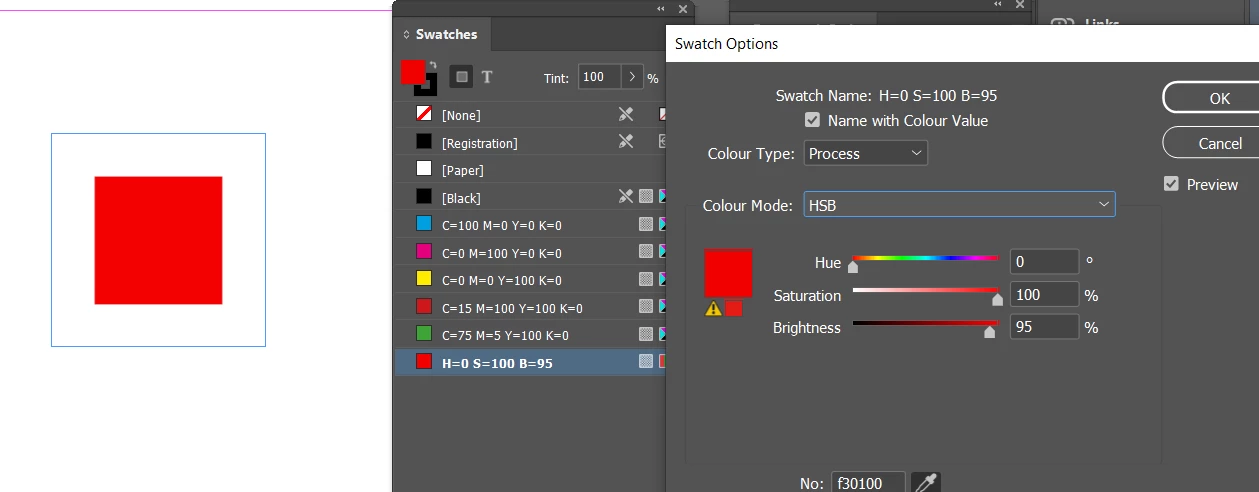
If you change the colour mode to RGB / HSB (either of the 2)

you do get the 'straw'

You do need to hold down the 'straw' and drag it to the object on the page


But that does what you want


It only works for certain colour models.

So if you need CMYK - you'll need to adjust the swatch back to CMYK and input the CMYK values (or whatever colour model it is )


It's the only way it's working for me.


1 reply

Eugene TysonCommunity ExpertCorrect answer
Community Expert
March 10, 2024

If you double click the swatch - mine is in CMYK - so you don't get a 'straw' to select from as you can't do that for some reason


If you change the colour mode to RGB / HSB (either of the 2)

you do get the 'straw'

You do need to hold down the 'straw' and drag it to the object on the page


But that does what you want


It only works for certain colour models.

So if you need CMYK - you'll need to adjust the swatch back to CMYK and input the CMYK values (or whatever colour model it is )


It's the only way it's working for me.