
Participating Frequently
October 24, 2024
Question

How to rearrange the "Page Size" List in Adobe InDesign

  • October 24, 2024
  • 2 replies
  • 421 views

Hi everyone!

I always use custom page sizes in my InDesign projects. They are handy for having multiple page sizes in a single document.

The use case for this is where I will be creating different layouts of the same design such as:

Print: A0, A2
Digital: Landscape Screen
Social Media: Instagram Story, Instagram Square, Instagram Portrait
SUMS: Website Banner, Page Banner, Page Tile

The issue I have is that the list I have created is in a random order. I would like to be able to rearrange it. As it is slowing down my workflow trying to find the page size I want from a hudge list of custom page sizes. Yes I could delete them and start again but I really don't want to do this.

I've attached a screen shot to show what I'm talking about.
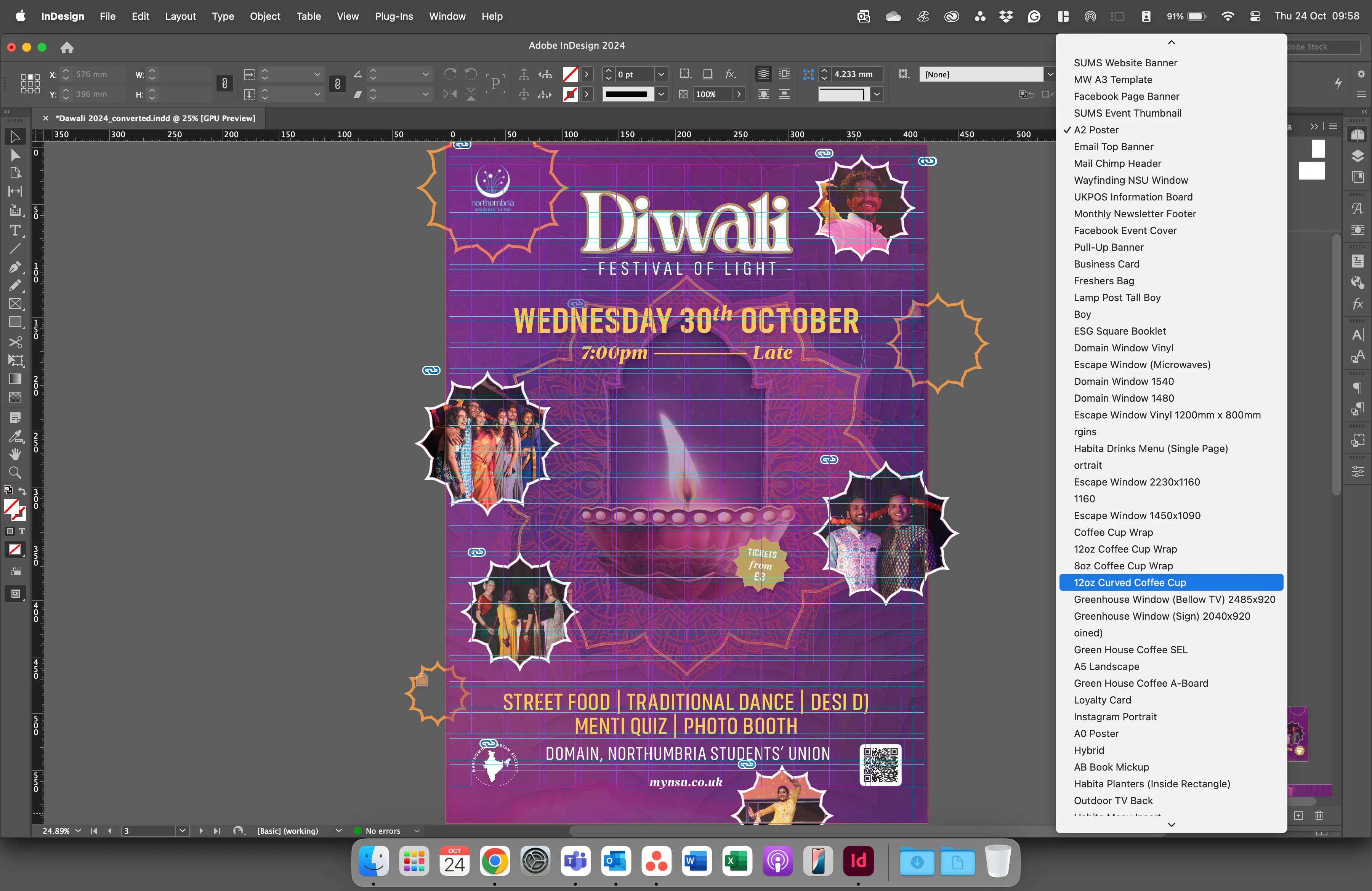
 

Thanks in advance!

Micky 🙂

This topic has been closed for replies.

2 replies

Colin Flashman
Community Expert
Community Expert
November 23, 2024

If they are custom page sizes, you'd need to navigate to the file New Page Sizes.xml - I've an article that explains how to get there here: https://colecandoo.com/2019/08/18/document-presets-vs-new-page-sizes-xml-adding-page-sizes/

From here, you need a text editor that can edit the XML and you would have to sort the page sizes manually.

If the answer wasn't in my post, perhaps it might be on my blog at colecandoo!
Steve Werner
Community Expert
Community Expert
October 24, 2024

What you have created are called Document Presets. You should be able to view your Document Presets in File > Document Presets > Define.


In that dialog box, you should be able to edit the names of the presets:


You could preced the names with a pair of numbers in numberic order. I believe that should let you control the order.

Participating Frequently
November 22, 2024

No, they are not document presets. They are "Custom Page Sizes." and I want to rearrange them. not rename them.