Hosun
Inspiring
January 25, 2024
Answered

How to remove override in Styles

  • January 25, 2024
  • 2 replies
  • 994 views

Hi,


I have two questions.


[Question 1]

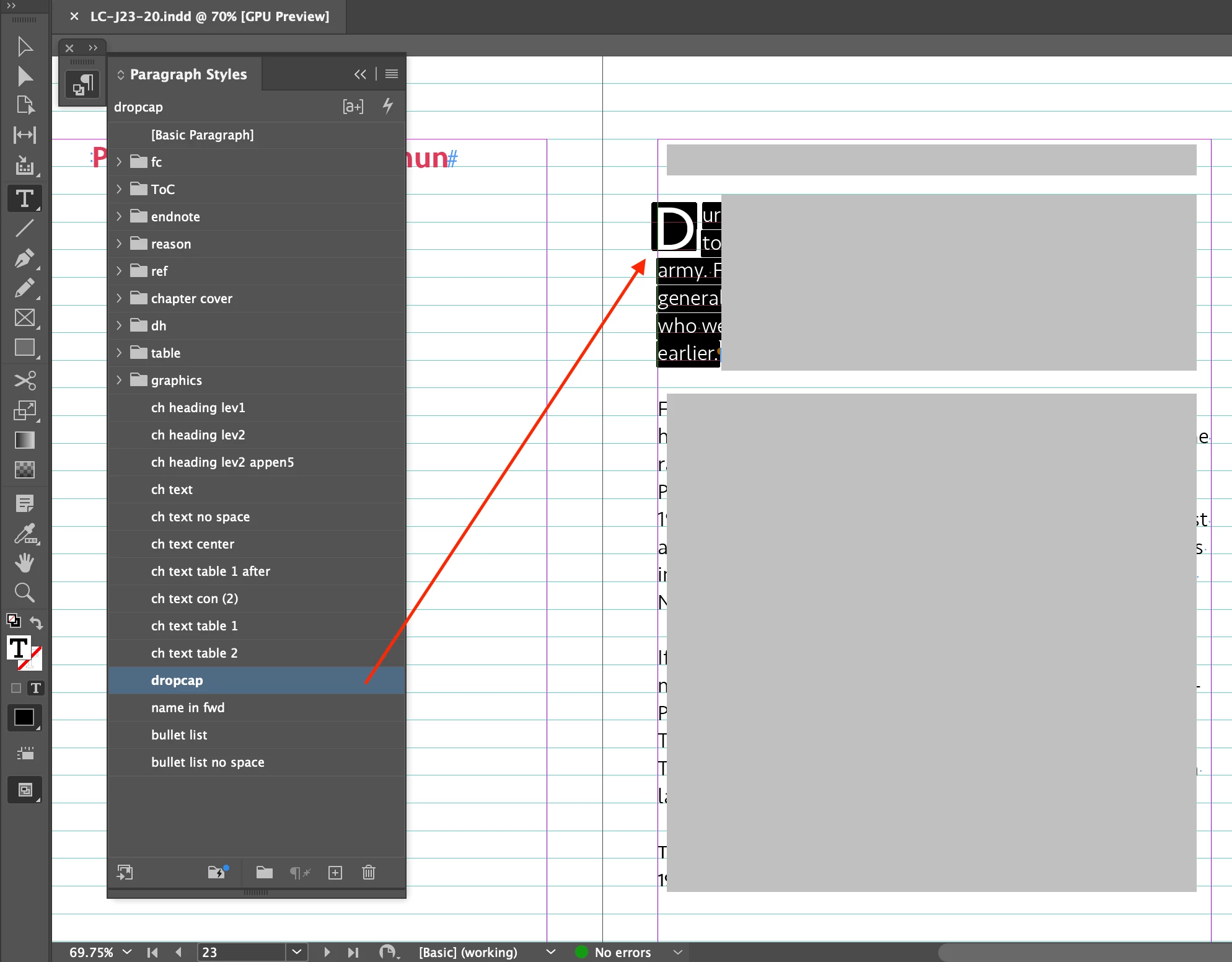
In Screenshot 1, there is + (override) to dropcap in Paragraph Styles. When it is applied to a paragraph, + disappears in Screenshot 2.


I think + is redundant in Screenshot 1. I have no idea about where it came from.


Is there any way to make it disappear from dropcap in Paragraph Styles?


[Question 2]

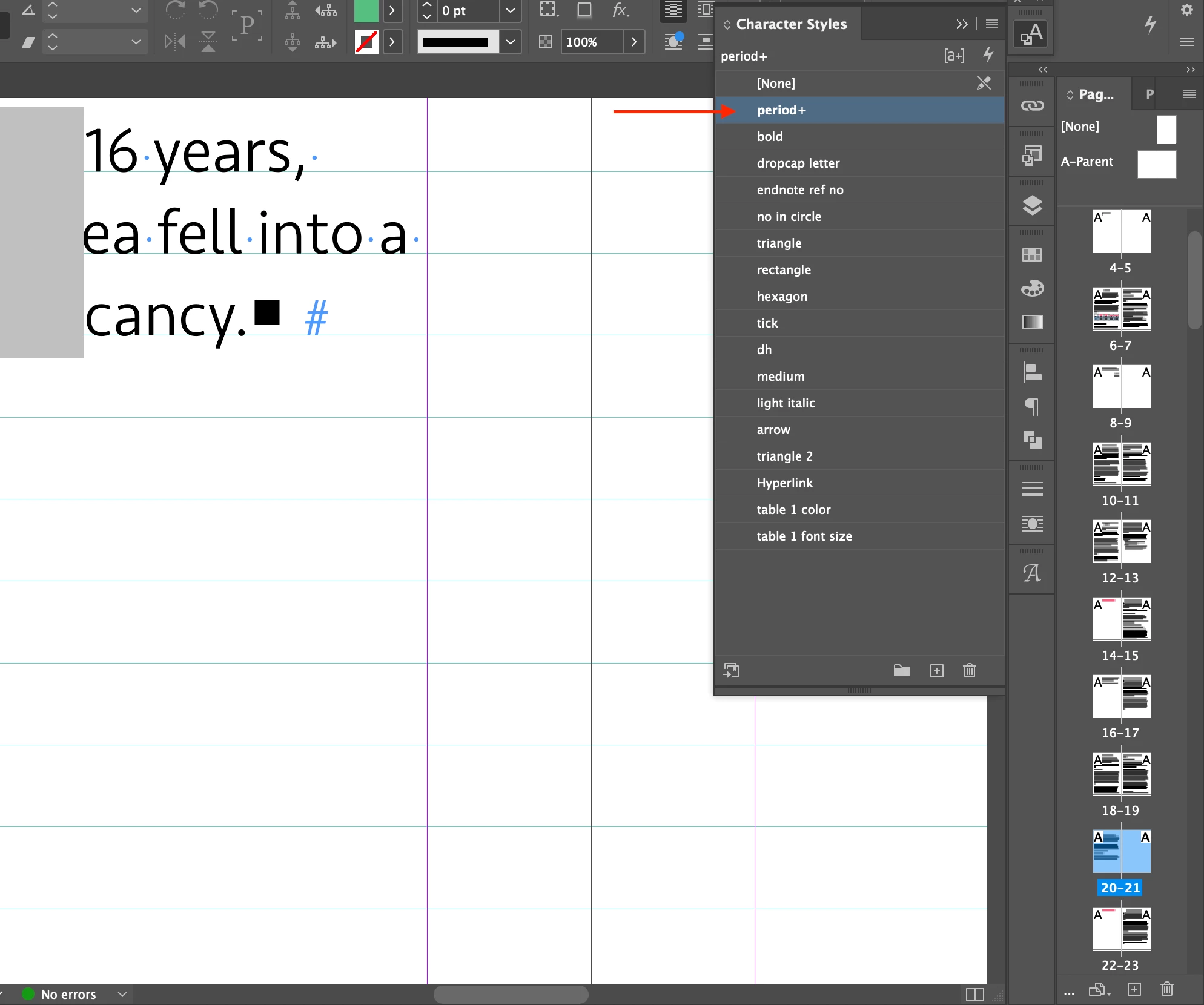
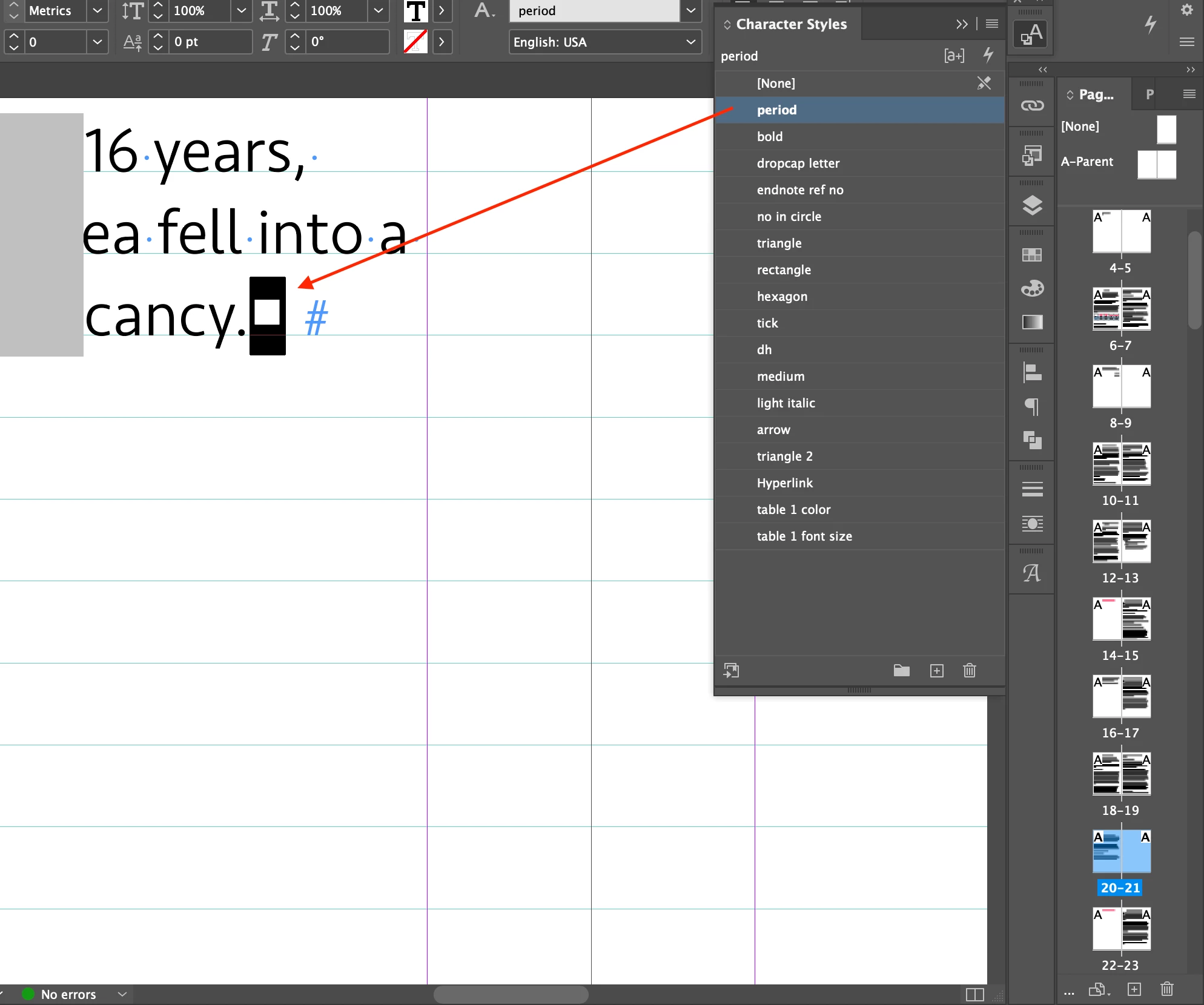
In Screenshot 3, there is + (override) to period in Character Styles. When it is applied to a character, + disappears in Screenshot 4.


I think + is redundant in Screenshot 3. I have no idea about where it came from.


Is there any way to make it disappear from period in Character Styles?


Hosun


Screenshot 1
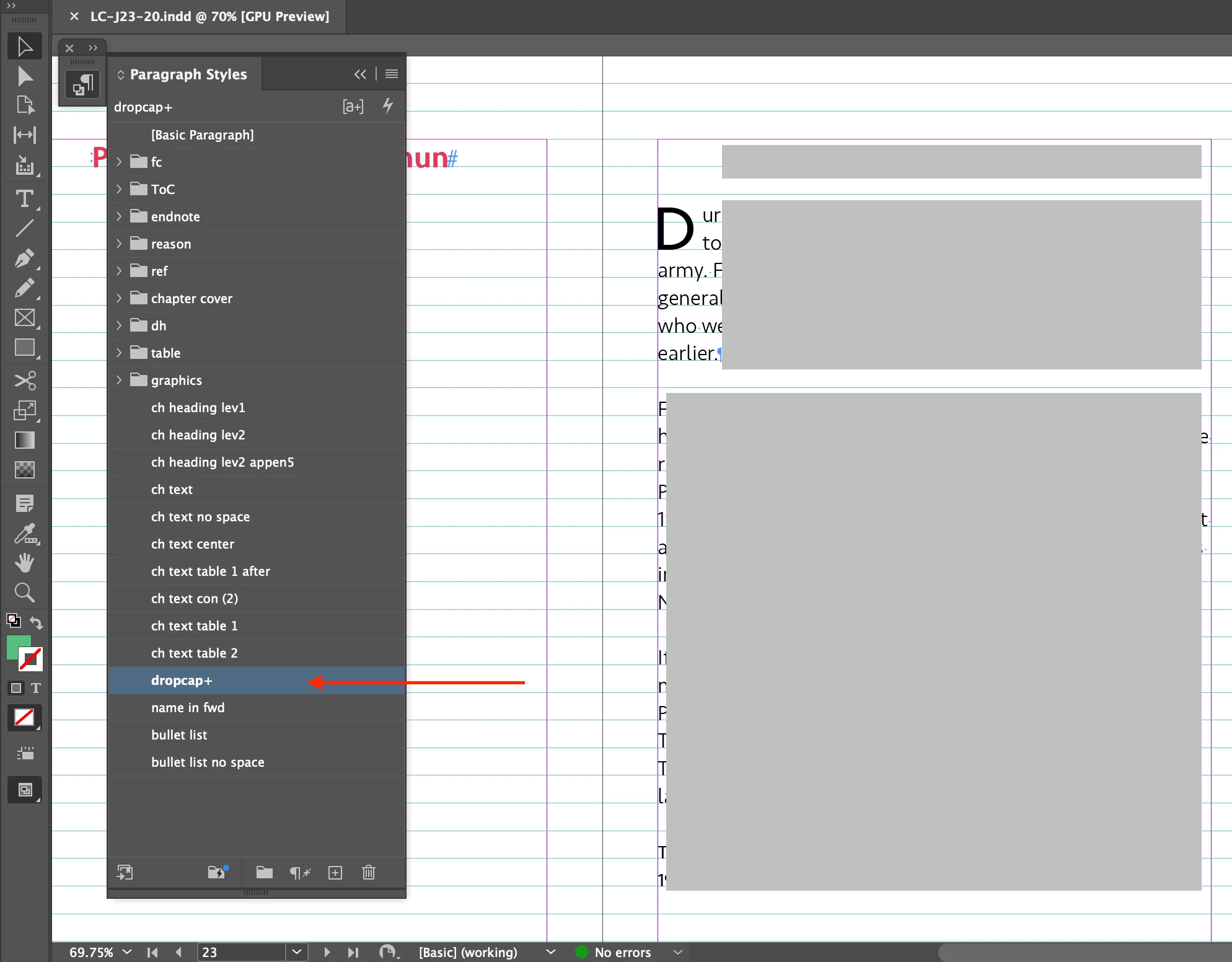

Screenshot 2

Screenshot 3

Screenshot 4
This topic has been closed for replies.
Correct answer Joel Cherney

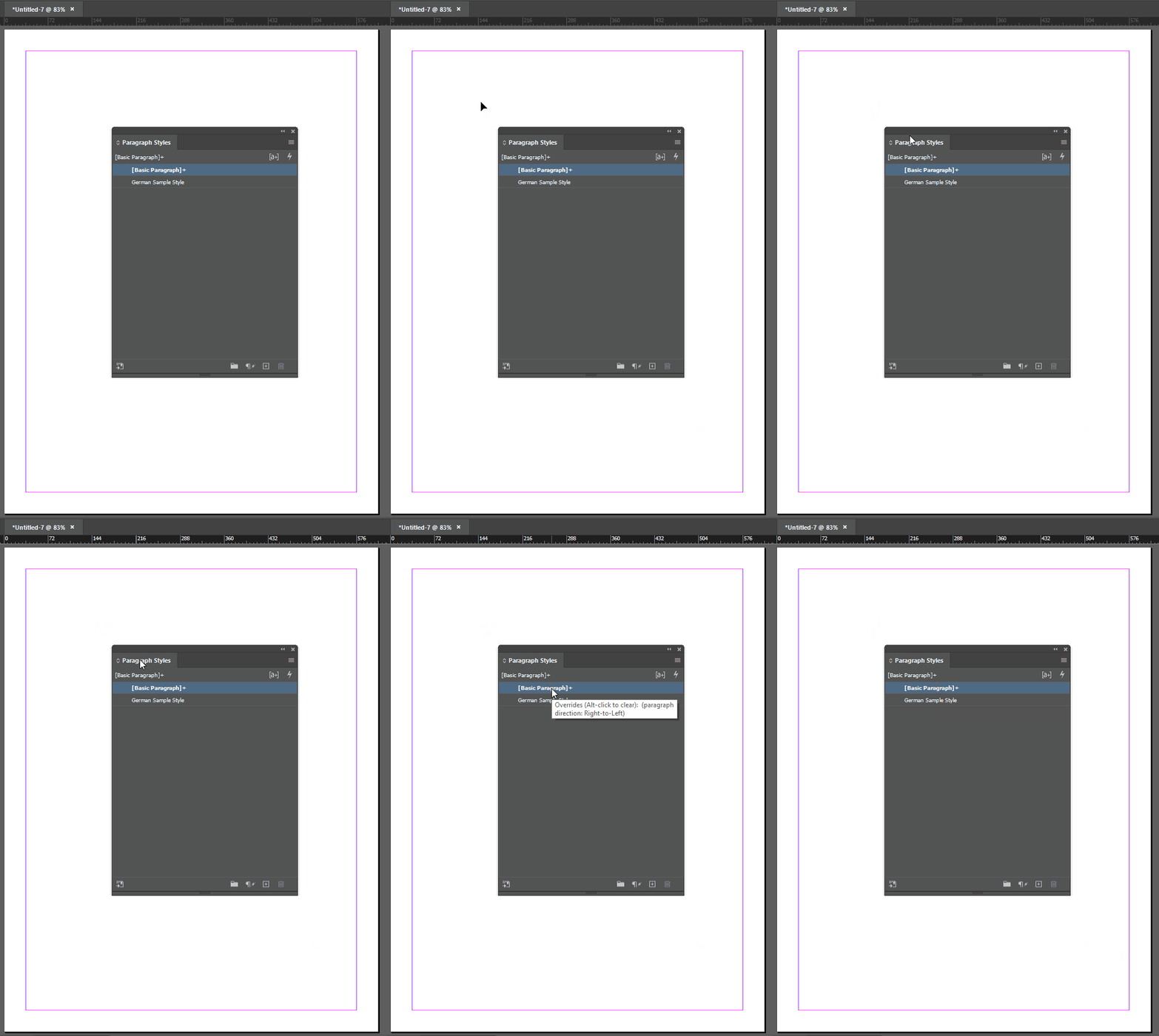
You can always mouse over a paragraph style to figure out what its overrides are. Here's an example where there is absolutely nothing on the page - all I've done is start a new document and create a paragraph style - and there are already paragraph-level overrides:


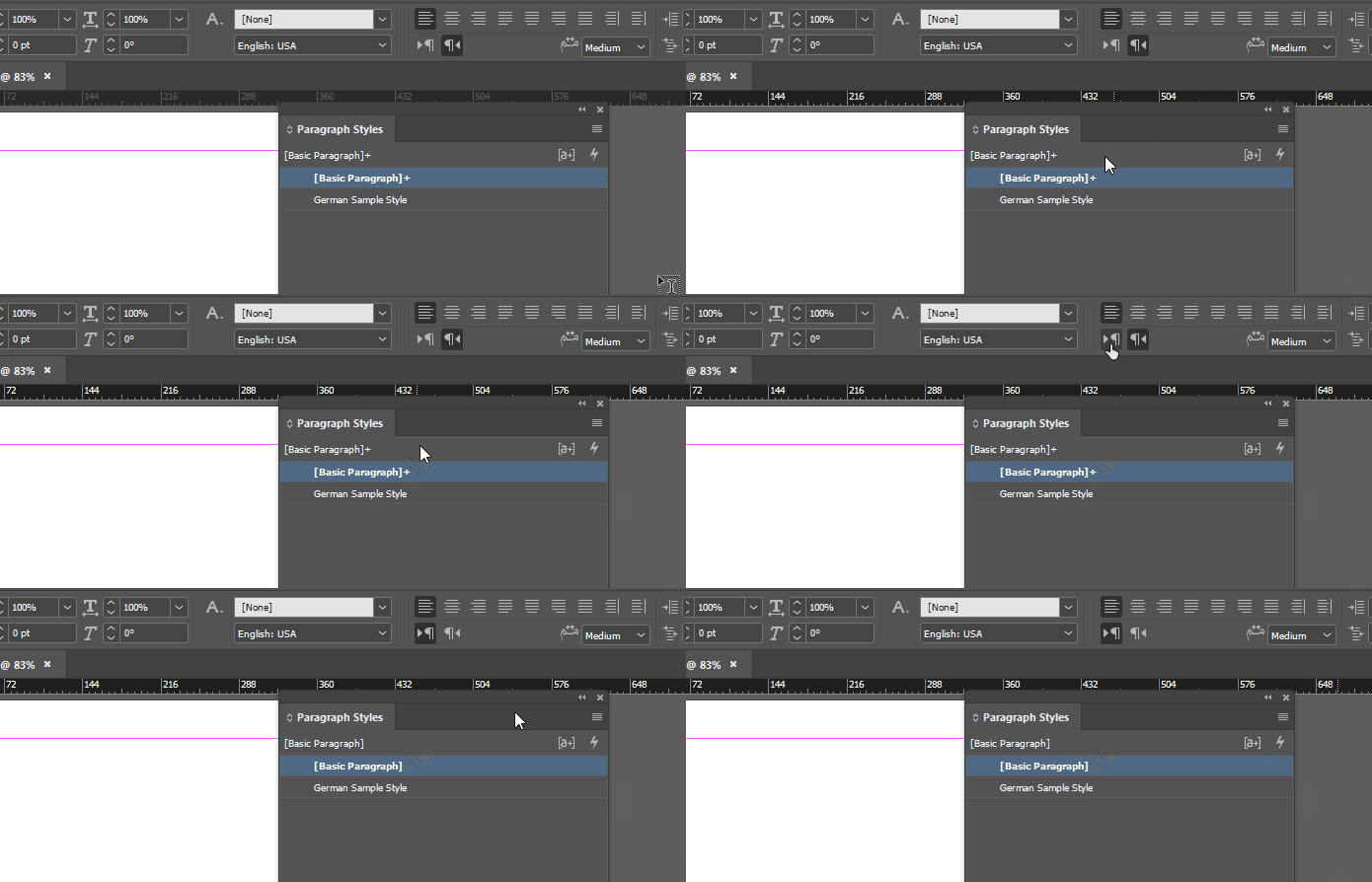
There are a few reasons why this might happen. In my case, I'm using the Arabic-with-English-interface version of InDesign. So its Basic Paragraph Style has right-to-left paragraph direction. However, on the rare occasions that I'm starting a file myself and not working on someone else's file, I want to start with left-to-right behavior in English, so I set up my own document defaults for English and LTR paragraph. So I can resolve that override just by changing my paragraph direction:


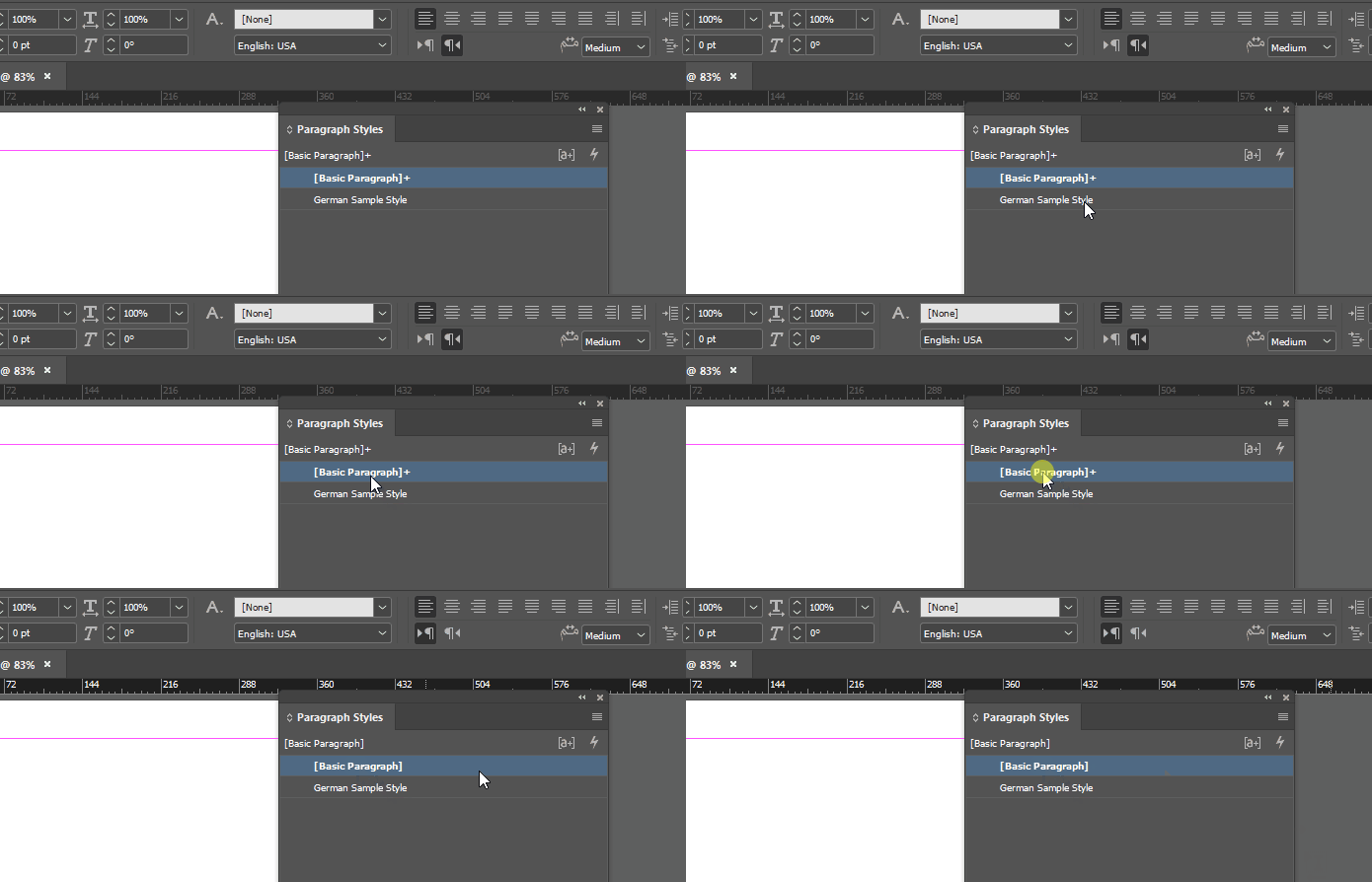
and the exact same thing happens when I alt-click the Basic Paragraph style to remove the override:


2 replies

Joel Cherney
Community Expert
Joel CherneyCommunity ExpertCorrect answer
Community Expert
January 25, 2024

You can always mouse over a paragraph style to figure out what its overrides are. Here's an example where there is absolutely nothing on the page - all I've done is start a new document and create a paragraph style - and there are already paragraph-level overrides:


There are a few reasons why this might happen. In my case, I'm using the Arabic-with-English-interface version of InDesign. So its Basic Paragraph Style has right-to-left paragraph direction. However, on the rare occasions that I'm starting a file myself and not working on someone else's file, I want to start with left-to-right behavior in English, so I set up my own document defaults for English and LTR paragraph. So I can resolve that override just by changing my paragraph direction:


and the exact same thing happens when I alt-click the Basic Paragraph style to remove the override:


Hosun
HosunAuthor
Inspiring
January 25, 2024

Thank you very much for your reply.

I am solving [Question 1] first.


Can Apply "dropcap", Clear Overrides be an option to choose?


Hosun


Joel Cherney
Community Expert
Community Expert
January 25, 2024

If I were in your situation, I'd want to know exactly what override I was clearing. But if you've looked at the override and want to clear it, that's how you'd do it. 

James Gifford—NitroPress
Legend
January 25, 2024

These look like aspects of styles; the way to change them is locate where they are defined and change the definition. If you want, for example, some paragraphs to have a drop cap and others not to have one, you will need two different (Paragraph) styles.


The oddity with the period looks like a GREP style. Look in that Paragraph Style, under GREP styles and Nested Styles, and see if a rule is implemented to see out and change any part of the paragraph. Either deleting those automatic-override styles, or creating a companion style without them, is the way to eliminate or control them.