

Answered
how to remove pink boxes in one fell swoop (without any script, perhaps)
 Hello
Hello
I have copied a formatted list in MS Word over to InDesign.
In InDesign each line item is preceded with a pink box. I understand that it is perhaps a missing font issue. And that's not my worry.
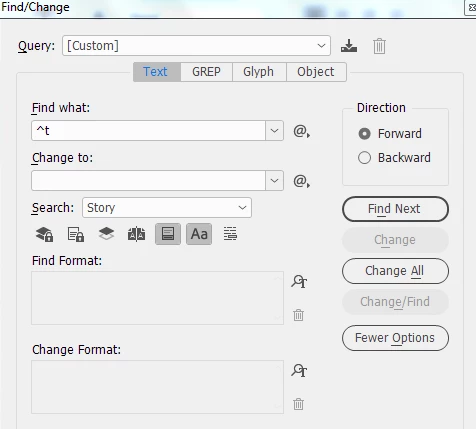
I have many such lists that I wish to bring over from Word to InDesign. Presently, I am manually deleting each pink box. Is there a way I can automate this procedure using Find/Change. Better still, can I bring it over from Word without the pink box... by which I mean to say, when I copy the content in InDesign, the application pastes the content and not the missing font glyph.
Any guidance is appreciated.
 AdChoices