Participant
April 29, 2020
Answered

How to replace underlined text with a character style in InDesign?

  • April 29, 2020
  • 1 reply
  • 1116 views

How can the underlined portion of certain words, such as Sháh, be changed to a character style Undeline?


{Renamed by MOD}

This topic has been closed for replies.
Correct answer Steve Werner

Use the buttons at the bottom of the Find/Change dialog box to find formatting and change formatting:
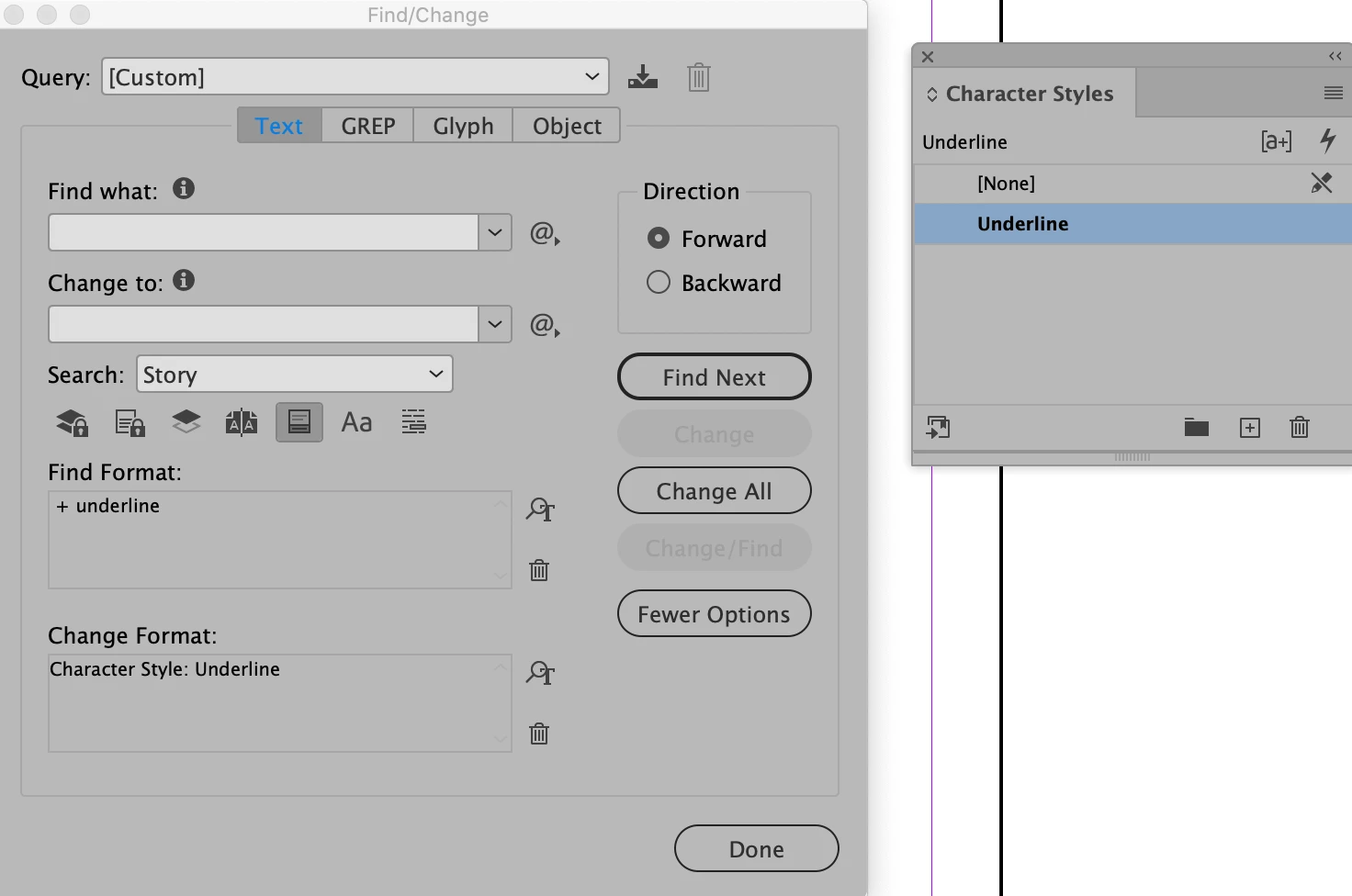
 

1 reply

Steve Werner
Community Expert
Steve WernerCommunity ExpertCorrect answer
Community Expert
April 29, 2020

Use the buttons at the bottom of the Find/Change dialog box to find formatting and change formatting:


Participant
April 29, 2020

Thank you.

Furthermore, is there a way to remove the paragraph overrides? I can see how to set the paragraph style but cannot see how to reset the paragraph to the style.

Participant
April 29, 2020

Actually, I can just select text globally and remove formatting.

One problem I've had in this basic learning process is that hundreds of instances of underline have had some underline removed in my naivety. Is there a way to add underline automatically to part-words? e.g. From "Khán" create "Khán"