


Answered
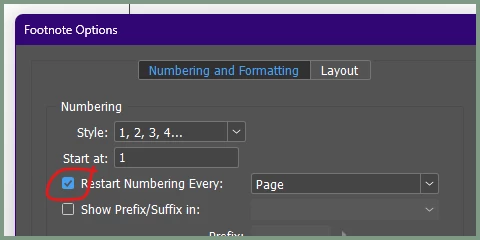
How to Restart Footnotes on Every Page in InDesign
Hi,
Does anyone know if there is a way to restart footnotes on every page? I have a client who wants to use astericks, but I don't want to have them number for the whole book, but rather only for each page. I don't like the look of having multiple astericks on one footnote (********* as an example). There are max 2-3 on each page, so I'd rather they be labelled *, **, ***. Hopefully this makes sense! Thanks in advance.
<Title renamed by MOD>

 AdChoices