



Inspiring
October 30, 2024
Answered
How to Restore or Customize the Default Ribbon Layout in Adobe Online
- 2 replies
- 531 views
- Translate
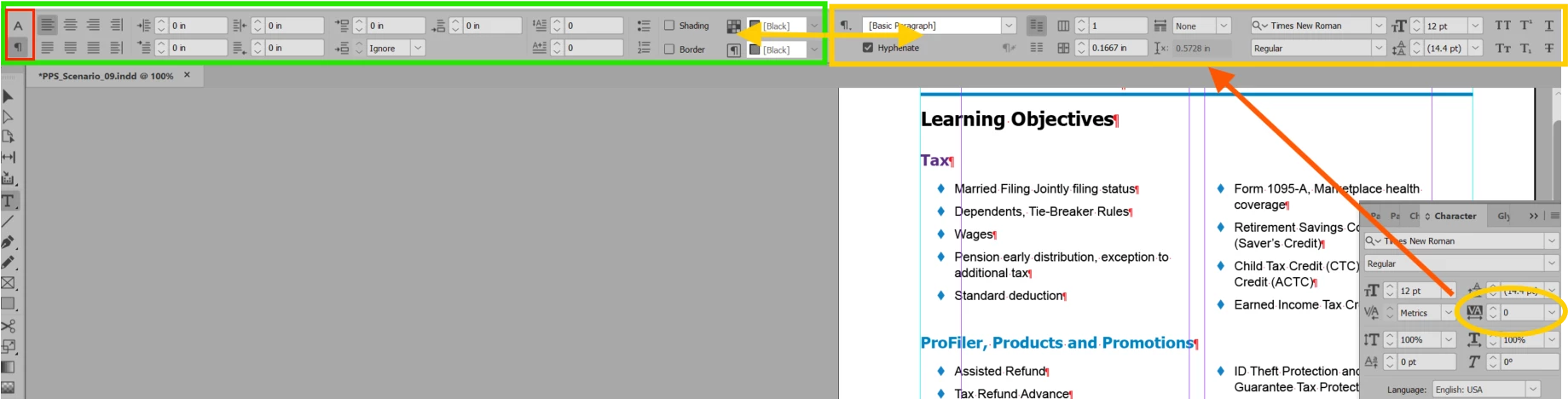
Several weeks ago, my top ribbon changed. all the things on the left are no on the right and the things on the right are now on the left and some things just plain aren't there anymore. I have been working with it, figured I would get used to it, but it is slowing me down so much to have to LOOK for things that were there, (heck 1/2 of them I don't even know where to look, they were always on the ribbon).
Anyway, does anyone know if this part of an update or if there is a way to customize this so I can rearrange the items? (I am using Adobe Online, on a PC)
Thanks!!
<Title renamed by MOD>



 AdChoices