saxtonstudio
Inspiring
October 23, 2024
Answered

How to Right-Align Chapter Numbers in a TOC in InDesign

  • October 23, 2024
  • 1 reply
  • 978 views

I had the TOC numbering and styling all worked out, but now my client wants the chapter numbers to right align. (Everything else is great.) I know this has been covered elsewhere in the discussions, but I've not found a solution. (I even tried formatting based on a kind expert's sample, but it didn't work for me.) How to achieve?


Screenshot of TOC attached. Happy to share whatever formatting may be useful. Thank you.


PS: Using Mac OS / Sonoma, InDesign V 20


<Title renamed by MOD>

This topic has been closed for replies.
Correct answer FRIdNGE

Hi Dave – turns out I'm off the hook. (I'm doubly pleased because I prefer it the way it is.) I'm guessing this issue will come up again, but for now I'm just going to focus on other deadlines at hand! Until then, thank you so much for your help.


Hmm! … (as usual)


(^/)  The Jedi

1 reply

Dave Creamer of IDEAS
Community Expert
Community Expert
October 23, 2024

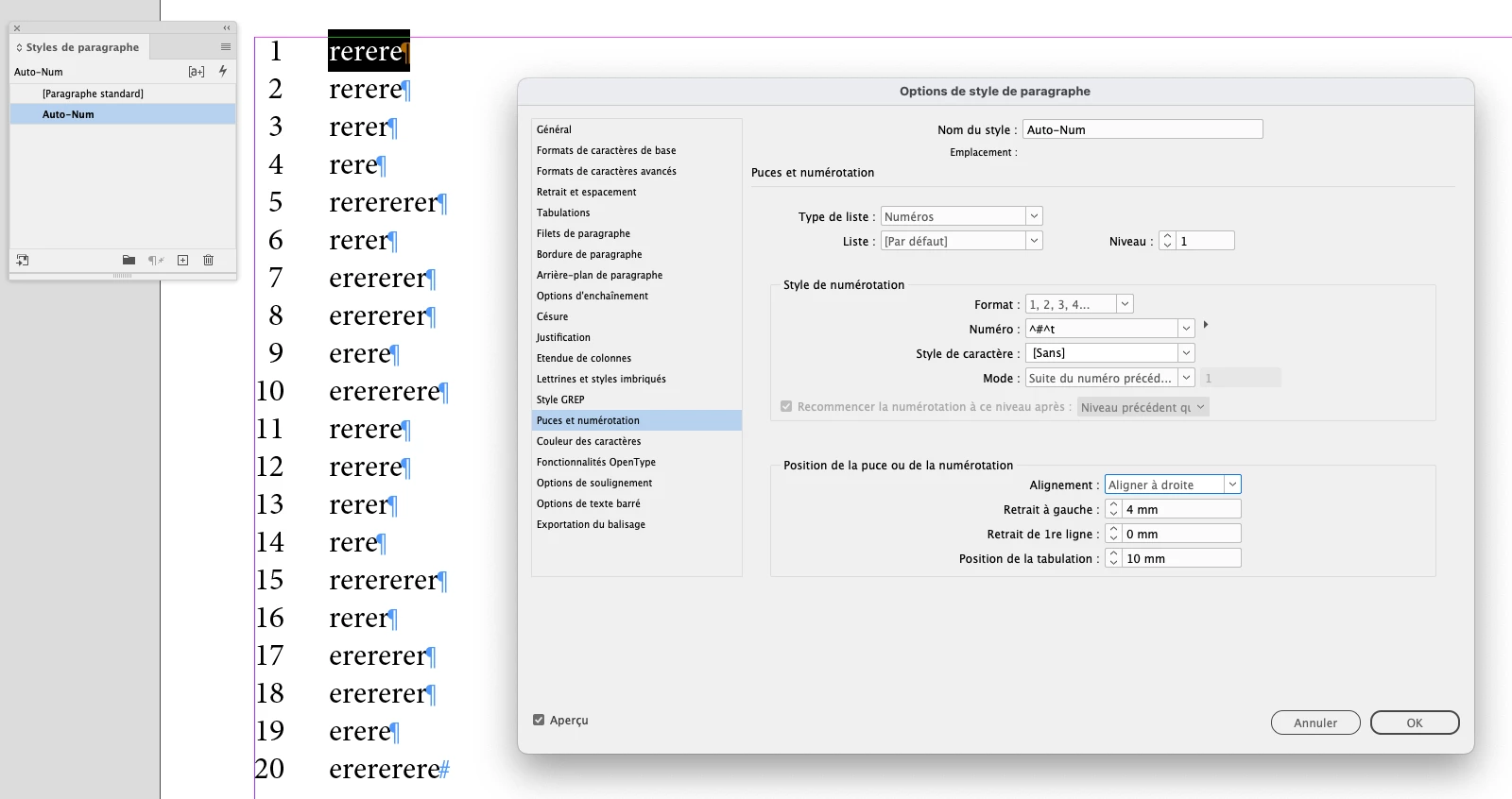
Here is a method I used. (I'm assuming you are doing the chapter numbers on the left by a numbered list.)

Create your paragraph style for the TOC listings with the XX format:


Create a character style with the color set to no color (None).

Create a GREP style in your TOC style to apply the character style to the number zero [0] at the beginning of a paragraph:

Generate your TOC as normal:

Convert your numbered list to text:


If you update your TOC later, you simply have to convert numbers to text again.


David Creamer: Community Expert (ACI and ACE 1995-2023)
saxtonstudio
Inspiring
October 23, 2024

Thanks! I followed this as far as getting the 01, 02 in position, but how do I then "convert numbers to text"? And am I supposed to checking off "align right" somewhere? 


Also, a new problem. Chapter numbers are now diappearing entirely when I update the TOC. I went through something similar recently, and have looked through that thread to try and understand why this is happenning. I feel like I've entered an alternate universe. Like I might need to start from scratch. Very confused.

Dave Creamer of IDEAS
Community Expert
Community Expert
October 23, 2024


Mare sure the chapter numbers are initially a numbered list set up in the paragraph style. 

Make sure the GREP style code is: ^[0]

David Creamer: Community Expert (ACI and ACE 1995-2023)