Answered
How to set pixel for outline in InDesign
Hi. For a web layout we need to have our outlines shown in pixels instead of point or millimeter. This preset can not be set in the software. Can anybody help us?
Thanks a lot!
– Julia

Hi. For a web layout we need to have our outlines shown in pixels instead of point or millimeter. This preset can not be set in the software. Can anybody help us?
Thanks a lot!
– Julia
Hi
to make a long story short:
Go Preferences > Units & increments > make sure Point/Pica size is set as 72 (postscript)
Now, 1 pt = 1 px
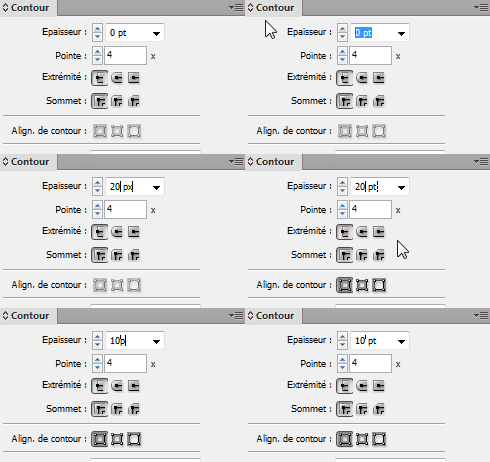
Please note that you can directly set a px size for your stroke.
You'll notice that indesign will change size to pt when hitting Enter (or tab), and that they are equal:
Already have an account? Login
Enter your E-mail address. We'll send you an e-mail with instructions to reset your password.
 AdChoices