Participating Frequently
October 28, 2024
Answered

How to Set Up a 3x3 Layout in One InDesign Spread for Instagram

  • October 28, 2024
  • 1 reply
  • 1588 views

Hello all,


I am trying to create a 3x3 layout into one spread within INDD, for creating an Instagram grid. I am finding the directions online unclear. The following link is where I have been seeking answers, but I am not getting the results I need.


 https://helpx.adobe.com/indesign/using/pages-spreads-1.html#:~:text=You%20can%20include%20up%20to%20ten%20pages%20in%20a%20spread.


I have managed to get all 9 pages into one spread, but I am finding it difficult to get the pages into a 3x3 layout. Does anyone have any advice as to how to do this?


<Title renamed by MOD>
This topic has been closed for replies.
Correct answer Eugene Tyson

Why do you need 9 pages in a grid?
What is it you're actually trying to achieve here? Why can't you do 1 page and spit it into a grid?

Illustrator can move artboards more freely. 


I'm just confused as to the end goal. 


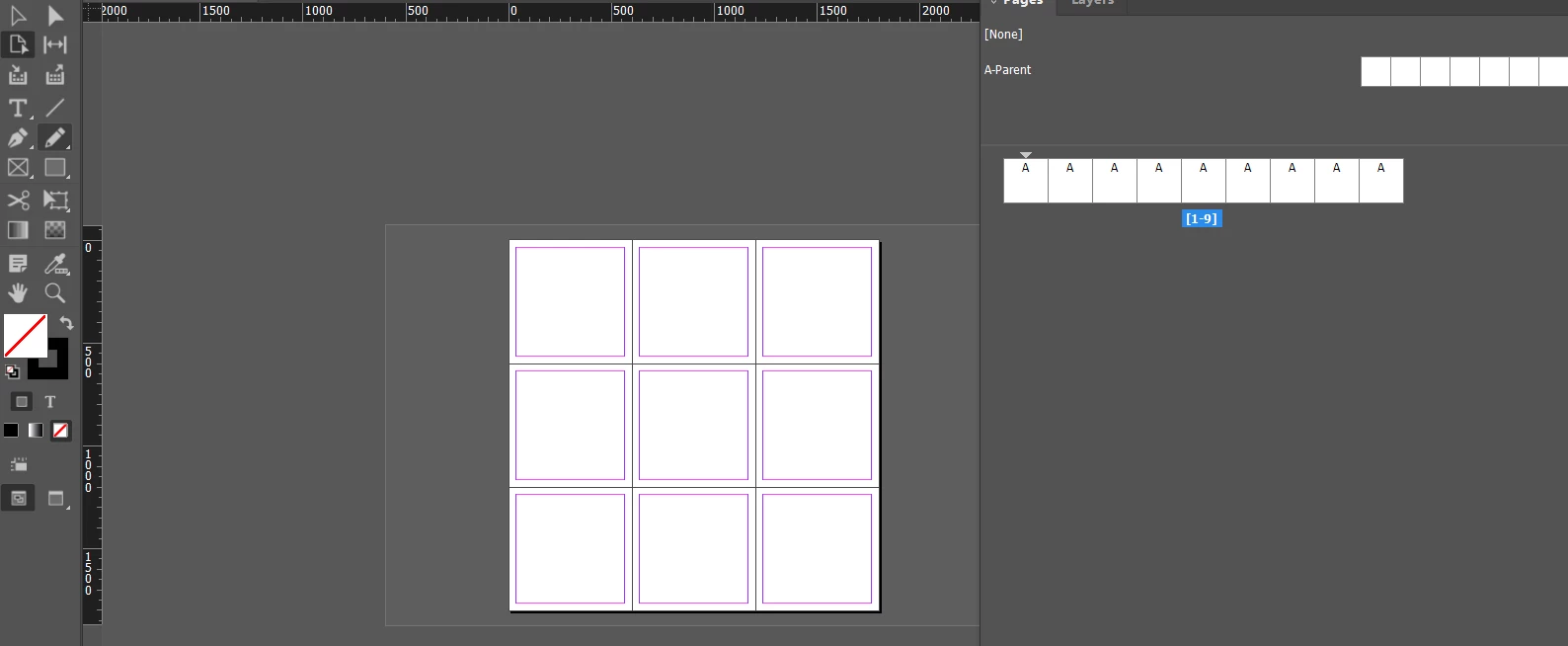
AFAIK the page panel will show as a single line of pages 

But you can use the Page TOOL on the left side toolbar

You can then drag the pages independently

I attached an IDML file showing this


If you're just looking to make a large grid with 1 image in it - so you can make a singular picture split into a grid

Draw your Image Frames and align them with no gaps 

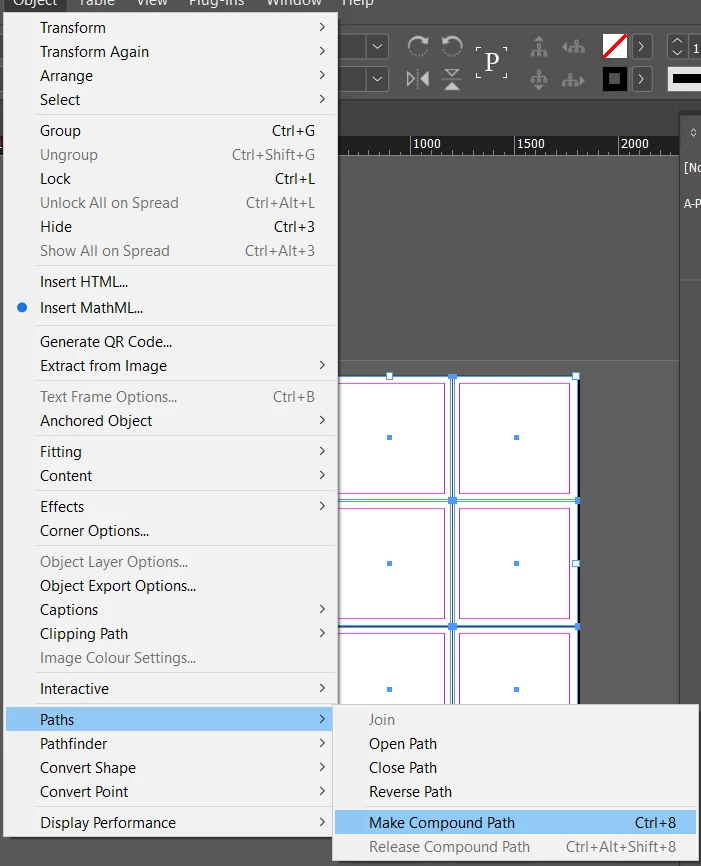
Then select them all and go to Object>Path>Compound Path

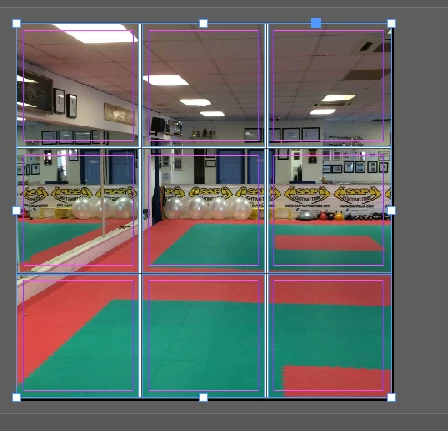
You can then Place a picture and it will be split across the 9 frames


So it acts as 1 image frame


1 reply

Eugene TysonCommunity ExpertCorrect answer
Community Expert
October 28, 2024

Why do you need 9 pages in a grid?
What is it you're actually trying to achieve here? Why can't you do 1 page and spit it into a grid?

Illustrator can move artboards more freely. 


I'm just confused as to the end goal. 


AFAIK the page panel will show as a single line of pages 

But you can use the Page TOOL on the left side toolbar

You can then drag the pages independently

I attached an IDML file showing this


If you're just looking to make a large grid with 1 image in it - so you can make a singular picture split into a grid

Draw your Image Frames and align them with no gaps 

Then select them all and go to Object>Path>Compound Path

You can then Place a picture and it will be split across the 9 frames


So it acts as 1 image frame


ElysaDearAuthor
Participating Frequently
October 28, 2024

I'm trying to create a puzzle post for Instagram. If I don't need 9 pages, that's great! My understanding was that I needed 9 1080 x 1080 pages for a 3x3 layout.  Appreciate your help.

Community Expert
October 28, 2024

I think you can do it either way - sample IDML file as 3x3 grid is there - it's 600 x 600

But Illustrator might be better to do this.

Not familiar with Instagram so no idea what is happening or what you need there 😄