
Participant
April 8, 2025
Question

How to Set Up Bleed Area in InDesign for A5 Book Layout

  • April 8, 2025
  • 3 replies
  • 835 views

Hello, I'm very new to InDesign and I have a maybe dumb question. I'm making a book and created a template with InDesign, the dimensions are A5 (5.83x8.27in). The bleed area is supposed to be 0.13in and when I have made the template it shows the bleed area outside of the white canvas, does this mean that the space between bleed line and white canvas is accounting for the size of the paper or is the size of the canvas true to size and it extends 0.13in do I have to put the bleed lines inside of the canvas?
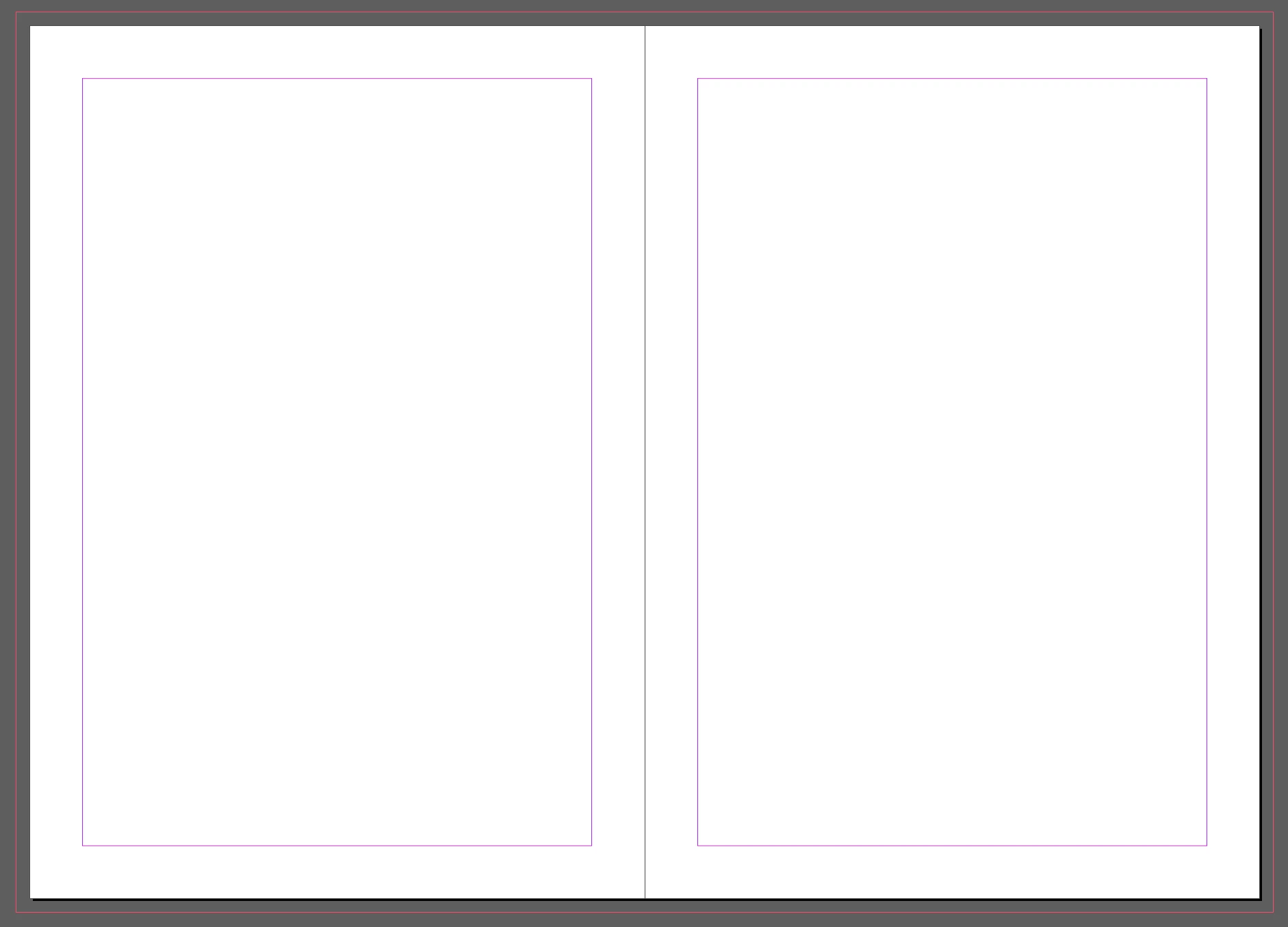
 

<Title renamed by MOD>

3 replies

Dave Creamer of IDEAS
Community Expert
Community Expert
April 8, 2025

After re-reading your question, I believe it is about the inside/gutter bleed.

If you don't have anything that touches the inside page edge on either page, don't worry about it.

If you have a large image that crosses over both pages, don't worry about it.

If you have an image on either page that touches the inside page edge, you need to process it:

Then adjust your bleed for the graphic(s) touching the inside gutter.


David Creamer: Community Expert (ACI and ACE 1995-2023)
rob day
Community Expert
Community Expert
April 8, 2025

Hi @soulbookings , In Document Setup you set the Page Size Width and Height to the final desired trim size. You set the Bleed amount, and whether to include it, in the Print or Expert dialog. There is no need to draw crop and bleed marks in the document:


Participant
April 8, 2025

Thank you, so lets say i want the page to be blue should I extend it outside the given white canvas or leave it within, when I create a filled rectangle it says the size is bigger than intended


Robert at ID-Tasker
Legend
April 8, 2025

@soulbookings


Yes, extend to the bleed area. 


Can you post a screenshot with this warning message? 


Robert at ID-Tasker
Legend
April 8, 2025

Bleed area is the area OUTSIDE of the paper after it will be trimmed - to allow for a slight shift. 


If you'll have any graphic / image that touches edge of the page - white area - you need to extend it to the edge of the bleed area. 


Participant
April 8, 2025

Thanks for getting back to me, but still a bit confused. when I make a rectangle to fill in the canvas to the bleed lines it says the dimensions are bigger that the canvas size I intend on printing 


Robert at ID-Tasker
Legend
April 8, 2025

There are no canvas - but Pages and Pages create Spreads. 


And "who" says that your Rectangle is too big?