Participant
August 26, 2018
Answered

How to set up multiple baseline grids for different type sizes?

  • August 26, 2018
  • 2 replies
  • 8829 views

Hi,

I need to create 2 types of body text paragraphs within same document but on different page, while using baseline grid.

I set up a baseline grid for my 1st body text paragraph style of Font size 9pt with Leading 10.8pt, using baseline increment as the leading.
However I need to work with a secondary body text paragraph style of Font size 8pt with Leading 9.6pt, on another page.

Is it possible to set up baseline grids with different increments for each paragraph styles?

Or is there some other way to achieve this?

Thank you.
Stevco
This topic has been closed for replies.
Correct answer cinziamarotta

Hi,

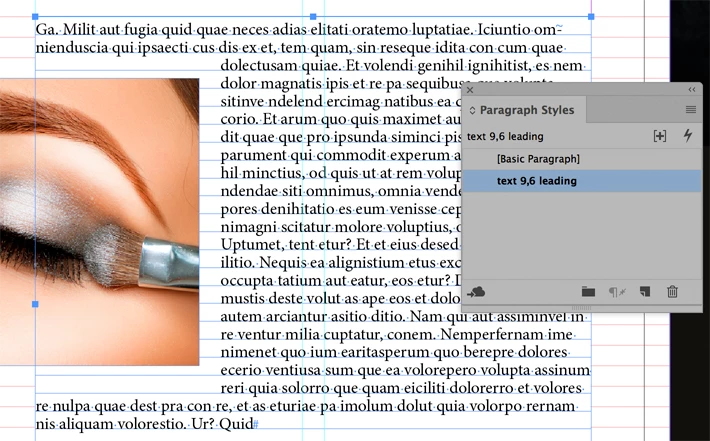
you can use object style to apply a custom baseline grid to different text frame:

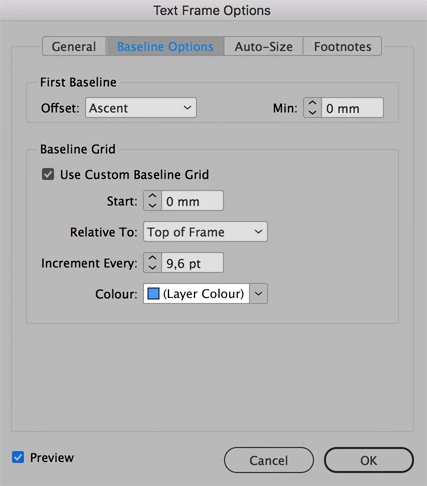
1. create a custom baseline grid (Text frame options)

2. apply the correct paragraph style

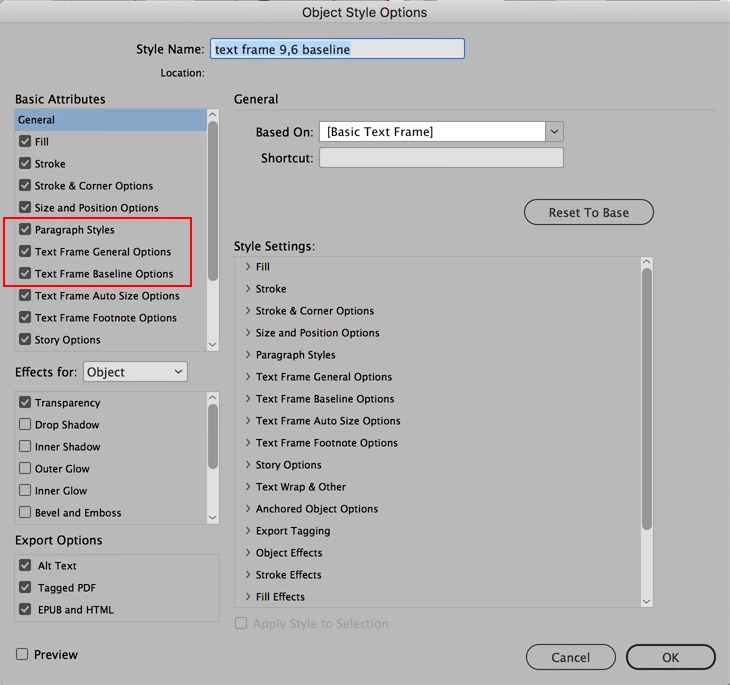
3. create an object style to apply the baseline grid options and the paragraph style

2 replies

cinziamarotta
cinziamarottaCorrect answer
Participating Frequently
August 26, 2018

Hi,

you can use object style to apply a custom baseline grid to different text frame:

1. create a custom baseline grid (Text frame options)

2. apply the correct paragraph style

3. create an object style to apply the baseline grid options and the paragraph style

TᴀW
Legend
August 26, 2018

You can't have different baseline grids for different styles, but you can have different grids for each text frame.

Ariel

id-extras.com | InDesign tools & scripts for typesetters, form designers, and translators