
How to Set Up Vertical Spine Text for Your Book Cover in Adobe InDesign (KDP)
Hi, I’m on the final step to get my first book onto Amazon KDP. Exciting! But I’m stuck on changing the text on the spine to vertical. I’ve tried all the suggestions I can find online.
Object > Transform > Rotate 90 degrees changes the orientation of the text box, not the lettering.
Object > Transform > Flip vertical just pushes the text box up off the page and doesn’t change the lettering to vertical.
When I try type on a path, I can draw the line fine but when I go to type on a path, ‘Options’ is greyed out.
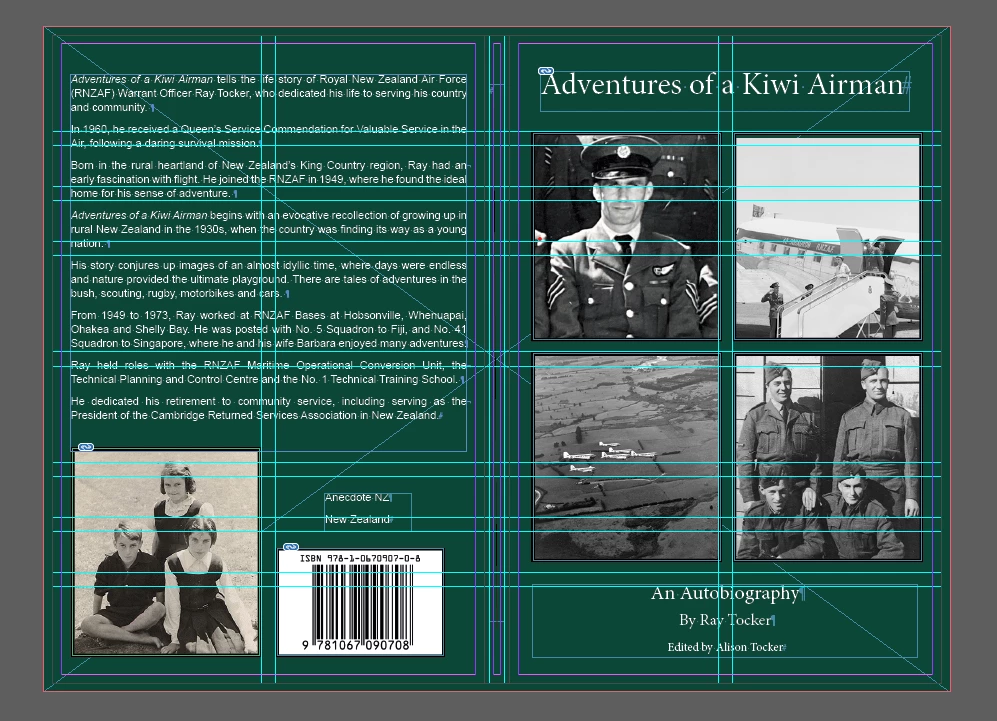
Also, the text on the back cover has suddenly gone all blurry and I have done nothing to create that effect. I have been working on this cover for about a month with the text looking fine, and regularly save new versions including today. I am using this setting: View > Display Performance > High Quality Display.
This will almost certainly be newbie error so I appreciate your patience. Screenshot below has hidden characters showing.
<Title renamed by MOD>


 AdChoices