
Known Participant
June 19, 2024
Question

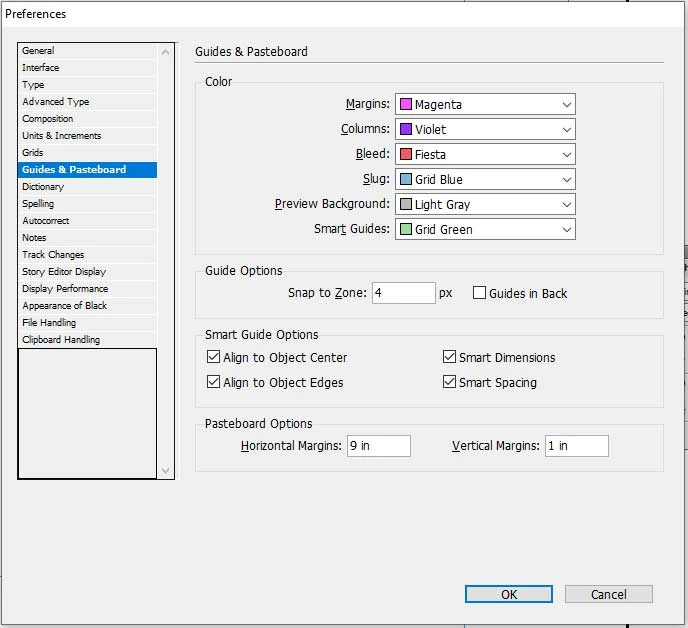
How to solve Pasteboard automatic increase

  • June 19, 2024
  • 2 replies
  • 622 views

Hello sir 

I am use indesing cs6. My indesing file have 80 page. Only two page Pasteboard size is large automatic. How to solve it. Please help me. I am share a screenshot for better understanding. i am share a another screen for pastboard size.



This topic has been closed for replies.

2 replies

Inspiring
June 21, 2024

Hi

I don't understand the problem.

Should objects be copied into Indesign that are too large for Indesign's workspace?

Is it possible that it has objects that are outside the pasteboard area?

Community Expert
June 24, 2024

@Daniel Steiger said: "… Is it possible that it has objects that are outside the pasteboard area?"


Hi Daniel,

not exactly outside the pasteboard area, but nearly outside like in this sample:

Also note, that this object could be a single path point.

So it could be hard to detect it visually.


Regards,
Uwe Laubender
( Adobe Community Expert )

Community Expert
June 19, 2024

Hi @Peeyush37849741 ,

it could be that elements are positioned at the edge of that large pasteboard. You could remove them. Then the pasteboard should snap back to its intended size.

To identify the elements do a Select All when on the spread. Or draw out a selection marquee with the Selection tool throughout the edges of the pasteboard.


Regards,
Uwe Laubender
( Adobe Community Expert )

Known Participant
June 19, 2024

Thank for reply. I am try  as you say. but problem is steal. Please provide correct solution.

Robert at ID-Tasker
Legend
June 19, 2024

@Peeyush37849741 


It's possible that your file is corrupted - please try IDMLing - export as IDML, open, save with a new name - do not overwrite your original INDD file.