Answered
How to Turn Off Form Field Highlights
I’m using InDesign 2025. When I export a file to PDF, the interactive check boxes and text fields are highlighted in light blue. How do I turn off the highlighting? Thank you.

I’m using InDesign 2025. When I export a file to PDF, the interactive check boxes and text fields are highlighted in light blue. How do I turn off the highlighting? Thank you.
That is a preference on the user's end. YOU can turn it off by turning off the following preference in Acrobat:
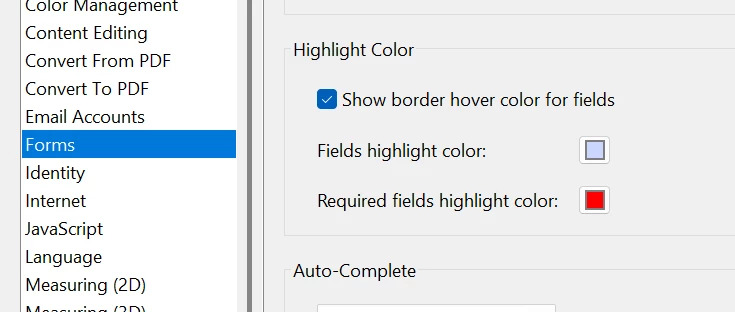
While it is possible to turn it off for other users with Javascript, it doesn't always work, especially with third-party viewers. Also, some secure sites don't allow Javascript PDFs to open.
Already have an account? Login
Enter your E-mail address. We'll send you an e-mail with instructions to reset your password.


 AdChoices