Participant
September 16, 2019
Question

How to turn off Hyphenation in InDesign

  • September 16, 2019
  • 4 replies
  • 8553 views

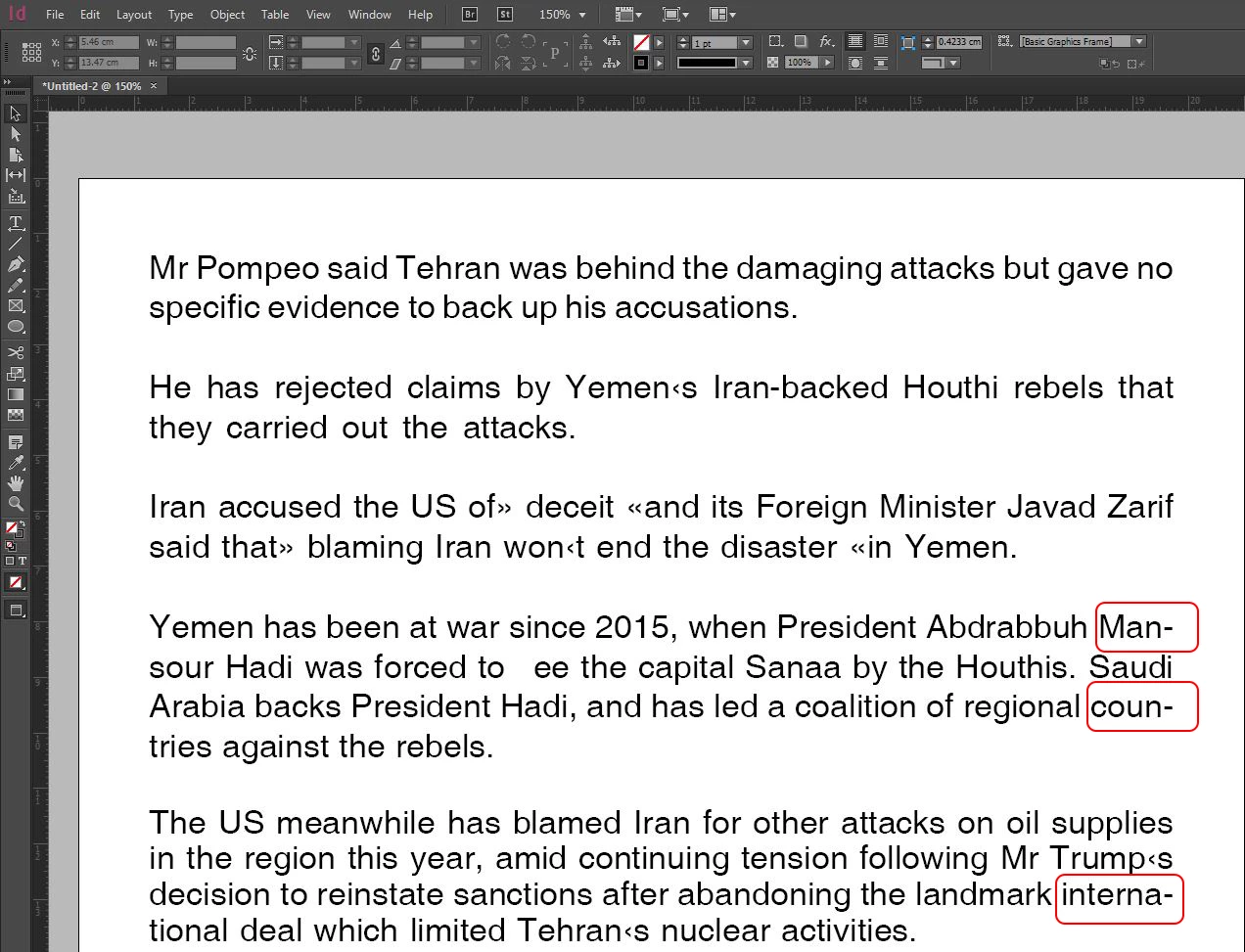
When I insert a Word document into my indesign page the words break up with (-)
I know it's common thing in books, but some words lose it sense.
Is there a solution?

Thanks in advanced
 

4 replies

Srishti Bali
Community Manager
Community Manager
September 19, 2019

Hi Ahmed, 


Thanks for reaching out. As mentioned above, you just need to turn off hyphenation or you can also set hyphenation settings as per requirement as suggested by Nigel. 


For more details, please take a look at this help article: https://helpx.adobe.com/in/indesign/using/text-composition.html#hyphenate_text


Regards,

Srishti

Community Expert
September 16, 2019

To add to what both Willi and Derek say…


To control hyphenation for a selected paragraph(s) go to the Paragraph panel. If necessary, choose Show Options from the panel menu, then make sure Hyphenate is checked.

To take things further, and control hyphenation globally, create a Paragraph Style, and change the hyphenation setting for this style. Apply the style to paragraphs as appropriate.

Note that hyphenation isn't always a bad thing and that, as the hyphenation options imply, choosing when and how to hyphenate your text involves a compromise between good (consistent) word spacing and avoiding the visual disruption that hyphens bring to the text.

Jongware
Community Expert
Community Expert
September 16, 2019

".. avoiding the visual disruption that hyphens bring to the text" – that said: even though *you* – Ahmed – may 'feel' there is something *wrong* with the hyphenated words in your text, it isn't. (Although maybe you don't want to hyphenate that name.) Unless your document is targeted to a younger audience or a beginners' level of English, just leave hyphenation on. There is *nothing* unprofessional, unconvential, or ugly about hyphenation. Quite the contrary: I consider well-hyphenated text visually more appealing because its spacing is way more consistent.
I see a couple of other things in your text that ARE blatantly wrong.

Derek Cross
Community Expert
Community Expert
September 16, 2019

The best practice would be to assign Paragraph (and Character) Styles to your text and untick Hyphenation in the dialogue box (or adjust the hyphensation rules).


(By the way, in the Paragraph Style Options you can replace your Carriage Returns for inserting a blank line for new paragraphs to the more useful Space before / Space after facility, and much more.)


Willi Adelberger
Community Expert
Community Expert
September 16, 2019

If you don't want to hyphenate a word in this place put a discretionary hyphen BEFORE that word (as you would do in Word too), it does not allow to hyphenate this word.

If you want to regulate hyphenation permanently for all documents in a specific language, insert the wort into your User Dictionary and:

  1. Put a tilde ~ before a word entry if you don't want to hyphenate this word in any case.
  2. Put a single tilde ~ on the primary
  3. two tildes ~~ on normal and
  4. three tildes ~~~ on allowed but only if no other possibility exists to hyphenate.
