Inspiring
October 22, 2019
Answered

How to update only page number in TOC with retaining formating??? CS6

  • October 22, 2019
  • 6 replies
  • 7520 views

How to update only page number in TOC with retaining formating??? CS6

Idealy via script.


Thanks

Correct answer Barb Binder

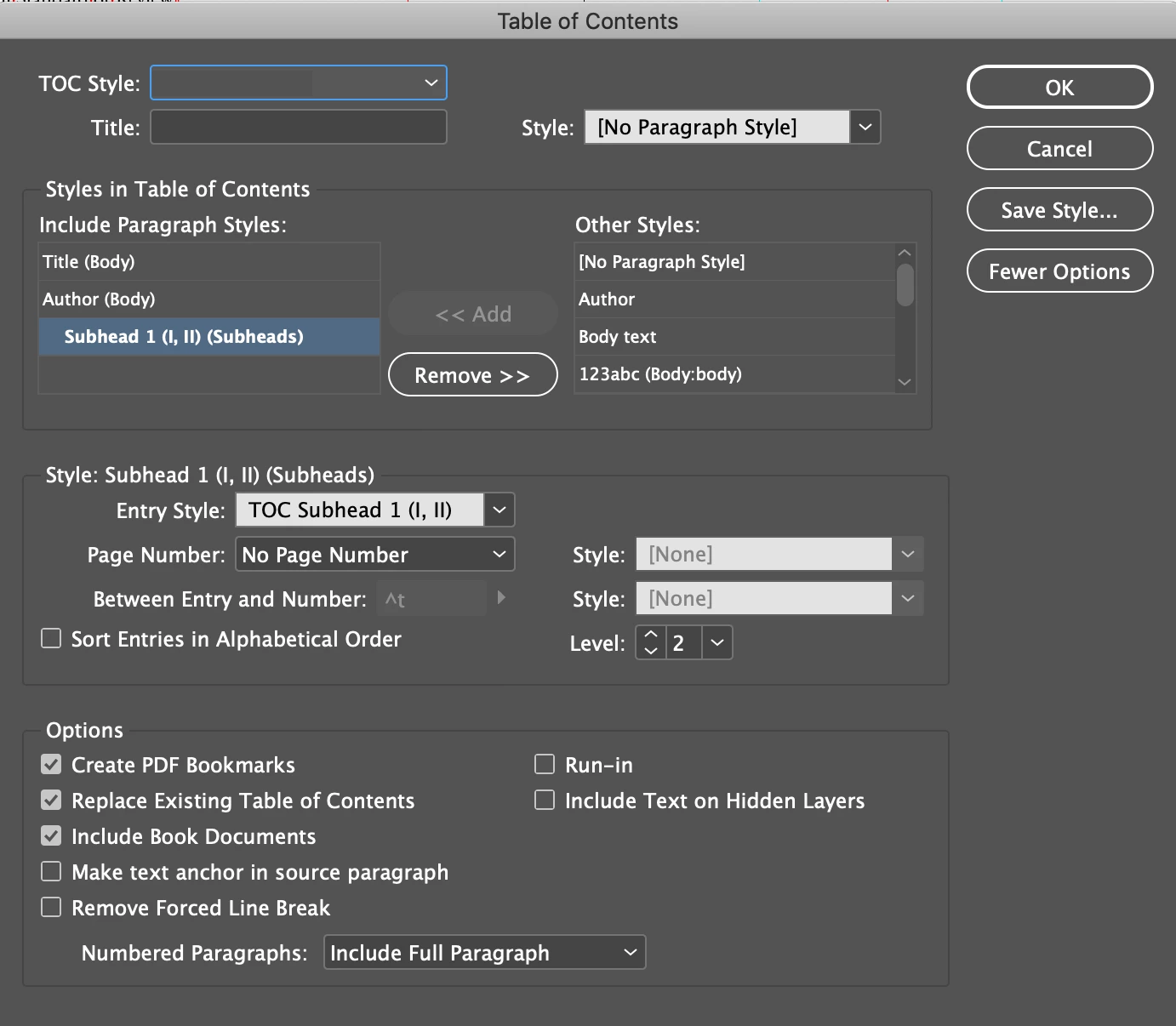
I'm confused as to why this is a scripting question. When you set up a TOC correctly, updating the page numbers without losing formatting is automatic. You have control over everything in the Table of Contents dialog box—it's really powerful. For details, see https://helpx.adobe.com/indesign/using/creating-table-contents.html.
 

~Barb

6 replies

Seth Yoder
Participant
February 16, 2024

Hey kajzica, I know this is a super old thread, but I believe I found a way to accomplish what you're asking for WITHOUT the use of a Script. With the text frame active and a portion of text selected, right click and choose Interactive > Insert Cross Reference...


Reference this screenshot for the next steps:

1) Search for the text paragraph in your document that you'd like this cross reference to link to. In my case, Wendy is the writer, and her name appears on the opening spread of her article. So I searched for her name and selected the correct paragraph (her name appears in multiple places in the document, so I had to make sure I selected the correct paragraph. As you can see, the currently selected instance of her name occurs on page 3, hence, the cross reference linked to page 3.)


2) Select the format that you want the cross reference to display. For page numbers, simply select "Page Number" from the "Cross-Reference Format" drop down menu.


Done.


Now the page number is linked to whatever page the anchored text paragraph is moved to.

marijaj80426700
Participant
November 5, 2020

Could you please explain step by step? 
As I'm not managing to find it in the guide.
Thanks.

Jongware
Community Expert
Community Expert
October 23, 2019

Alternatively, generate your ToC once and then replace all page numbers with crossreferences. See https://helpx.adobe.com/indesign/using/cross-references.html


Edits in the text won't update the ToC anymore but text reflows will update the page numbers totally automatic.

Barb Binder
Community Expert
Community Expert
October 22, 2019

This is a situation where you just need to educate your co-workers on how to work with a TOC correctly in InDesign. Specifically, let them know that edits are made to the source files and then the TOC is updated to reflect those edits with the current page numbers. 


What you are asking for is part of InDesign's out-of-the-box feature set. I'm sure you can hire someone to write a custom script for you, but why pay a programmer to write a script for a feature that is already included with the software? 


~Barb

~Barb at Rocky Mountain Training
Barb Binder
Community Expert
Barb BinderCommunity ExpertCorrect answer
Community Expert
October 22, 2019

I'm confused as to why this is a scripting question. When you set up a TOC correctly, updating the page numbers without losing formatting is automatic. You have control over everything in the Table of Contents dialog box—it's really powerful. For details, see https://helpx.adobe.com/indesign/using/creating-table-contents.html.


~Barb

~Barb at Rocky Mountain Training
kajzicaAuthor
Inspiring
October 22, 2019

Workflow in my company is not 100% and after creating toc workers make formating by hand...yea, stupid i know..this is reason why i need way to update only page numbers in toc. We use scripts for some tasks and this will be good update for some of this sripts.

John Mensinger
Community Expert
Community Expert
October 22, 2019

"Workflow in my company is not 100% and after creating toc workers make formating by hand...yea, stupid i know."


You do have the option of creating proper TOC styles using selections from the manually formatted TOC, then regenerating. Might take about 3 minutes. That way you accomplish the update, and facilitate clean ones going forward.

Derek Cross
Community Expert
Community Expert
October 22, 2019

Layout > Update Table of Contents.